Key Takeaways
- CA consultants manage multiple clients, recurring assignments, document requests, financial reporting, and tax-related work.
- A task tracker helps organize assignments, set internal deadlines, and monitor pending activities.
- CA firms can use task tracking to coordinate GST preparation, income tax return preparation, audit documentation, and client follow-ups.
- Task templates and reminders help standardize recurring work and reduce manual follow-ups.
- Managers can review staff workloads, task progress, and overdue assignments through centralized dashboards.
- TrackerSuite.ai supports task and workflow management alongside specialized accounting, tax, and compliance software.
Introduction
Chartered Accountants and CA consultants work with multiple clients, each with different financial records, reporting requirements, and deadlines. A small firm may handle accounting, GST-related work, income tax return preparation, audits, and financial reporting for dozens or hundreds of clients.
Managing this work requires more than accounting knowledge. CA consultants also need to collect documents, assign work to staff, review submissions, follow up with clients, and make sure internal preparation is completed on time.
For example, an accountant may be waiting for bank statements from one client while preparing GST-related information for another. A junior team member may need to complete an audit checklist, while a senior CA must review a financial report before it is delivered.
When these activities are tracked through WhatsApp messages, emails, spreadsheets, and personal reminders, it becomes difficult to maintain a clear view of every pending assignment.
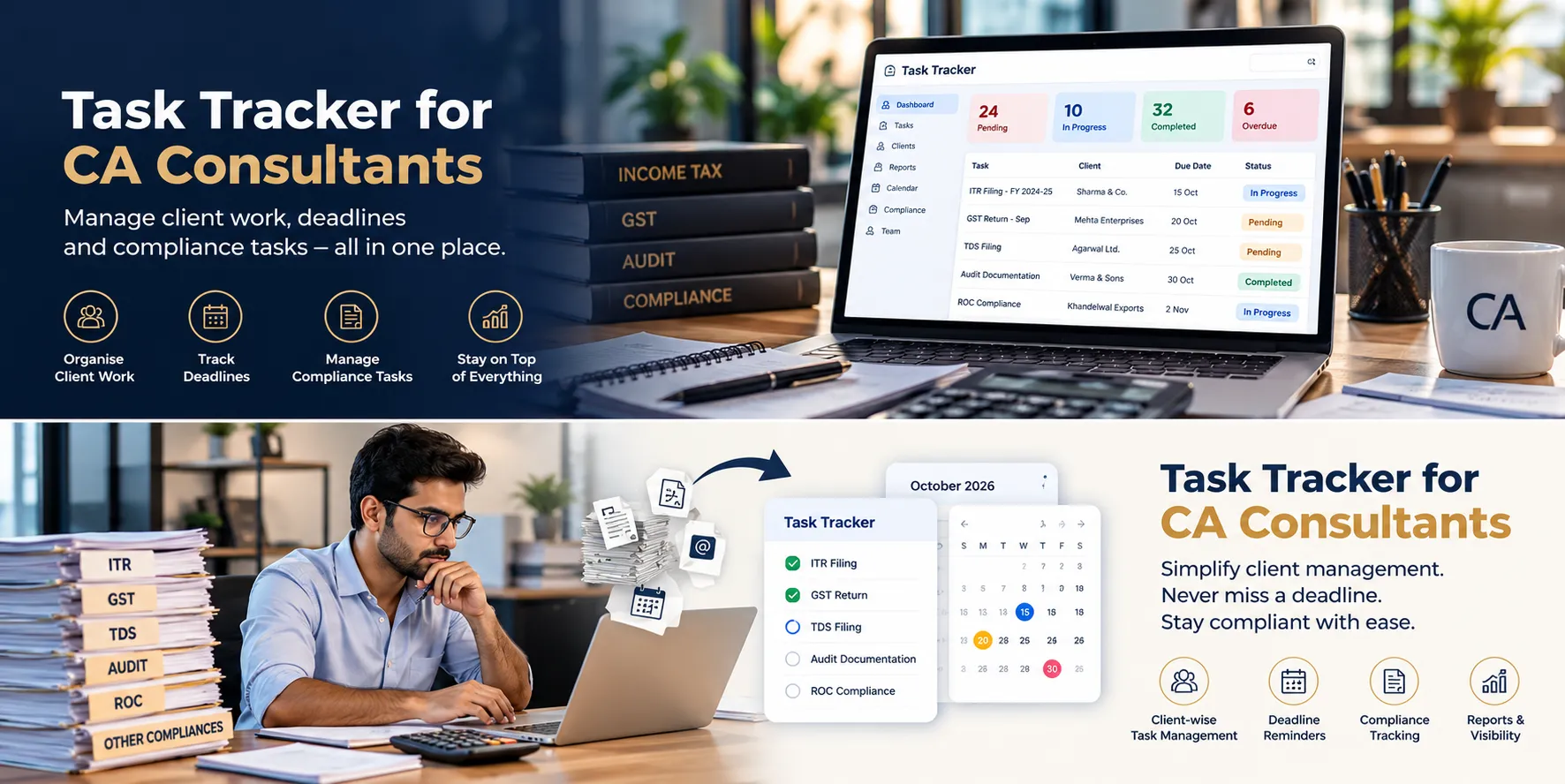
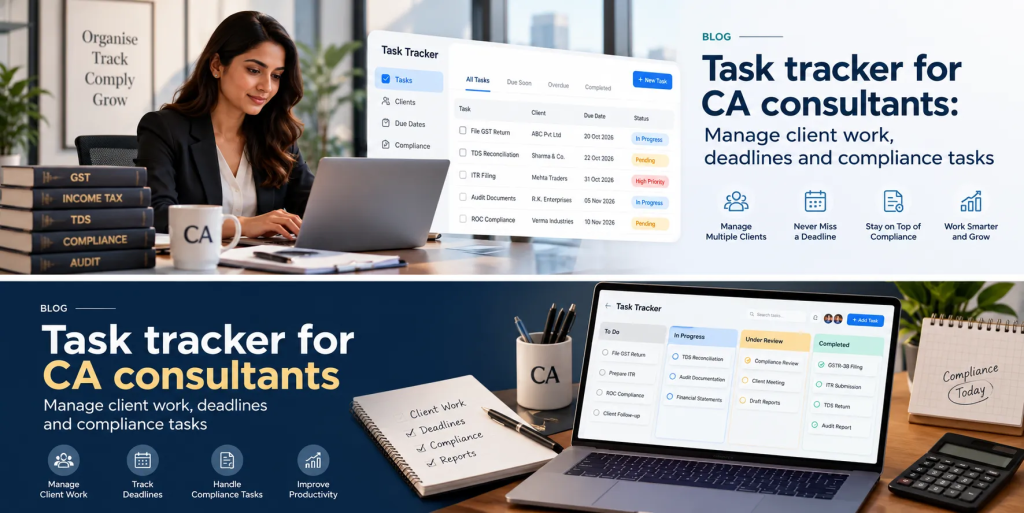
A task tracker for CA consultants helps bring these activities into a structured system. Consultants can assign work, set internal deadlines, record updates, and monitor progress across clients and employees.
The result is a more organized workflow, clearer responsibilities, and less time spent chasing routine updates.
Why Do CA Consultants Need Task Management Software?
CA consultants often manage several types of work simultaneously. The challenge is not only completing each assignment but also coordinating the people, documents, and internal steps required to finish it.
1. Managing Multiple Client Assignments
Every client has different requirements. One may need regular accounting support, another may require tax return preparation, and another may need audit documentation or financial reporting.
If each assignment is tracked separately, consultants may have to check several spreadsheets and conversations to understand what is pending.
A task tracker helps organize work by client, assignment, department, or employee, depending on the system’s capabilities.
For example, a CA firm can assign a document collection task to an assistant, preparation work to an accountant, and a review task to a senior professional.
Each activity has a clear owner and deadline, making it easier to follow the work from start to finish.
2. Tracking Internal Deadlines
CA firms work with statutory due dates, client commitments, internal review dates, and document collection deadlines.
These dates serve different purposes. A statutory deadline may be prescribed by law, while an internal deadline gives the team enough time to prepare, verify, and review the work.
A task tracker can help organize internal preparation tasks and schedule reminders before the relevant dates.
For example, a firm preparing a client’s return may create separate tasks for collecting financial information, preparing working papers, reviewing the information, obtaining client confirmation, and completing the filing through the appropriate system.
Important: A general task tracker should not be treated as the authoritative source for statutory due dates or tax deadline calculations. CA consultants must independently verify applicable requirements and maintain appropriate compliance calendars and controls.
3. Collecting Documents From Clients
Client document collection is a regular part of accounting and tax-related work.
Consultants may need bank statements, invoices, expense details, financial records, supporting documents, or clarifications before proceeding with an assignment.
When requests are shared across WhatsApp and email, it can be difficult to remember which documents are still pending and who needs to follow up.
A task tracker can help assign document requests, record follow-up dates, and track whether the required information has been received.
Sensitive financial documents should still be exchanged and stored through systems approved for the firm’s security and confidentiality requirements.
4. Coordinating Staff and Reviews
As a CA practice grows, several employees may work on the same client’s assignment.
A junior accountant may prepare the initial information, another team member may verify the entries, and a senior CA may complete the review.
If the handover is unclear, work can remain pending even when the previous step is complete.
A task tracker helps define ownership and make progress visible. Where supported, subtasks and approval workflows can organize each stage and show who needs to act next.
5. Reducing Manual Follow-Ups
CA consultants often spend time asking employees whether a task is complete or contacting clients to request missing information.
These follow-ups are necessary, but managing each one manually can consume time that could be used for client advice, financial analysis, and review work.
A task tracker provides a central view of task ownership, deadlines, and progress. Configured reminders and notifications can prompt employees to act on pending assignments.
This helps consultants focus on tasks that need attention instead of repeatedly asking for updates.
What Is a Task Tracker for CA Consultants?
A task tracker is a digital tool that helps professionals create, assign, organize, and monitor work.
For CA consultants, it can support activities such as:
- Assigning accounting and financial reporting tasks.
- Coordinating GST and income tax preparation activities.
- Tracking audit documentation and review assignments.
- Following up on missing client information.
- Organizing internal approvals and quality reviews.
- Managing recurring client assignments.
- Tracking staff responsibilities and timesheets.
- Coordinating client onboarding and administrative work.
Each task can have a responsible person, due date, priority, status, and relevant updates.
Depending on the software, users may also attach notes, documents, or supporting evidence to a task.
The purpose is to make the work process easier to manage. A task tracker is not automatically an accounting platform, tax calculation engine, audit application, or statutory filing system.
How Task Tracker Software Helps CA Consultants
1. Organize GST and Tax Preparation Work
CA firms may need to prepare information, collect supporting records, review data, resolve discrepancies, and coordinate client confirmations before completing tax-related work.
A task tracker can organize these steps into assignments with clear responsibilities and internal deadlines.
For example, a firm can create tasks to request records from a client, prepare the relevant working information, review outstanding questions, and confirm that the required internal checks are complete.
Managers can see which activities are still pending and which employees need support.
The actual tax calculations, return preparation, and submissions should continue through the firm’s approved accounting and tax software and applicable government portals.
2. Manage Audit Documentation and Review Tasks
Audit assignments often involve collecting records, preparing working papers, reviewing supporting information, and resolving questions raised during the audit process.
A task tracker can help organize these activities.
For example, a senior professional may assign a team member to collect specific records, another employee to prepare supporting documentation, and a reviewer to examine the completed work.
The team can monitor progress and identify missing items before an internal review deadline.
A task tracker helps coordinate the work, but it does not replace audit software, professional judgement, required audit procedures, or the firm’s formal documentation controls.
3. Keep Client Follow-Ups Organized
Clients may need to provide documents, answer questions, approve information, or confirm details before an assignment can move forward.
If a client does not respond, the responsible employee needs to know when to follow up and what remains outstanding.
A task tracker allows the firm to create a follow-up task, assign an owner, set a date, and record the outcome.
For example, if bank statements are missing, the team can track the request and schedule a reminder. Once the records are received through the approved channel, the task can be updated and the next activity assigned.
This makes client coordination more structured and reduces the risk of forgotten follow-ups.
4. Standardize Recurring Client Work
Many CA firms provide services that repeat monthly, quarterly, or annually.
These may include bookkeeping, reconciliation preparation, payroll-related work, periodic reporting, and recurring compliance preparation.
Without a consistent process, staff may rely on personal checklists or recreate the same task lists for each client.
A task tracker can support reusable templates and recurring assignments. The firm can define the steps, assign responsibilities, and schedule internal deadlines according to its workflow.
This helps employees follow a consistent process while allowing managers to review progress across multiple client assignments.
Recurring tasks should always be aligned with the client’s actual requirements and current applicable deadlines.
5. Coordinate Work Across Multiple Employees
When several employees work on different parts of an assignment, clear handovers are essential.
A task tracker can make it easier to assign the next step once the previous activity is complete, where the system supports the required workflow.
For example, a preparer can submit a task for review. A senior accountant can review the work, request corrections if needed, and update the status after completing the review.
This creates a clearer record of responsibility and reduces the need to repeatedly ask who should act next.
6. Review Staff Workloads and Pending Tasks
Partners and practice managers need to know how work is distributed across the team.
One employee may have several urgent assignments, while another may have capacity to take on additional work. Some tasks may also remain pending because they depend on client documents or internal approvals.
Task dashboards and reports can help managers review assigned work, overdue tasks, and completion status.
These insights can support workload planning and help managers identify recurring delays.
However, task completion alone does not measure the accuracy or quality of accounting, tax, or audit work. Professional review remains essential.
7. Manage Client Onboarding and Internal Administration
A new client may require several administrative steps before regular work begins.
These can include collecting basic information, requesting documents, setting up internal records, assigning a responsible employee, and confirming the services required.
A task tracker can organize these activities into a repeatable workflow.
The same approach can be used for employee onboarding, internal training, timesheet submission, and periodic office reporting.
This allows the firm to manage operational responsibilities without mixing every administrative request into the same email thread.
Task Tracker vs. WhatsApp and Spreadsheets for CA Consultants
WhatsApp, email, and spreadsheets remain useful for communication and simple tracking. However, when a firm manages many clients and recurring assignments, it can become difficult to maintain a complete view of pending work.
| Activity | WhatsApp and Spreadsheets | Task Tracker Software |
|---|---|---|
| Assigning work | Instructions may be scattered across conversations. | Tasks can have clear owners and deadlines. |
| Client follow-ups | Reminders may depend on individual employees. | Follow-up tasks can be assigned and monitored. |
| Internal reviews | Handover status may need manual checking. | Review activities can be tracked as separate tasks. |
| Recurring assignments | Lists may need repeated manual updates. | Reusable templates can standardize recurring work. |
| Staff workload | Managers may need to combine several spreadsheets. | Dashboards can summarize task status and assignments. |
| Progress reporting | Updates may need manual consolidation. | Reports can provide a centralized view of work. |
The aim is not to replace communication tools. It is to ensure that important activities are recorded, assigned, and followed through.
Features to Look for in Task Management Software for CA Firms
Before selecting software, CA consultants should check whether it supports their firm’s actual workflows.
- Task assignment and deadlines: Assign responsibilities to accountants, audit assistants, tax teams, and reviewers with clear internal due dates.
- Recurring tasks and templates: Standardize repeated client assignments and internal procedures.
- Reminders and notifications: Help staff keep track of pending work and upcoming internal deadlines.
- Subtasks and approvals: Organize multi-stage assignments and internal review processes.
- Document and note attachments: Link relevant task information while following the firm’s document security and confidentiality requirements.
- Dashboards and reporting: Review pending tasks, overdue work, and team assignments.
- Timesheets: Track reported working time where needed, and verify compatibility with the firm’s billing process.
- Access controls: Review permissions and determine who can view, edit, or share information.
- Integration with existing software: Check compatibility with accounting systems, tax tools, document management platforms, calendars, and other business applications.
- Mobile access: Allow authorized team members to review assignments and update progress while working outside the office.
For CA practices, security and data handling deserve particular attention because client information can include confidential financial and personal records.
How TrackerSuite.ai Helps CA Consultants Manage Daily Work
TrackerSuite.ai offers task and workflow management capabilities that can help CA consultants coordinate employees, organize internal assignments, and monitor pending work.
Centralized Task Management
Managers can create tasks, assign owners, set deadlines, and review task status from a centralized system.
For example, a CA consultant can assign document collection to an assistant, preparation work to an accountant, and a review task to a senior team member.
Recurring Workflows and Reminders
Recurring tasks, reusable task structures, and configured reminders can help firms organize routine activities and follow-ups.
These features can support internal schedules, while the firm continues to verify statutory dates and manage official filings through the appropriate systems.
Approvals and Team Coordination
Task workflows can help firms organize internal reviews, assign the next step, and track pending approvals where the required workflow is configured.
This makes it easier to coordinate work between preparers, reviewers, and managers.
Timesheets and Performance Reporting
Task-related time reporting and dashboards can help managers review work allocation, reported hours, task status, and overdue assignments.
This information can support internal planning and operational reviews. Firms should verify that any specific billing or client-level reporting requirements are supported before using the platform for those purposes.
AI-Assisted Tasking
TAVI AI can provide task recommendations based on available task history and team context. Depending on the information available and configuration, these recommendations may help managers organize work and consider which tasks need attention.
AI-generated recommendations should be reviewed by the responsible professional. They should not be treated as tax advice, statutory deadline calculations, accounting validation, or a substitute for professional judgement.
Explore the platform: TrackerSuite.ai Task Tracker.
Important: TrackerSuite.ai supports task and workflow management. It should not be presented as a replacement for accounting software, GST or income tax tools, audit applications, or government filing portals unless the required functions and integrations have been verified.
How to Implement a Task Tracker in a CA Firm
A practical implementation starts with a recurring problem rather than moving every activity into a new system at once.
Step 1: Identify the Biggest Bottleneck
Review where work gets delayed most often. Common examples include missing client documents, unassigned follow-ups, delayed reviews, and unclear handovers between employees.
Step 2: Define Responsibilities
For each workflow, decide who creates the task, who owns it, what information is required, and who reviews the completed work.
Step 3: Set Internal Deadlines
Create internal preparation and review dates that give the team time to complete the work. Maintain a separate, authoritative process for verifying statutory due dates and applicable requirements.
Step 4: Create Reusable Task Templates
Prepare standard task structures for recurring activities such as client document collection, monthly accounting work, audit preparation, and internal reviews.
Step 5: Start With One Team or Service
Pilot the workflow with one group, such as the accounting team or tax preparation team. Check whether employees can understand the tasks and update progress without unnecessary administration.
Step 6: Review and Improve
Monitor overdue tasks, repeated delays, and staff feedback. Adjust task ownership, reminders, and workflow steps before expanding the system across the firm.
The goal is to make work easier to coordinate while protecting the accuracy, confidentiality, and professional standards required in CA practice.
Frequently Asked Questions
1. What is a task tracker for CA consultants?
A task tracker helps CA consultants assign, organize, and monitor client assignments, document requests, tax preparation activities, audit tasks, internal reviews, and administrative work.
2. Can task tracking software help with GST and income tax work?
It can help coordinate supporting activities such as document collection, preparation assignments, internal reviews, and client follow-ups. Actual tax calculations, return preparation, and filing must be handled through appropriate professional tools and authorized processes.
3. Can a task tracker help CA firms manage multiple clients?
Yes. A task tracker can help organize assignments, set internal deadlines, assign staff, and review pending work across multiple clients, depending on the available organization and reporting features.
4. Can task management software reduce client follow-ups?
It can help teams record pending requests, assign responsibility, schedule follow-ups, and monitor whether the next action has been completed. This reduces reliance on individual reminders and scattered message histories.
5. Does a task tracker replace CA practice management software?
Not necessarily. Practice management software may include client databases, billing, document management, capacity planning, timesheets, and specialized accounting or compliance workflows. A general task tracker focuses on organizing and monitoring work. CA firms should compare the required capabilities before choosing a system.
6. Can CA consultants use a task tracker for audit assignments?
Yes. It can help organize document requests, working-paper preparation tasks, internal reviews, and follow-ups. It does not replace audit methodology, professional judgement, or specialist audit tools.
7. Is TrackerSuite.ai suitable for CA consultants?
TrackerSuite.ai offers task management, workflow coordination, reminders, approvals, timesheets, and reporting capabilities. CA consultants can evaluate these features against their operational needs and existing accounting and compliance systems.
Conclusion
CA consultants manage multiple client assignments, recurring work, document requests, internal reviews, and deadlines. When these activities are tracked through separate spreadsheets and message threads, keeping everyone aligned can become difficult.
A task tracker for CA consultants helps bring assignments, responsibilities, internal deadlines, and progress updates into a structured process. It can reduce manual follow-ups, improve team coordination, and help managers identify pending work earlier.
TrackerSuite.ai provides task and workflow management capabilities that can help CA firms organize daily operations and coordinate employees. By starting with a specific workflow and defining clear responsibilities, firms can improve visibility into their work while continuing to use the specialist accounting, tax, and compliance tools their practice requires.
Sources and Further Reading
- ICAI Practice Management Software — Information from the Institute of Chartered Accountants of India on practice management, task management, workflows, and firm operations.
- ICAI: Software and Tools — An overview of software and tools available to CA practitioners and firms.
- Income Tax Department: Register for e-Filing as a CA — Official information about CA registration and e-filing access.
- Income Tax Department: My Chartered Accountant — Information about authorizing CAs and assigning forms through the e-Filing portal.
- TrackerSuite.ai Task Tracker — Official product information on task management and workforce coordination.
Leave a Reply