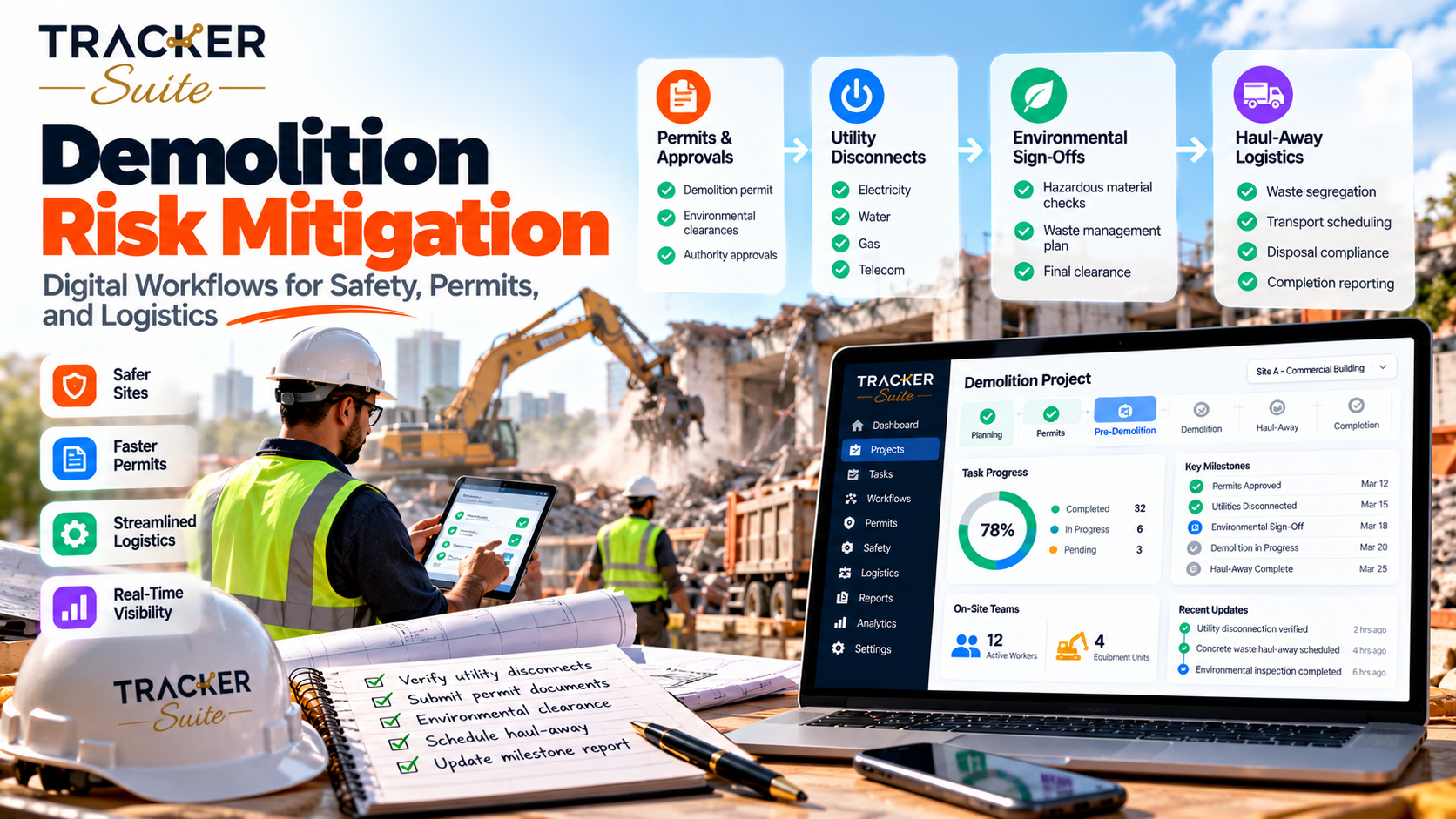
Many demolition incidents begin with a step that someone assumed was finished: a gas service that was never capped, an asbestos survey still awaiting laboratory results, or a haul truck sent to the wrong site entrance. Task tracking tools for construction help demolition contractors replace those assumptions with verified, time-stamped steps, each linked to a named person. This guide explains which workflows to digitize first, how connected data supports safer decisions and where AI adds practical value.
Key takeaways
- Demolition safety depends on sequence. In the US, OSHA requires an engineering survey and controlled utilities before demolition starts, so a tracking system must enforce the order of work, not merely list tasks.
- Treat every prerequisite as a gate. A gate is a step that must be finished and recorded before the next one can start. Each gate needs a named owner, supporting evidence and a due date.
- Coordination breaks first as you grow. Clipboards and group chats struggle once several sites, shifts and subcontractors operate at the same time.
- AI can flag what needs attention. It works from your own task data and configured rules, while competent persons still sign off every safety-critical step.
- Match the tool to the operation. A small crew on one job may only need a checklist, while contractors running several concurrent sites usually need connected workflows and consolidated reporting.
At a glance
- Who this is for: Demolition, strip-out and civil contractors running more than one active site
- US rules referenced: OSHA 29 CFR 1926.850 (preparatory operations) and the EPA Asbestos NESHAP
- Workflows covered: 10, from the engineering survey to haul-away and closeout
- Where software helps: Ownership, ordered steps, reminders, attendance records and dashboards
- Where people stay in charge: Structural surveys, permit decisions and stop-work calls
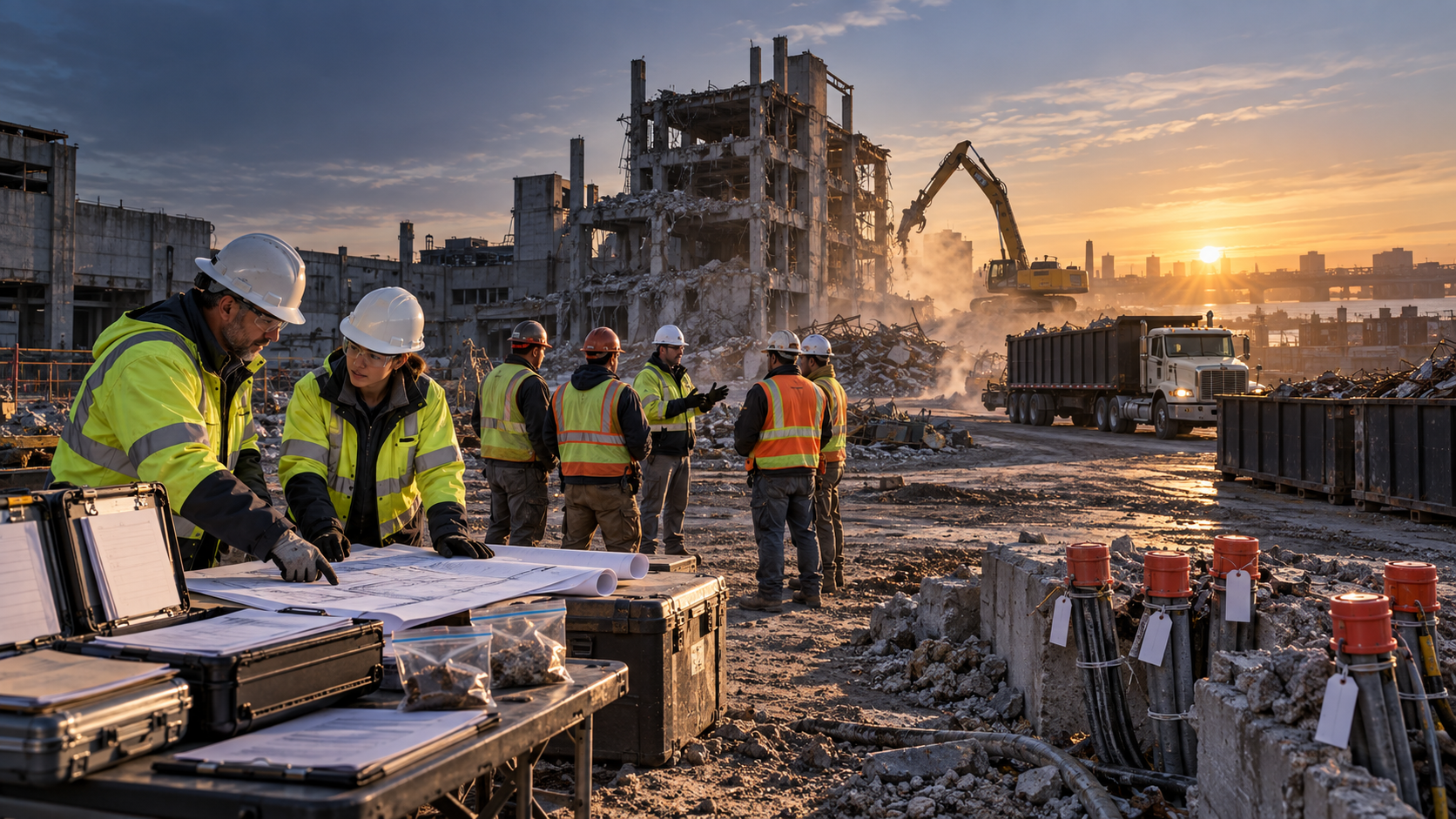
Why is demolition risk a workflow problem as much as a safety problem?
Demolition risk is a workflow problem because most hazards are controlled by prerequisites that must be completed in a fixed order before structural work begins. When surveys, utility isolations and hazardous material clearances live on clipboards or in chat threads, nobody can demonstrate that the sequence was followed until a crew is already exposed.
Construction remains a high-consequence industry. The US Bureau of Labor Statistics reported that construction recorded the most private industry workplace deaths in 2024, at 1,034, down 3.8% from 1,075 the previous year (BLS, 2026). Across all US industries, BLS counted 5,070 fatal work injuries in 2024 (BLS, 2026).
Those figures describe construction as a whole rather than demolition specifically. Even so, they explain why site leaders increasingly need documented proof that controls are in place, rather than verbal assurances passed along a chain of supervisors.
The regulations themselves are written as a sequence. Under OSHA’s preparatory operations standard, a competent person (someone trained to identify hazards and authorized to correct them) must carry out an engineering survey of the framing, floors and walls before demolition begins. The employer must also test and purge hazardous substances found in pipes or tanks (OSHA, 29 CFR 1926.850).
OSHA requires all electric, gas, water, steam, sewer and other service lines to be "shut off, capped, or otherwise controlled, outside the building line before demolition work is started" (OSHA, 29 CFR 1926.850).
The EPA’s Asbestos NESHAP (National Emission Standards for Hazardous Air Pollutants) adds two further gates for commercial, institutional and industrial buildings. It requires a thorough asbestos inspection of the affected area and advance notification to the relevant authority before demolition (EPA, Asbestos NESHAP overview). Other jurisdictions apply different rules, but the logic is identical: certain steps must be completed and recorded before others can start.
Which demolition workflows should you track before and during a teardown?
Track every workflow that either unlocks the next step or produces evidence that an inspector, client or insurer may request. On most demolition projects, that means about ten workflows. They run from the engineering survey through utility isolation and hazardous material clearance to daily crew briefings, haul-away and closeout.
- Engineering survey: The competent person records structural findings, shoring needs and adjacent-property risks, usually as photos and marked-up drawings.
- Utility isolation: Separate confirmations for electric, gas, water, steam and sewer, each with the utility reference number and the date of capping.
- Hazardous substance purging: Test results for pipes and tanks before cutting or crushing begins.
- Asbestos inspection and abatement: Survey reports, laboratory results and clearance records.
- Permits and notifications: Local demolition permits, regulatory notices and their submission dates.
- Site setup: Fencing, exclusion zones, dust controls and traffic management plans.
- Daily pre-start briefings: Attendance by shift, briefing topics and acknowledgment that each crew understood the hazards.
- Equipment inspections: Pre-use checks on excavators, shears and lifting gear.
- Haul-away logistics: Truck bookings, assigned site entrances, waste tickets and disposal receipts.
- Closeout: Final site inspection, outstanding defects and the records package handed to the client.
For structural and civil teams, the survey is the anchor for everything that follows. Task tracking tools for civil engineers should let the engineer attach findings, flag load-bearing elements that need shoring and keep dependent tasks locked until the survey is approved.
How should haul-away logistics connect to the safety gates?
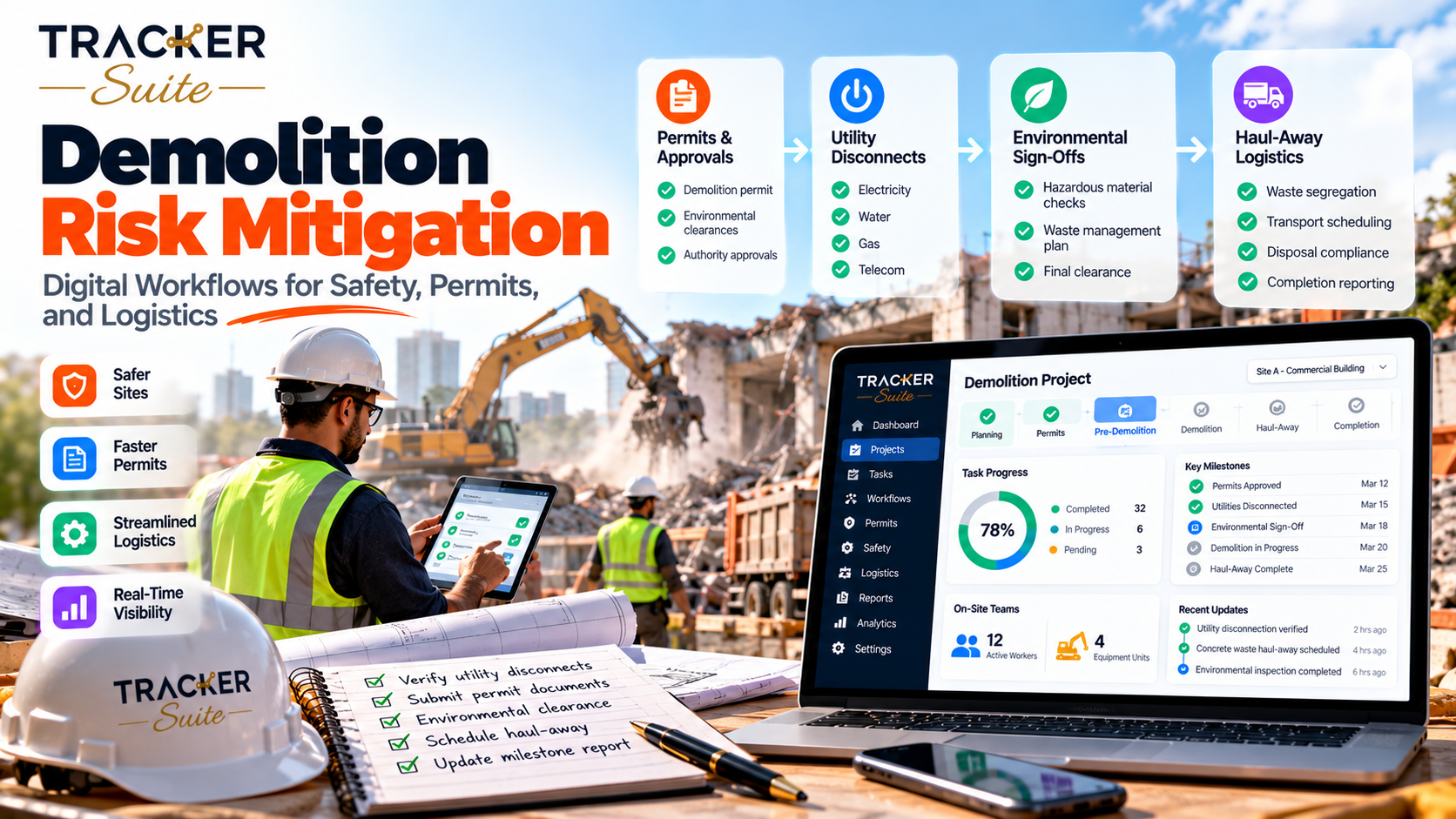
Haul-away logistics should depend on the same gates as the demolition itself. A truck should only be booked for an area whose survey, utility and asbestos gates are closed, and each load should be traceable from site entrance to disposal receipt. Linking logistics to safety tasks prevents trucks from arriving before the area is ready.
In practice, the logistics coordinator creates a booking task that cannot be scheduled until the relevant zone is cleared. The booking names the assigned site entrance, so drivers, gate staff and the site supervisor see the same instruction. A reminder the day before confirms the entrance, which is how a truck avoids arriving at the wrong side of a fenced site.
After each load, the waste ticket is attached to the matching task. Supervisors can then compare tickets against planned loads and spot missing paperwork before the disposal invoice arrives, rather than weeks later.
Why do manual processes stop working as demolition contractors grow?
Manual processes stop working because the number of handovers grows faster than the number of sites. One supervisor can hold a single job in their head. Across several sites, shifts and subcontractors, verbal updates and spreadsheets no longer show which gates are closed, who closed them and what is still waiting.
Consider the typical progression. A contractor with one site runs on a paper checklist, phone calls and a WhatsApp group, and that works because one person sees everything. At three sites, the operations manager spends mornings calling foremen for updates. At twenty sites with 200 workers across two shifts, thousands of small confirmations are generated every week, and no individual can track them reliably.
The change is easiest to see as before and after:
- Before: The manager asks five people whether the gas is capped. After: The utility task shows who confirmed it, when and with which reference number.
- Before: Waste tickets sit in a truck cab. After: Each ticket is attached to its load record.
- Before: Attendance lives on paper sign-in sheets. After: Mobile check-ins show who was on which site and shift.
Many firms first buy time tracking software for construction to fix payroll. Hours alone, however, do not show whether a gate was closed, which is why job tracking software for construction increasingly combines attendance with ordered tasks.
How do task tracking tools for decision making help demolition leaders?
Task tracking tools for decision making help leaders by turning thousands of field confirmations into a few clear signals: which sites are ready to start, which gates are overdue and where evidence is missing. Decisions improve because they rest on recorded facts rather than on whoever answered the phone last.
A consolidated dashboard lets a director compare sites by open gates, overdue permits and logistics status without convening a meeting. Task tracking tools for executive assistants cut the time spent chasing foremen, because weekly board updates come from live task data. Similarly, task tracking tools for data analyst roles give clean, structured records to analyze trends such as recurring permit delays.
Data quality determines the value of all of this. PwC’s 2026 Digital Trends in Operations survey of 767 US operations and supply chain leaders found that 87% said poor data quality had hampered value from their digital initiatives (PwC, 2026). For demolition contractors, the lesson is practical: standardized task templates and required evidence fields matter more than sophisticated reporting.
Permissions and accountability belong in the same design. Only a competent person should close a survey gate, because closing that gate is a statement that the area is safe.
Where does AI fit in demolition workflows?
AI fits where it can use existing task data and configured rules to help teams see what needs attention and when. AI does not replace the competent person, the permit holder or the stop-work authority. People define the rules and make safety decisions; the software organizes information and highlights exceptions.
As general examples of what AI can do in operations software, a system might rank open items by how close they are to a scheduled start. It might also highlight completed tasks that lack attached evidence, or summarize the status of every site for a morning meeting. These are illustrations of the category, not a description of any single product.
The value of AI depends entirely on connected data. If survey results, utility confirmations and truck bookings sit in separate spreadsheets, there is nothing reliable for AI to analyze.
What should task tracking tools for construction include?
Task tracking tools for construction should enforce task order, capture evidence in the field, record who completed each step and consolidate status across sites. For demolition, mobile access, approvals, attendance records and reminders matter more than elaborate scheduling charts, because most risk sits in prerequisites rather than in timelines.
Use this decision checklist. A connected system becomes more valuable as more of these apply:
- Several active sites or locations
- A growing workforce across multiple shifts
- Subcontractors who need limited, role-based access
- Recurring inspections and daily briefings
- High volumes of truck bookings and waste tickets
- Managers spending hours chasing updates
- Manual weekly reporting to clients or directors
- Rising documentation demands from regulators or insurers
A task tracking tool for enterprises should also offer permission tiers, integration with existing tools and audit-ready records. If only one or two items on the checklist apply, a simple checklist may be enough for now.
How does TrackerSuite fit demolition and civil contractors?
TrackerSuite fits contractors who need ordered tasks, field attendance, reminders and consolidated reporting in one AI-powered operations platform. The relevant capabilities map directly to the gates described above, while people remain responsible for every safety decision the platform records.
- Workforce coordination: Task Tracker assigns work to named people, groups it into buckets and shows it in a calendar view. The free Starter plan covers up to five users with unlimited tasking and an attendance and leave module.
- Breaking work into steps: The Workflow add-on is designed to break big tasks into smaller, actionable steps, such as one step per utility service.
- Sign-offs: The Task Approval add-on routes completed tasks to a designated approval authority for review before they close, so a named approver confirms the work before it counts as complete.
- Field attendance: Geolocation tracking shows where crews check in, which supports shift and site records.
- Reminders: WhatsApp notifications and reminders reach crews on the phones they already carry.
- AI assistance: Predictive tasking and AI task validation, powered by TAVI.
- Reporting: Performance scores, reports and an infographic dashboard give managers a consolidated view.
Geolocation tracking, WhatsApp reminders and the AI assistant TAVI start on the paid Growth plan, and geofencing and multiple shifts are add-ons. The TrackerSuite pricing page lists which plan includes each of the other features.
For larger contractors, the Enterprise plan adds advanced security and controls, custom tiered admin management and the option to plug into existing tools, with pricing on demand. Talk to our team about the controls your regulated projects need.
How do you roll out a digital demolition workflow?
Roll out a digital demolition workflow by starting with one live project and its pre-demolition gates, then expanding once crews use the system daily. A phased approach keeps the change manageable and shows quickly where your templates need adjusting.
- Map your gates. List every prerequisite for one project type, with its owner and required evidence.
- Build templates. Turn each gate into a standard task with mandatory attachments.
- Set permissions. Decide who can create, complete and approve each gate.
- Pilot on one site. Run the workflow alongside existing paperwork for a few weeks.
- Add logistics. Connect truck bookings, site entrances and waste tickets to cleared zones.
- Scale and review. Roll out to other sites, then review dashboards monthly to refine rules.
What this means for you
If you run several demolition sites, start by listing the gates that must close before any machine moves. Assign a named owner to each, require evidence and make sure nobody can skip the order. Once those records are reliable, dashboards, reminders and AI assistance become genuinely useful rather than decorative.
FAQs
Does OSHA require a written engineering survey before demolition?
Yes. OSHA 29 CFR 1926.850(a) requires a competent person to perform an engineering survey before demolition starts. The employer must also keep written evidence that the survey was performed.
Is time tracking software for construction enough for demolition safety?
Time records show who was on site and for how long, but not whether safety gates were closed in the correct order. Demolition contractors usually need attendance combined with ordered tasks, evidence and approvals.
Can AI approve demolition safety steps automatically?
No. AI can flag overdue or incomplete items using your data and configured rules. Competent persons and permit holders must still make and record safety decisions.
How should a contractor start digitizing demolition workflows?
Start with one live project and its pre-demolition gates, such as the survey, utility isolation and asbestos clearance. Add logistics and reporting once crews use the system every day.
Conclusion
Demolition safety rests on doing the right things in the right order and proving it afterward. Connected workflows give every gate an owner, every load a record and every manager a clear view across sites, while people keep control of safety decisions. If you are ready to map your own gates, book a call with our team to see how TrackerSuite could support your projects.
Leave a Reply