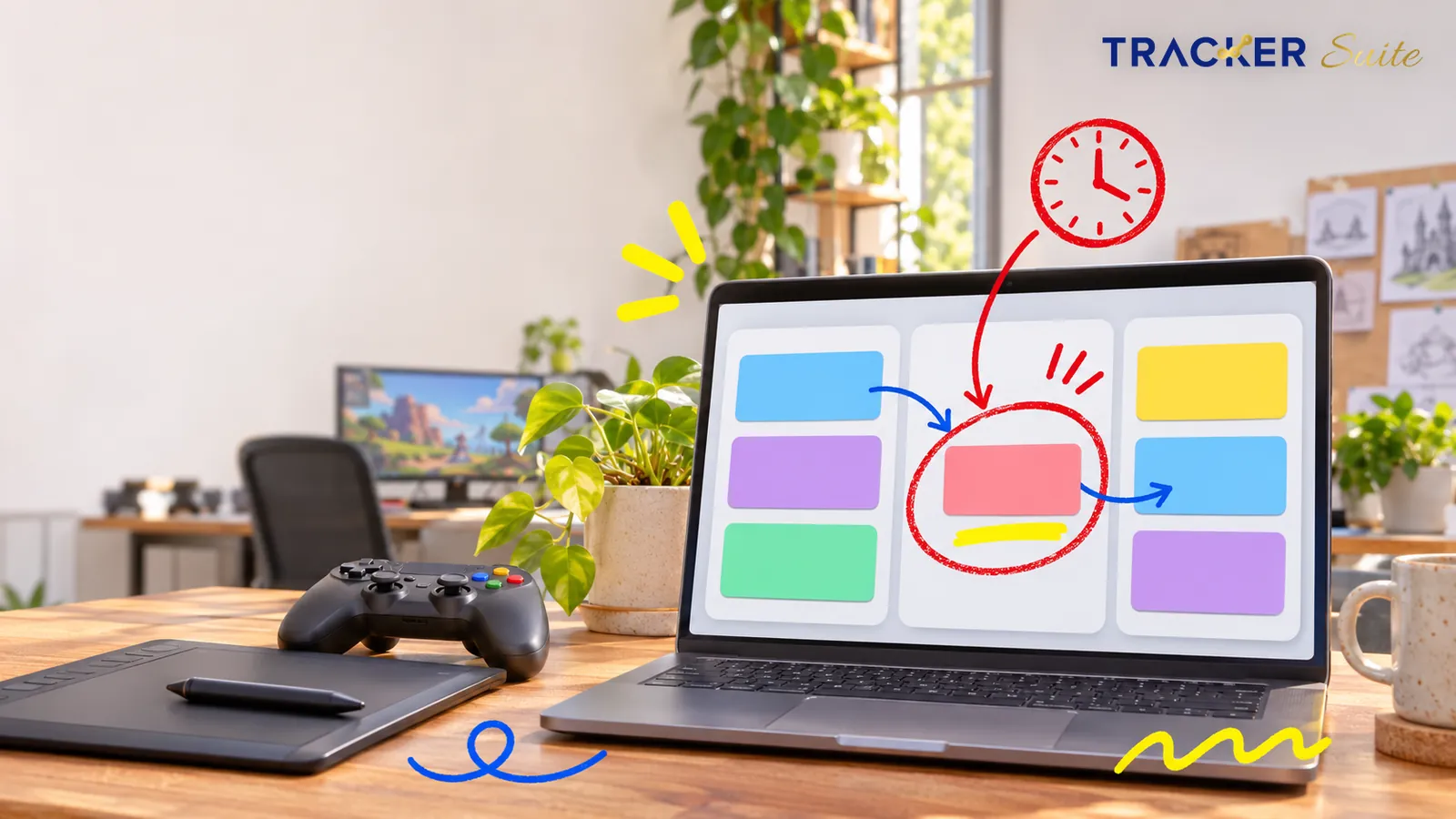
Developing a video game takes more than writing code or designing characters. A studio must coordinate several activities, including game design, programming, animation, environment development, sound production, testing, marketing and release planning.
These activities often happen at the same time. A change in one area can affect several other teams. For example, a delayed character model may hold up animation, programming, testing and the planned release of a new game level.
This becomes harder when a studio manages multiple projects, works with freelancers or operates across different locations.
Spreadsheets, chat messages and separate task lists may work for a small team. However, as projects become more complex, managers need a better way to assign responsibilities, monitor deadlines and understand what is happening across the studio.
This is where task management software for game development studios becomes useful.
It gives teams a shared system to manage everyday work, coordinate production activities, track task ownership and monitor project progress without depending entirely on manual follow-ups.
Why Do Game Development Studios Need Task Management Software?
Game production is a collaborative process. A typical project may involve game designers, programmers, UI/UX designers, 2D and 3D artists, animators, sound engineers, QA testers, producers and marketing teams.
Each team has different responsibilities, but their work is connected.
For example, when a developer completes a gameplay feature, the QA team may need to test it. If QA identifies a problem, the task goes back to the developer. Once the issue is fixed, the team needs to test it again.
Without a structured workflow, managers may struggle to answer basic questions:
Which tasks are completed?
Which features are still under development?
Who is responsible for a delayed asset?
Which bugs are waiting for resolution?
Has the design team approved the latest version?
Is the next game build ready for testing?
Are all release-related activities on schedule?
A task management platform helps bring these activities into one organized workflow.
Common challenges in game development operations
1. Work is spread across different teams
Designers, artists, programmers and testers may use different communication channels. Important updates can get lost between discussions, emails and shared documents.
2. Dependencies create delays
A task may depend on another team’s work. If the environment design is delayed, the level development team may not be able to complete its assigned work.
3. Managers lack real-time visibility
Project managers may have to contact individual team members to understand progress. This makes it difficult to identify delays early.
4. Revisions and approvals take time
Game assets, character designs, animations, sound files and UI elements often go through multiple review cycles. Without clear ownership and approval steps, teams can work on outdated versions.
5. Freelancers and remote teams are harder to coordinate
Studios often work with external artists, animators, sound designers and development partners. Managers need a consistent way to assign tasks and check deliverables.
6. Release deadlines require coordination
A game launch involves more than completing development. QA, performance testing, store assets, marketing materials, documentation and release approvals must also be completed.
Task management software helps studios create a structured process for these activities.
How Game Development Studios Can Use Task Management Software
A task management platform can support different stages of game production. Instead of managing every activity through separate spreadsheets, studios can create workflows based on their production requirements.
1. Game Concept and Pre-Production Planning
Before development starts, teams work on the game concept, storyline, gameplay mechanics, character ideas, art direction and technical requirements.
This stage involves several discussions and approvals.
A task management system can help studios:
Assign research and concept development tasks.
Track game design document preparation.
Assign responsibilities for character and environment concepts.
Set deadlines for prototypes and proof-of-concept work.
Track feedback from producers and creative directors.
Manage approvals before production begins.
Practical example:
A studio is planning a multiplayer adventure game. The producer creates separate tasks for gameplay design, character concepts, environment references, technical feasibility and prototype development.
Each task has an owner, deadline and approval process. The producer can monitor progress without asking every department for individual updates.
2. Game Design and Art Production
Game artists and designers create the visual elements that shape the player experience. These may include characters, environments, props, textures, animations, interfaces and visual effects.
A single asset may pass through several stages before approval.
For example:
Example: Character asset workflow
Concept assignment
Assign the character concept to a 2D artist with references and requirements.
Initial design submission
The artist uploads the first draft for review.
Creative review
The art director checks the design and shares feedback.
Revision
The artist updates the design based on comments.
Final approval
The approved design moves to 3D modelling or animation.
Task management software helps studios track the status, assigned person, deadline and approval stage of each deliverable.
It also creates a record of completed work and pending revisions.
3. Game Development and Programming
The programming team works on gameplay mechanics, physics, controls, AI behavior, multiplayer functionality, integrations and performance optimization.
These activities often involve dependencies and multiple rounds of testing.
A task management platform can help managers:
Assign development tasks to individual programmers.
Set priorities for features and technical improvements.
Track development milestones.
Assign follow-up tasks after code reviews.
Monitor pending technical approvals.
Coordinate work between frontend, backend and gameplay developers.
Track completion of development-related SOPs.
For example, a studio developing a racing game may assign separate tasks for vehicle controls, collision detection, race tracks, multiplayer matchmaking and leaderboard functionality.
The producer can monitor these activities through a centralized dashboard.
Task management software does not replace source-code repositories or code review systems. Instead, it helps manage the responsibilities, deadlines and operational activities around development work.
4. Animation, Audio and Visual Effects
Animation and audio production involve creative work, technical requirements and multiple approval stages.
An animation may need to match a specific character movement. Sound effects must fit gameplay actions. Visual effects must work with the game environment and performance requirements.
Studios can use task management software to:
Assign animation sequences.
Track character rigging and modelling tasks.
Manage sound design requirements.
Assign visual effects production.
Review and approve submitted deliverables.
Track revisions and outstanding feedback.
Coordinate work between artists and developers.
A centralized workflow helps production managers understand which creative assets are ready and which still need attention.
5. Quality Assurance and Game Testing
Quality assurance is a critical part of game development. QA teams test gameplay, controls, performance, compatibility, user experience and other requirements.
Testing often generates a large number of issues that need to be assigned, reviewed and resolved.
Task management software can support the operational side of QA by helping teams:
Assign testing activities to QA members.
Create tasks for reported issues.
Set priority levels and deadlines.
Assign issues to responsible developers.
Track retesting and closure activities.
Monitor pending approvals.
Maintain records of testing-related tasks.
Example:
A QA tester identifies an issue where a character gets stuck near an obstacle. The issue is recorded and assigned to the responsible developer.
Once the developer fixes it, the task moves back to QA for retesting. The tester verifies the fix and updates the task status.
A dedicated bug tracker may still be required for detailed reproduction steps, logs, crash reports and technical debugging. Task management software helps ensure that the people responsible for resolving and verifying the issue complete their work.
6. Game Launch and Release Management
Launching a game involves coordination between development, QA, marketing, publishing and business teams.
Even after development is complete, several activities may remain open.
These include:
Final testing and release approval.
Store listing preparation.
Game screenshots and promotional videos.
Trailer production.
Website and landing page updates.
Marketing campaign preparation.
Press and influencer coordination.
Release documentation.
Post-launch support planning.
A task management system allows the launch manager to assign each activity, set deadlines and track completion.
This is particularly useful when the studio is preparing releases across PC, console, mobile and other platforms.
Industry Data: Why Production Coordination Matters
Game development studios are working in an environment where project scope, team structures and production timelines continue to change.
A few industry findings highlight why structured work management matters:
Smaller, more manageable projects: Unity’s 2026 Game Development Report found that 52% of surveyed studios said market conditions had led them to focus on smaller, more manageable projects. Another 20% reported significantly shorter development cycles.
UnityKeeping projects on time remains a challenge: In the same Unity report, 20% of respondents identified keeping projects organized, within scope and on time as their biggest development challenge.
UnityGame teams have varied structures: JetBrains’ 2025 State of Game Development report found that 37% of surveyed developers worked in project teams of 2–7 people, while 13% worked in teams of more than 40. This shows why workflows need to work for both small and larger teams.
JetBrainsIndia’s gaming market is expanding: PwC’s India perspective on the Global Entertainment & Media Outlook estimated that India’s video games and esports market generated US$2.7 billion in 2024 and projected it to reach US$4 billion by 2029.
PwC
These findings do not mean that task management software alone can solve production challenges. They do show why studios need clear task ownership, realistic deadlines and visibility across connected work.
Essential Features of Task Management Software for Game Development Studios
Not every task management platform is designed for the way game studios work. A useful system should support creative teams, technical teams, production managers and operational staff.
Here are the capabilities worth evaluating.
1. Task Assignment and Ownership
Every task should have a clearly assigned owner. Managers should be able to add task descriptions, instructions, due dates, priorities and supporting documents.
This helps prevent confusion about who is responsible for a particular deliverable.
2. Workflow and Approval Management
Game assets, designs, animations and other deliverables may require multiple reviews.
A workflow should allow tasks to move through stages such as:
Not started
In progress
Submitted for review
Changes required
Approved
Completed
The exact stages can be customized to match the studio’s production process.
3. Deadline Tracking and Automated Reminders
Missed deadlines can affect dependent tasks and production milestones.
Automated reminders and notifications help employees stay aware of upcoming work. Managers can also follow up on overdue activities without manually contacting every team member.
4. Team and Workforce Management
Studio managers need to understand who is working on what, whether tasks are progressing and where additional support may be needed.
Workforce management features can help track employee assignments, attendance, timesheets, approvals and performance-related information.
5. Multi-Project Visibility
A studio may develop multiple games, updates or client projects at the same time.
A centralized dashboard helps managers monitor work across projects, teams and departments instead of maintaining separate spreadsheets for each initiative.
6. Document and Proof-of-Work Management
Employees may need to submit images, documents, videos or other evidence when completing assigned activities.
A task management platform with proof-of-work submission helps managers review deliverables and maintain a record of task completion.
7. SOP and Process Automation
Studios often repeat activities such as asset reviews, testing checks, build approvals and release preparations.
Digital SOPs can guide employees through the required steps and help managers maintain consistent processes.
8. AI-Powered Work Insights
AI can help managers understand task progress, identify patterns and review submitted work against defined criteria.
For example, AI-based work validation can assist with checking submitted images or documents against specified requirements. It should support human review, not replace specialist creative judgment or technical testing.
Task Management Software vs. Game Development Tools
Game development studios already use specialist tools for coding, designing, testing and managing game assets. Task management software serves a different purpose.
It coordinates the people and activities involved in completing the work.
Tool category | Primary purpose |
|---|---|
Task management software | Assigns work, tracks ownership, deadlines, approvals and team progress |
Game engines | Builds and runs the game, including gameplay, graphics and physics |
Bug tracking software | Records, prioritizes and manages software defects |
Version control systems | Tracks changes to source code and other project files |
Design and art tools | Creates characters, environments, animations and interfaces |
Communication tools | Supports discussions, meetings and team updates |
For example, a studio may use Unity or Unreal Engine for game development, a version control system for source code and a bug tracker for technical issues.
A task management platform can coordinate the activities around these tools: who must complete a task, when it is due, who must review it and whether the next step can begin.
The goal is not to replace the studio’s existing development stack. It is to make everyday work easier to manage.
How to Choose the Right Task Management Software for a Game Studio
Before selecting a platform, studio owners and production managers should evaluate how well it fits their existing workflows.
Consider these questions:
1. Can it support different departments?
The needs of a game designer are different from those of a programmer or QA tester. The platform should allow different teams to work with suitable task structures and responsibilities.
2. Can workflows be customized?
Studios should be able to create separate workflows for art production, programming, testing, approvals and release activities.
3. Does it provide clear progress visibility?
Managers should be able to view pending, overdue, completed and in-progress tasks without collecting updates manually.
4. Can it support remote and external teams?
If the studio works with freelancers, contractors or distributed teams, task assignment and progress tracking should remain consistent.
5. Does it support automated reminders and approvals?
Notifications, escalations and approval workflows can reduce manual coordination.
6. Can it scale with the studio?
The platform should remain useful as the studio adds employees, departments, projects and locations.
7. Does it offer useful reporting?
Reports should help managers understand task completion, workload, delays and team performance.
How TrackerSuite.ai Helps Game Development Studios Manage Daily Operations
TrackerSuite.ai helps businesses manage tasks, workflows, SOPs and daily operations through a centralized platform.
For game development studios, it can support the operational work that takes place across design, development, animation, QA, marketing and administration teams.
The objective is simple: give managers better visibility into assigned work, reduce manual follow-ups and make everyday processes easier to manage.
1. Manage Tasks Across Creative and Technical Teams
With Task Tracker, managers can assign tasks to employees, set deadlines, add instructions and track progress.
A studio can create separate workflows for:
Game design and concept development.
Character and environment art.
Animation and sound production.
Programming and development support.
QA and testing coordination.
Marketing and release preparation.
Managers can monitor task status and identify activities that need attention.
2. Automate Repetitive Workflows
Studios repeat several operational processes throughout production.
For example, when an artist submits a completed asset, the task may need to move to a reviewer. Once approved, the next team can receive its assignment.
Workflow automation and Digital SOP Automation can help standardize these processes, reduce manual coordination and make responsibilities clearer.
3. Review Submitted Work with AI Work Validation
Task Tracker’s AI Work Validation can help managers review employee-submitted images, videos or documents against defined criteria.
For example, a studio can define requirements for a particular operational deliverable and use the feature to support the review process.
The system can help flag exceptions and summarize its assessment. Creative direction, detailed art reviews and technical QA should still be handled by the appropriate specialists.
4. Track Attendance, Timesheets and Workforce Activities
Game studios need to coordinate employees working across different teams, offices and locations.
Task Tracker supports workforce management through features such as attendance tracking, timesheets, approvals, reminders, geo-fenced attendance and proof-of-work.
This gives managers a clearer view of workforce activities alongside assigned tasks.
5. Monitor Performance and Task Progress
Managers need more than a list of completed tasks. They need to understand where work is progressing smoothly and where delays are building up.
Task dashboards, reporting and predictive task analytics can help managers monitor performance, review pending activities and identify patterns that may require attention.
6. Manage Business Operations Alongside Production
Game development companies also have business activities beyond game production.
These may include sales enquiries, client opportunities, vendor coordination, purchasing and inventory management.
TrackerSuite.ai’s Sales Tracker and Stack Tracker can support relevant sales and stock-management workflows alongside Task Tracker, depending on the studio’s operational requirements.
The platform can therefore support more than production task lists. It can help organize connected business activities as well.
A Practical Example: Managing a Game Release
Consider a studio preparing to launch a new mobile game.
The production manager needs to coordinate five teams: design, development, animation, QA and marketing.
Instead of managing updates through separate spreadsheets and messages, the studio creates a centralized task workflow.
Team | Assigned activity | Completion requirement |
|---|---|---|
Design | Finalize game characters and levels | Creative approval |
Development | Complete gameplay features | Development task closure |
Animation | Submit character animations | Animation review |
QA | Test gameplay and report issues | Testing and retesting |
Marketing | Prepare launch creatives | Marketing approval |
The manager can track each activity, assign responsibility and set deadlines.
If animation is delayed, the manager can identify the pending work and follow up with the responsible employee. If QA reports an issue, a follow-up task can be assigned to the development team.
As the launch date approaches, the dashboard helps the manager review outstanding activities and identify tasks that still need attention.
This approach does not replace the game engine, source control or bug tracker. It provides an organized way to manage the people and operational tasks behind the release.
Benefits of Task Management Software for Game Development Studios
When implemented properly, task management software can improve everyday coordination and operational visibility.
Better team coordination: Employees understand their responsibilities, deadlines and next steps.
Fewer manual follow-ups: Automated notifications and reminders reduce the need for managers to chase every update.
Clearer project visibility: Managers can monitor pending, completed and overdue activities across teams.
More consistent approvals: Defined workflows help ensure that deliverables move through the required review stages.
Improved accountability: Every task has an assigned owner and a record of its progress.
Better workforce visibility: Attendance, timesheets and task-related information help managers understand daily operations.
More informed decisions: Dashboards and reports help managers identify bottlenecks and review team performance.
Easier scaling: Standardized workflows make it easier to coordinate additional employees, projects and external contributors.
Conclusion
Game development requires close coordination between creative, technical and business teams. A delay in one department can affect several connected activities, making it important to maintain clear task ownership and visibility throughout production.
Task management software helps game development studios organize everyday work, track responsibilities, manage approvals and monitor team progress.
For studios looking to reduce manual coordination and improve operational control, an AI-powered platform such as TrackerSuite.ai can bring task management, workflow automation, Digital SOP Automation and workforce management into one place.
Want to improve how your studio manages daily work? Explore TrackerSuite.ai and see how its task and workflow management capabilities can help your teams stay organized and keep production activities on track.
Frequently Asked Questions
1. What is task management software for game development studios?
It is software that helps game studios assign tasks, manage deadlines, coordinate teams, track deliverables and monitor everyday production activities. It can support design, programming, animation, QA, marketing and release coordination.
2. How does task management software help game developers?
It helps developers understand assigned responsibilities, deadlines, priorities and dependencies. Managers can track progress, coordinate reviews and identify delayed activities without relying entirely on manual updates.
3. Can task management software manage game testing activities?
Yes. It can organize testing assignments, allocate responsibilities, track testing progress and manage follow-up tasks. However, specialist bug-tracking software is generally better suited to detailed defect records, logs and technical debugging.
4. Is task management software useful for indie game studios?
Yes. Smaller studios can use it to coordinate work across a limited team, manage freelance contributors, track milestones and maintain clear ownership of tasks without creating complicated processes.
5. Can game development studios manage remote teams with task management software?
Yes. Cloud-based task management platforms can help distributed teams access assigned work, share updates, submit deliverables and track deadlines from different locations.
6. What is the difference between task management software and project management software?
Task management software focuses on assigning and tracking individual activities, responsibilities and deadlines. Project management software may provide broader planning capabilities, including budgets, schedules, resource allocation and project-level reporting. Some platforms offer both.
7. Can AI help game development studios manage tasks?
AI can support task analysis, workflow automation, reporting and review of submitted work. It can help managers identify patterns and exceptions, but it should not replace specialist decisions involving game design, code quality or creative direction.
8. What features should a game studio look for in task management software?
Important capabilities include task assignment, customizable workflows, approval management, deadline reminders, dashboards, workforce management, timesheets, document submissions, reporting and integrations with existing tools.
Leave a Reply