
Most exhibitions don’t open late because of one big failure. They open late because a stand design approval sat in an inbox, nobody confirmed a freight booking, or a contractor’s safety paperwork arrived the night before build-up. Task management software for exhibition companies gives each of those small jobs an owner, a deadline and a status that everyone can see.
This guide covers which show workflows are worth tracking, why manual systems break as your calendar grows, and where AI is actually useful.
Key takeaways
- Late shows usually come from missed handoffs between sales, operations, contractors and exhibitors. The venue or the floor plan is rarely the cause.
- A task tracker manages the people work around a show: approvals, deadlines, build-up checks, staffing and follow-ups.
- Spreadsheets and WhatsApp groups work for one or two shows a year. They get hard to manage once you run several shows, venues and crews at the same time.
- AI helps most when it works on your own task data, for example by flagging overdue items or suggesting what to do next. People still make the safety, budget and client decisions.
- PR firms, branding agencies and staffing agencies that work on shows have the same problem: many small, deadline-driven tasks spread across many people.
At a glance
- Best for: Organisers, stand builders and event service firms that run several shows, venues or crews
- Core job: Assign, track and report on every task between contract signing and breakdown
- Works with: Your registration platform, CRM and floor plan tools (it doesn’t replace them)
- Where AI helps: Prioritising work, flagging delays, checking completed tasks and suggesting follow-ups
- When to skip it: A small team running one show a year with a short, stable checklist
- Starting cost: TrackerSuite’s Starter plan is listed as free for up to 5 users
What does task management software for exhibition companies actually do?
This kind of software turns show jobs that live in inboxes, spreadsheets and chat groups into tasks with an owner and a due date. Every exhibitor deadline, contractor approval, freight booking and on-site check shows its status to managers. The software doesn’t replace your registration or floor plan system. It manages the work people do around them.
Think about one exhibitor’s journey. They sign a space contract, pick a stand package, send artwork, order power and furniture, book freight, register staff and arrive for build-up. Build-up is the period before opening when stands are built. Each step has a deadline in the exhibitor manual, which is the organiser’s rulebook of forms, dates and venue rules.
With 30 exhibitors, one operations manager can follow all of this from memory and a spreadsheet. With 600 exhibitors across three halls, nobody can. Task tracking makes the gaps visible before they turn into a queue at the loading dock.
How busy is the exhibition industry in 2026?
Demand is growing, but unevenly. Attendance is rising while revenue lags in many markets, so organisers are being asked to deliver more shows without adding the same number of staff. That pressure falls straight on operations teams and the handoffs between them.
UFI, the global association of the exhibition industry, surveyed 378 companies in 57 countries and regions for its January 2026 Global Exhibition Barometer. Of those companies, 44% expected activity to grow by more than 5% in 2026 (UFI, 2026). The July 2026 edition asked about revenue rather than activity, so the figures are not directly comparable: 27% of companies worldwide expected revenue growth above 5%, and the state of the home-market economy was the top short-term concern (UFI, 2026).
In the US, the 2026 CEIR Index put B2B exhibition performance for 2025 at 93.6, still 6.4% below 2019 levels, while attendance grew 4.7% (IAEE, 2026).
"The key message is that the industry recovery is real, but uneven and incomplete." Adam Sacks, Tourism Economics, on the 2026 CEIR Index (IAEE, 2026)
With more visitors and exhibitors but tight margins, every hour spent chasing updates costs real money. That is a coordination problem before it is a software problem.
Which exhibition workflows cause the most delays?
The biggest delays come from workflows that involve outside parties and fixed deadlines: exhibitor forms, stand approvals, contractor paperwork, freight and on-site staffing. Each one produces data such as dates, files, sign-offs and photos. When that data sits in different inboxes, nobody sees the full picture until something goes wrong.
Here are eight workflows worth tracking as tasks:
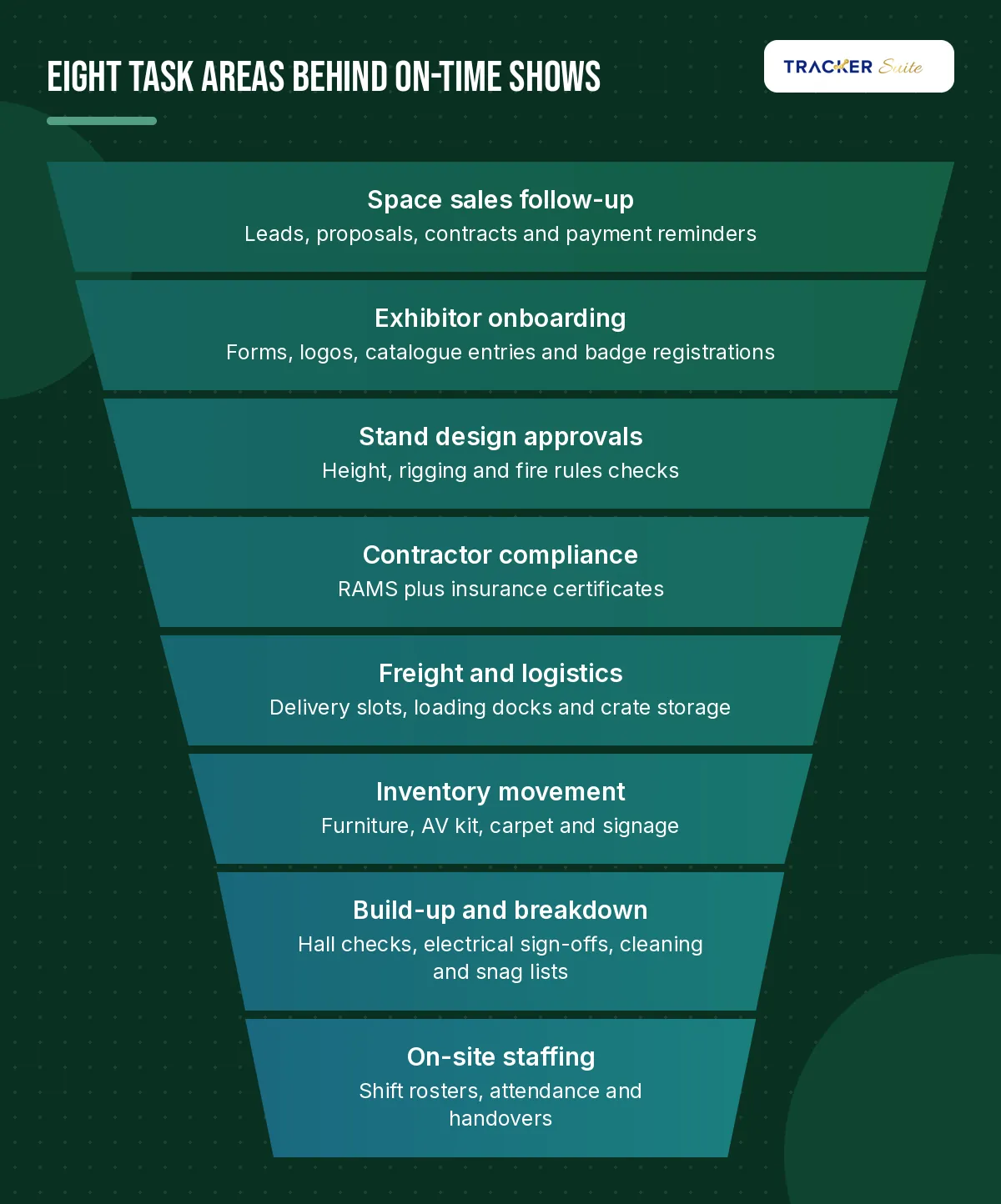
- Space sales follow-up. Leads, proposals, contracts and payment reminders for stand space and sponsorship.
- Exhibitor onboarding. Chasing forms, logos, catalogue entries and badge registrations before the exhibitor manual deadlines.
- Stand design approvals. Checking space-only stand drawings (custom-built stands, as opposed to standard shell scheme booths) against height, rigging and fire rules.
- Contractor compliance. Collecting RAMS, or risk assessments and method statements, plus insurance certificates from every stand builder.
- Freight and logistics. Delivery slots, loading dock schedules and storage of empty crates.
- Inventory movement. Furniture, AV kit, carpet and signage moving between warehouses and venues.
- Build-up and breakdown. Hall checks, electrical sign-offs, cleaning and snag lists (lists of small defects to fix before opening).
- On-site staffing. Shift rosters, attendance and handovers for registration desks, security and floor managers.
Most of these repeat for every show. That makes them good candidates for recurring task templates, which you set up once and reuse.
Why do spreadsheets and WhatsApp groups break as you add shows?
Spreadsheets and chat groups break because they don’t show who owns a task or what is overdue across many shows at once. A small team can fill that gap with phone calls. A growing company running parallel shows, venues and contractor crews ends up with managers who spend their day asking for updates.
The scaling journey usually looks like this (an illustration, not data):
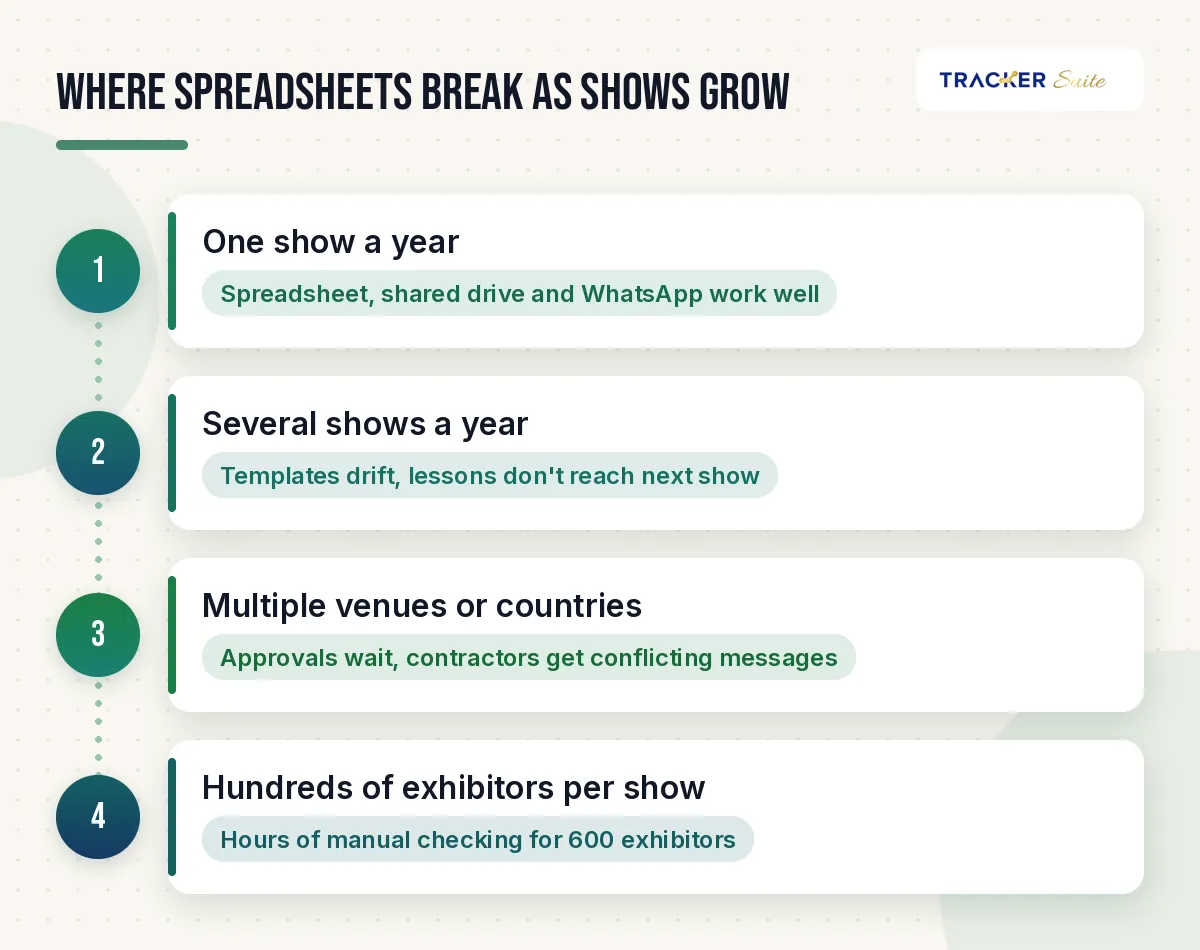
- One show a year: A master spreadsheet, a shared drive and a WhatsApp group work well.
- Several shows a year: Each show gets its own sheet and group. Templates drift, and lessons from one show don’t reach the next.
- Multiple venues or countries: Approvals wait on people in different time zones. Contractors get conflicting messages.
- Hundreds of exhibitors per show: Nobody can tell which of 600 exhibitors are missing forms without hours of manual checking.
Excel works well for simple tracking. Businesses with multiple teams, venues and workflows may eventually need a more connected operational system. Here is what that change can look like:
- Before: The operations director phones five people for build-up status. After: One status view shows completed, pending and overdue checks by hall.
- Before: A salesperson remembers to chase an unsigned contract. After: A follow-up task is created when the proposal goes out.
- Before: Furniture stock lives in three warehouse spreadsheets. After: One shared inventory record shows what is where.
Where can AI help an exhibition team?
AI helps when it can see your task data and rules. It can rank which exhibitor deadlines need attention today, flag overdue contractor paperwork, check that completed tasks have the required photos, and suggest follow-ups. People still approve stand designs, sign off safety checks and handle client conversations.
Most exhibition companies are already experimenting. UFI’s January 2026 Barometer found that 87% of companies use AI, and most are still researching or testing it for process efficiency (79%) and customer experience (70%) (UFI, 2026). The gap between testing a chatbot and improving daily operations is usually data. AI can’t prioritise build-up tasks it can’t see.
Practical examples, where configured:
- Prioritising work: Using deadlines and dependencies to show which open tasks put the opening date at risk.
- Spotting bottlenecks: Highlighting an approver who has 40 stand drawings waiting.
- Checking work: Confirming a hall check task includes the photo or note your process requires.
- Reducing admin: Drafting the daily build-up summary from task updates, so a manager doesn’t have to compile it by hand.
How does connected data improve show-day visibility?
Connected data puts tasks, people, inventory and sales follow-ups in one place, so managers see the real status without asking for it. During build-up, that means a live view of which stands are approved, which contractors are cleared and which halls are ready. Managers can then act on exceptions instead of collecting updates.
Visibility also needs control. An enterprise task management platform should let you set permissions so a freelance crew lead sees only their own tasks, while the show director sees everything. Every task should record who did what and when. That audit trail matters for health and safety, and when you settle disputes with exhibitors or venues after the show.
After the show, the same data makes the debrief faster. You can see which deadlines slipped, which contractors were late and which tasks took longest. You can then improve the template for next year.
What should you look for in an enterprise task management platform?
Look for recurring templates, mobile access for on-site teams, attendance and shift tracking, role-based permissions, real-time reporting and integration with tools you already use. If you run one small show a year with a stable team, a simple checklist app may be enough. You don’t need a platform for that.
A platform becomes worth it when several of these apply:
- You run multiple shows or venues at the same time
- Your crews work shifts during build-up and breakdown
- You coordinate many outside contractors and suppliers
- Exhibitor follow-up volume is high in the final weeks
- Your inventory moves between warehouses and venues
- Managers spend hours chasing status updates
- Post-show reporting is compiled by hand
- Clients or venues ask for more safety and compliance records
How does TrackerSuite fit an exhibition business?
TrackerSuite is an AI-powered operations platform with separate tools for tasks, sales and inventory. An exhibition company can use them to connect exhibitor deadlines, on-site crews, space sales and kit movement. You can start with the workflow that causes the most pain and add others later.
Based on TrackerSuite’s published product pages:
- Task Tracker covers task management, attendance management, employee performance and real-time reporting. That fits build-up checklists, crew shifts and contractor compliance tasks.
- Sales Tracker covers client data management, lead capture, follow-ups and real-time field officer tracking. That suits space sales and sponsorship pipelines.
- Stack Tracker manages inventory, orders and warehouses across locations. That is useful for furniture, AV and signage stock.
- Across the platform, TrackerSuite offers recurring tasks, geolocation, WhatsApp notifications and reports. These can support repeating show checklists, on-site crew locations and status updates.
Check which features are in which plan before you commit. Not every capability may be in every tier.
Can PR firms, branding agencies and staffing agencies use the same approach?
Yes. Any firm that delivers many deadline-driven tasks through many people for a show can use the same task tracking model. The workflows change, but the problem stays the same: owners, due dates and visible status.
- Task management software for PR firms helps track press releases, media lists, interview slots and press office shifts at a show.
- Task management software for branding agencies keeps stand graphics, artwork proofs and client approvals moving before the print deadline.
- Task management software for staffing agencies helps assign booth staff and hosts to shifts, record attendance and manage last-minute replacements.
- Task management software for recruitment companies can track seasonal hiring for event crews, from screening to onboarding paperwork.
- Task management software for payment companies fits teams that run on-site card terminals or cashless systems at shows, where every terminal needs setup, testing and reconciliation.
What this means for you
If you run exhibitions, your opening date is fixed and your margin is under pressure. The most direct way to protect both is to see every open task before build-up starts.
- Organisers: Start with exhibitor onboarding and contractor compliance, since these generate the most chasing.
- Stand builders: Track design approvals, inventory and crew attendance per project.
- Event service agencies: Use one task tracker across clients, so shared staff don’t get double-booked.
How do you get started with exhibition task tracking?
Start small with one show and one workflow, then expand once the team trusts the system. A phased rollout avoids changing everything during your busiest season.
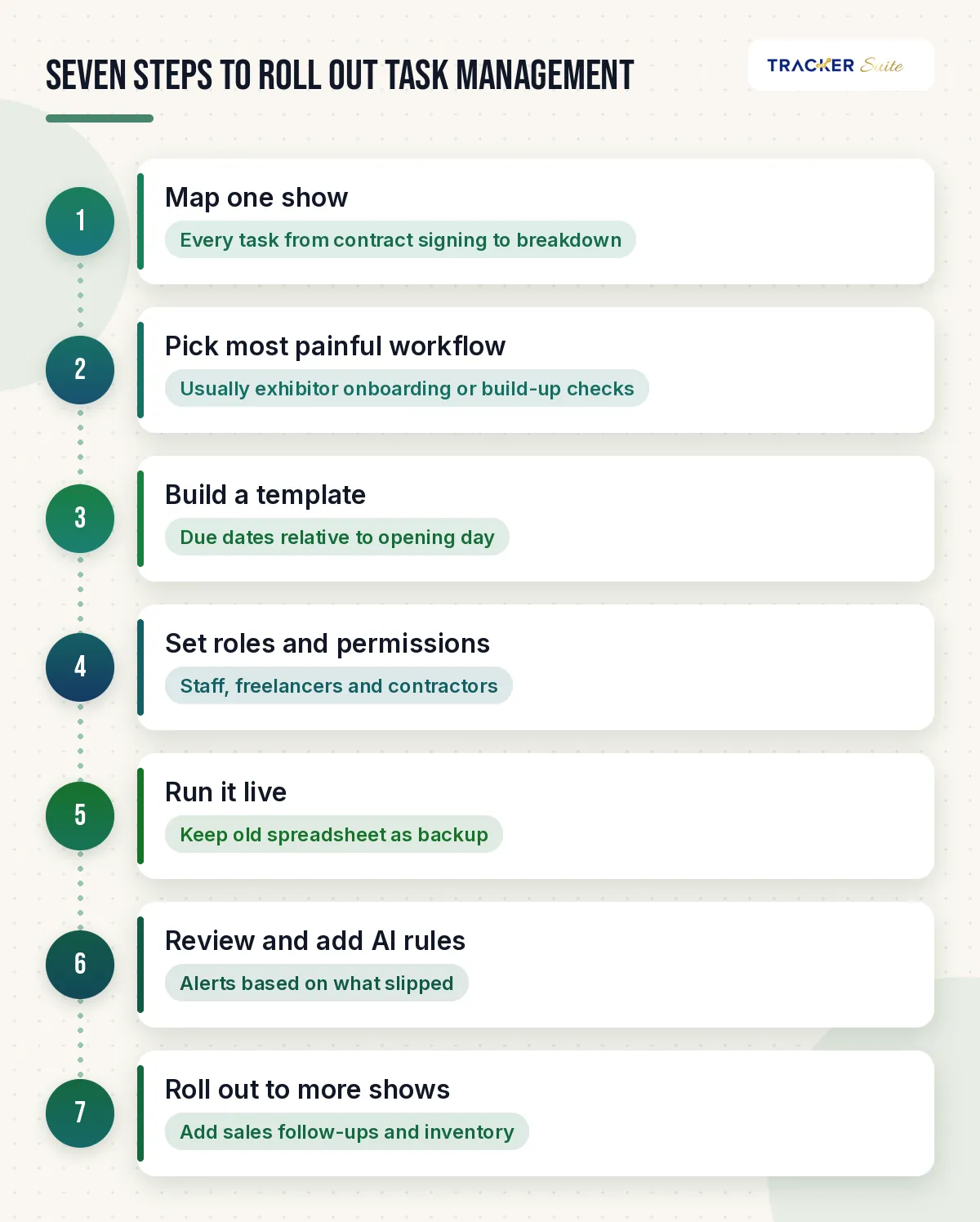
- Map one show. List every task from contract signing to breakdown, with owners and deadlines.
- Pick the most painful workflow. Usually exhibitor onboarding or build-up checks.
- Build a template. Turn repeating tasks into a recurring template with due dates set relative to opening day.
- Set roles and permissions. Decide what staff, freelancers and contractors can see.
- Run it live on one show. Keep the old spreadsheet as a backup for this first run only.
- Review and add AI rules. After the debrief, add alerts and prioritisation based on what actually slipped.
- Roll out to more shows. Add sales follow-ups and inventory once tasks are working.
FAQs
What is the best task management software for exhibition companies?
The best option depends on your scale. Small teams with one show a year may only need a checklist app. Companies running several shows, venues or crews should look for recurring templates, mobile access, attendance tracking, permissions and real-time reporting.
Can task management software replace event registration or floor plan tools?
No. Registration and floor plan tools handle visitors and stand allocation. A task tracker manages the people work around them, such as approvals, follow-ups and on-site checks.
How does AI help exhibition operations?
AI can use your task data and configured rules to flag overdue items, prioritise work near deadlines and check that completed tasks meet your standards. People remain responsible for safety, budget and client decisions.
Is there free task management software for small event teams?
Some tools offer free tiers. TrackerSuite’s Starter plan is listed as free forever for up to 5 users, which suits a small team testing a single show workflow.
Conclusion
Shows open on time when every small job has an owner, a deadline and a status people can see. Spreadsheets and chat groups do that well for a small calendar. As shows, venues and crews multiply, task management software for exhibition companies gives you connected workflows and data, which is a more reliable way to stay on schedule. AI adds value once that data exists.
If you want to test this on your next show, compare TrackerSuite’s plans and start free with one workflow and one team.
Leave a Reply