
Leave is easy to track when ten people share one office and one manager. It gets much harder when the same business runs two shifts, three sites and a field team, and leave requests arrive by WhatsApp, email and a quick word at the gate. An employee leave management system turns those scattered requests into one workflow that employees, managers, HR and payroll can all see.
This guide explains where leave tracking breaks down as a business grows, which steps you can automate, and how to roll out a system without disrupting daily work.
Key takeaways
- Leave becomes an operations problem once you have shifts, sites or field teams, because every absence affects cover, tasks and payroll.
- The most useful systems connect leave to attendance, shifts and holiday calendars instead of storing it in a separate list.
- Automation works best on repeat steps such as routing approvals, updating balances, sending reminders and building monthly reports.
- AI can help flag clashes and gaps when it has clean attendance and leave data, but managers should still make the final call.
- A team of under ten people at one site with one approver may only need a shared calendar. Move to a connected system when managers start chasing updates.
At a glance
- What it is: A single workflow for leave requests, approvals, balances and records.
- Who needs it most: Businesses with multiple shifts, sites, field staff or growing headcount.
- Core workflows: Requests, approvals, balances, shift cover, holiday calendars, attendance checks, payroll cut-off.
- When a simple tool is enough: Under about ten people, one site, one manager, few leave types.
- TrackerSuite pricing at the time of writing: Starter plan free for up to 5 users; Growth plan USD 6.81 per user per month; Scale plan USD 10.89 per user per month; Enterprise priced on request.
What is an employee leave management system?
An employee leave management system is software that handles the full life of a leave request. An employee applies, the right manager approves or rejects, the balance updates, and the record flows into attendance and payroll. The goal is one shared source of truth instead of separate spreadsheets, chats and memory.
Every leave request creates data. That data includes the leave type (annual, sick, casual or unpaid), dates, approver, remaining balance and any shift or task that now needs cover. Leave management software stores those details in one place, so a manager can answer "Who is off on Friday at the north plant?" without calling three supervisors.
Two terms come up often. Accrual means leave that builds up over time, such as one day earned for every set number of days worked. Carry forward means unused leave that moves into the next year instead of expiring.
Why does leave get harder to manage as a business grows?
Leave gets harder because the number of people, rules and dependencies grows faster than headcount alone. More employees bring more leave types, more approvers, more shifts to cover and more payroll adjustments. A process that worked through one manager’s memory starts to fail once decisions are spread across sites.
Formal leave entitlements also become more common as companies grow. The US Bureau of Labor Statistics found that 91% of private industry workers in establishments with 500 or more workers had access to paid vacation, compared with 71% in establishments with 1 to 49 workers (BLS, 2026). The same data shows 96% of manufacturing workers had paid vacation access. For an operations manager, that means more balances to track and more planned absences to schedule around as the business scales.
Unplanned absence adds a second layer. A UK survey of 918 organisations gives a sense of the scale:
Average employee absence in the UK reached 7.8 days per employee per year in 2023, the highest level CIPD had recorded in over a decade (CIPD, 2023).
Those days rarely arrive with notice. When a machine operator or field technician calls in sick, someone has to find cover, reassign work and record the absence correctly. Each of those steps depends on fast, accurate leave information.
Here is how the pressure builds at each stage:
- Small operation: Leave is requested on WhatsApp or in person and noted in Excel. One owner knows everything.
- Growing: Several team leads approve leave. Balances live in different files and nobody is sure which is current.
- Complex: Multiple shifts and sites. Approvals need two levels, holidays differ by location, and payroll needs clean numbers every month.
- Scaled: Leave, attendance, shifts and tasks are connected. Rules handle routine steps and managers handle exceptions.

What does leave management look like in a real operation?
In a real operation, leave touches many workflows at once, not just one approval. Picture a manufacturer with 200 employees, three plants and two shifts. A single week can include dozens of requests, each affecting staffing, tasks and payroll in different ways.
The workflows that usually sit behind leave are:
- Leave request: The employee picks the leave type and dates, often from a phone on the shop floor or in the field.
- Approval routing: The request goes to the right supervisor, and sometimes to a plant head or HR for long or sensitive leave.
- Balance and accrual tracking: Balances update when leave is approved and when new leave is earned.
- Shift cover: The supervisor checks who else is trained for the role and on which shift.
- Task handover: Open jobs, site visits or recurring checks get reassigned so nothing is missed.
- Holiday calendars by location: Public and regional holidays differ between sites and states.
- Attendance reconciliation: Approved leave is matched against check-in records, so an absence is not marked as unpaid by mistake.
- Payroll cut-off and encashment: Leave data is finalised before salary processing. Encashment means paying an employee for unused leave.
- Compliance records: HR keeps a clean history for audits, disputes and labour inspections.
A simple before and after shows the change. Before: a plant manager phones five supervisors every Monday to ask who is off. After: the manager opens one view that shows approved leave, pending requests and uncovered shifts across all three plants.
Where do manual leave processes break down?
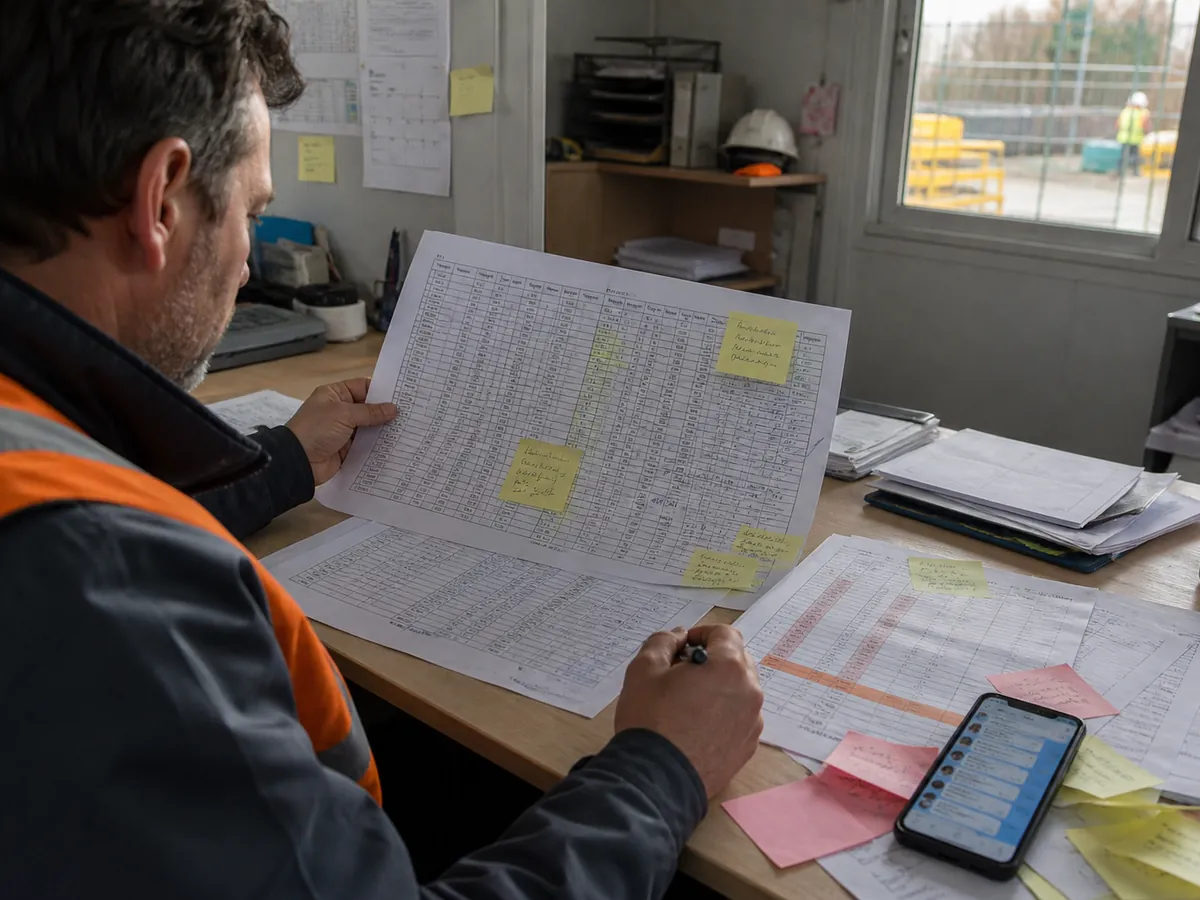
Manual leave processes break down at the handoffs between people and tools. A request sits in a chat, the balance sits in a spreadsheet, attendance sits in a biometric log, and payroll waits on all three. Each handoff adds delay and a chance of error.
Excel works well for simple tracking, and WhatsApp is fast for quick messages. The trouble starts when a business has several teams, sites or shifts. Common breaking points include:
- Follow-up: Managers send manual reminders about pending approvals. A connected system can send automatic alerts instead.
- Attendance: Leave and check-ins are compared by hand on manual sheets. Mobile attendance linked to leave records removes most of that matching.
- Balances: Different spreadsheets disagree. One central record gives everyone the same number.
- Reporting: HR compiles monthly leave reports by hand. Automated dashboards build them from live data.
- Accountability: Nobody can see who approved what and when. A workflow keeps a time-stamped history.
What changes for leave management in India under the new Labour Codes?
India’s four Labour Codes took effect on 21 November 2025, replacing 29 older labour laws. One headline change gives every worker the option of annual leave after 180 days of work in a year (PIB, 2025). That makes accurate attendance records central to leave eligibility.
Before the codes, factory workers needed 240 days (PIB, 2022). The codes also let workers encash leave at the end of the calendar year (PIB, 2022). The 2025 release adds that fixed-term employees receive the same benefits as permanent workers, including leave.
For Indian MSMEs (micro, small and medium enterprises) with contract, fixed-term and shift workers, the practical result is clear. HR needs a reliable count of days worked for each person, linked to their leave balance. That is hard to do across sites when attendance and leave live in separate files. State rules and transition provisions still apply, so confirm your exact obligations with a qualified adviser.
Which leave workflows can you automate?
You can automate most of the repeat steps between a request and a payroll-ready record. People still set the policy and approve exceptions. Automation then handles routing, reminders, balance updates and reporting, so managers spend less time chasing updates.
Useful automations include:
- Routing each request to the correct approver based on team, site or leave type.
- Sending reminders when a request has waited too long for approval.
- Updating balances the moment leave is approved, and adding accrued leave on schedule.
- Applying the right holiday calendar for each location.
- Flagging attendance records that clash with approved leave.
- Sharing a daily summary of who is off with supervisors.
- Producing a monthly attendance and leave report before payroll cut-off.
Where can AI help with leave management, and where should people decide?
AI can help by spotting patterns in leave and attendance data that a busy manager might miss. Examples include overlapping requests from the same skill group or a shift likely to run short. AI only works well when it connects to clean data and clear rules, and people should keep responsibility for approvals.
In practice, AI can use existing leave history, shift rosters and configured rules to highlight what needs attention first. That might be a request that leaves a line short of trained staff, or a team whose unplanned absence is rising. The AI suggests and flags. The supervisor decides.
Sensitive cases should always stay with people. Medical leave, family emergencies and disputes need judgement and care. AI capabilities also differ widely between platforms, so ask any vendor to show exactly which leave decisions their AI supports, using your own data, before you rely on it.
What should you look for in an employee leave management system?
Look for a system that connects leave to the rest of your operation, not one that only stores requests. The best fit links leave with attendance, shifts, tasks and reports, works well on mobile for frontline staff, and lets you set rules per site and team.
Use this decision checklist. A connected system makes sense if several of these apply:
- Multiple locations or plants
- A growing workforce, including contract or fixed-term staff
- Multiple shifts
- Field teams who rarely visit an office
- Recurring workflows that need cover when someone is away
- Leave balances spread across files
- Monthly reports compiled by hand
- Managers who spend hours chasing updates
- Rising compliance requirements
Also check permissions (who can see and approve what), mobile access, notification channels your team already uses, and how leave data reaches payroll.
A simple tool is often enough. A leave management system for small business teams of under ten people, at one site with one approver, may be overkill. A shared calendar and a clear policy can work until the checklist above starts to apply.
How does TrackerSuite fit?
TrackerSuite is an AI-powered operations platform that brings tasks, attendance, leave, sales and inventory into one system. For leave, its value comes from linking the leave record to attendance, shifts and work assignments. That way an approved absence also shows up where supervisors plan cover and reassign work.
Based on TrackerSuite’s published plans, the capabilities relevant to leave include:
- Leave management within an attendance and leave module.
- Attendance with geo-location, plus attendance rules, check-in, check-out and holiday settings.
- Geofencing for attendance, which marks check-ins within a defined site boundary, available as an add-on.
- Multiple shift management, available as an add-on on the Growth plan and included in higher plans.
- Monthly attendance reports, timesheets and reports.
- WhatsApp reminders and notifications and mobile push notifications.
- Task Tracker with recurring tasks, so work assigned to someone on leave can be reassigned.
One customer, Bipin Tiwari, Director, says TrackerSuite "has simplified how we manage employees, attendance, and tasks." Leave sits in the attendance and leave module alongside mobile-based attendance, so approved absences are visible where cover is planned. You can contact the TrackerSuite team to see the leave workflow with your own rules.
How do you roll out a leave management system step by step?
Start small, standardise the rules, then expand. Most rollout problems come from unclear leave policies, not from the software. Write down your rules first, test them with one team, and connect payroll only after balances have been checked.
- Write down your leave policy. List leave types, accrual rates, carry forward limits and approval levels for each site.
- Clean your balances. Agree on one opening balance per employee and get sign-off from HR and finance.
- Set up holiday calendars for each location and shift pattern.
- Configure approval routes and reminder timings.
- Pilot with one site or team for one full payroll cycle.
- Train supervisors and staff on the mobile app, with a short guide in local languages if needed.
- Expand site by site and review monthly reports for gaps or disputes.
What this means for you
If your supervisors spend Monday mornings asking who is off, your leave process is already costing management time. The fix is not more spreadsheets. It is one connected record that links leave to attendance, shifts and tasks.
Start with a quick audit. Count how many places leave information lives today, how long approvals take, and how often payroll needs corrections. If the answers involve more than two tools or regular rework, a connected system will likely pay off in visibility and fewer follow-ups. For Indian businesses, the 180-day leave rule makes accurate attendance data more important than before.
FAQs
What is the difference between leave management and attendance management?
Leave management handles planned and unplanned time off, including requests, approvals and balances. Attendance management records when people actually work, such as check-ins and shift hours. The two work best together, because payroll needs both records to match.
Do small businesses need leave management software?
A very small team with one site and one approver can often manage with a shared calendar and a written policy. Leave management software becomes useful when you add shifts, sites, field staff or several approvers. TrackerSuite’s Starter plan is free for up to 5 users, which lets a small team test a structured process.
How does leave management work for field teams?
Field staff usually request leave from a mobile app, and the request routes to their supervisor. Once approved, their scheduled visits or tasks need reassigning. Linking leave to task assignments and geo-location attendance helps supervisors spot gaps quickly.
Can AI approve leave requests automatically?
Some systems can auto-approve routine requests that meet set rules, such as enough balance and no shift clash. Sensitive cases like medical or emergency leave should stay with a manager. AI is most useful for flagging clashes and coverage gaps rather than replacing human judgement.
Conclusion
Leave stops being a simple HR task once your business runs shifts, sites and field teams. Every absence affects cover, tasks, attendance and payroll, and manual tools struggle to keep those pieces in sync. An employee leave management system that connects leave to the rest of your operation gives managers one view, cuts repeat follow-ups and keeps records ready for payroll and audits.
If you are ready to connect leave, attendance and shifts in one place, compare TrackerSuite plans and start with the free Starter plan.
Leave a Reply