
Most sales teams don’t notice their CRM is broken until a forecast looks wrong or two reps call the same buyer on the same morning. A CRM data cleanup fixes the records you already have. The bigger job is fixing the workflows that keep creating bad data.
This blog gives you a one-week plan with a scope rule, owners and time budgets. It also covers the merge rules and daily habits that keep your database usable as the team grows.
Key takeaways
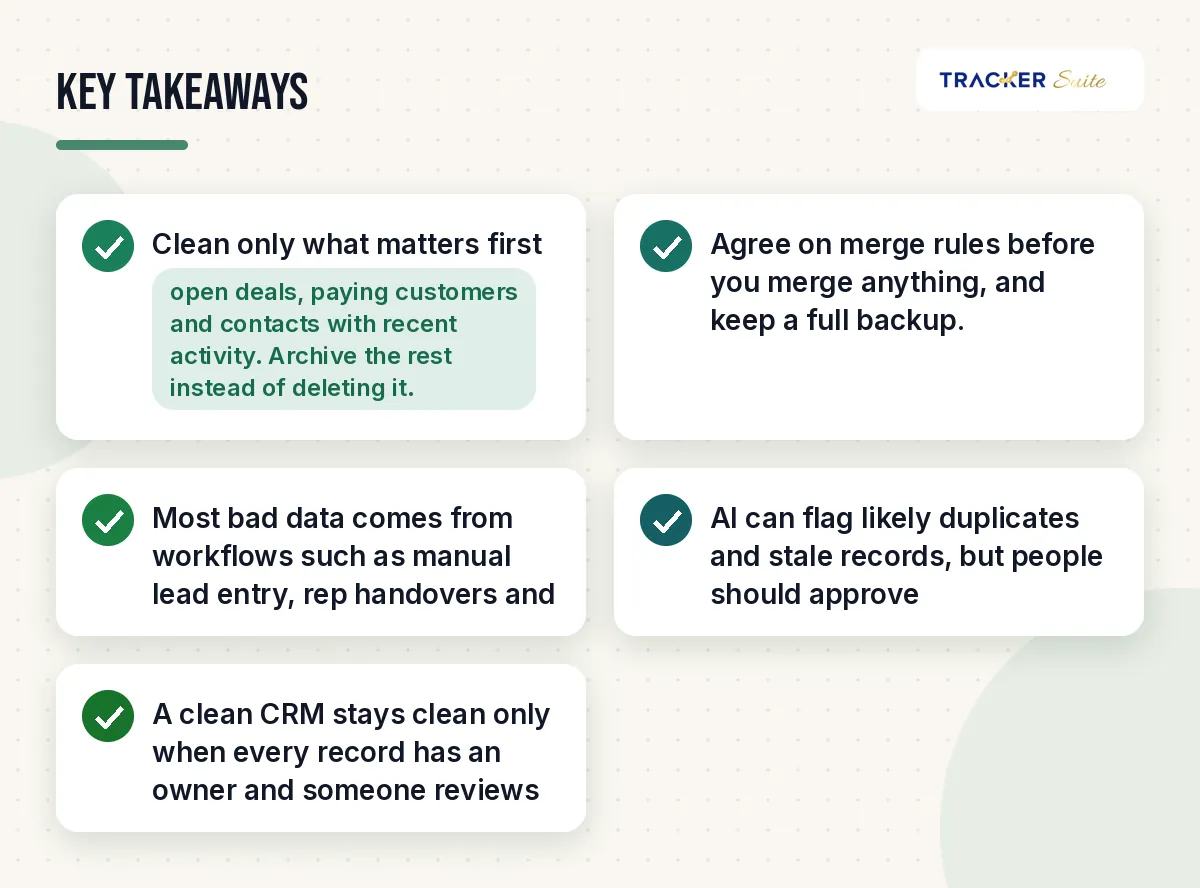 – Clean only what matters first: open deals, paying customers and contacts with recent activity. Archive the rest instead of deleting it.
- Agree on merge rules before you merge anything, and keep a full backup.
- Most bad data comes from workflows such as manual lead entry, rep handovers and follow-ups logged on WhatsApp, so fix the intake as well as the records.
- AI can flag likely duplicates and stale records, but people should approve merges, deletions and anything linked to billing.
- A clean CRM stays clean only when every record has an owner and someone reviews the exceptions every month.
At a glance
- Time needed: About one working week for a focused first pass on active records. This is a planning guide, not a benchmark.
- Who is involved: One data owner, one sales lead and every rep for their own accounts.
- Scope: Open deals, paying customers and contacts with logged activity in the last 18 months.
- Biggest risk: Merging or deleting records without a backup or agreed rules.
- Done means: Agreed field rules, an owner on every active record and a monthly review on the calendar.
What is CRM data cleanup and why does it matter now?
CRM data cleanup means finding and fixing duplicate, incomplete, outdated and inconsistent records in your customer database. You then set rules so the same problems don’t return. It matters more today because follow-up reminders, sales reports, lead assignment and AI tools all depend on that data being accurate.
The problem is common. In Validity’s survey of 602 CRM users, 76% said less than half of their organisation’s CRM data was accurate and complete. In the same survey, 37% reported losing revenue as a direct result of poor data quality (Validity, 2025). For a sales manager, that means pipeline reports built on records nobody fully trusts.
Gartner research from 2020 estimated that poor data quality costs organisations an average of $12.9 million a year (Gartner, 2020). That figure reflects large enterprises. A 30-person business won’t see a line item like that. Instead the cost shows up as missed follow-ups, duplicated calls and hours spent fixing reports by hand.
Sales leaders are paying attention. Salesforce’s 2026 State of Sales report, based on 4,050 sales professionals in 22 countries, found that 79% of high performers prioritise data hygiene (keeping records accurate and up to date), compared with 54% of underperformers (Salesforce, 2026).
Where does dirty CRM data come from as a business grows?
Dirty CRM data usually comes from everyday workflows, not careless people. Leads arrive from several channels, reps record visits later from memory, quotes go out over WhatsApp and nobody updates the record when someone leaves. Each small gap multiplies as you add reps, branches and lead sources.
A business typically goes through four stages:
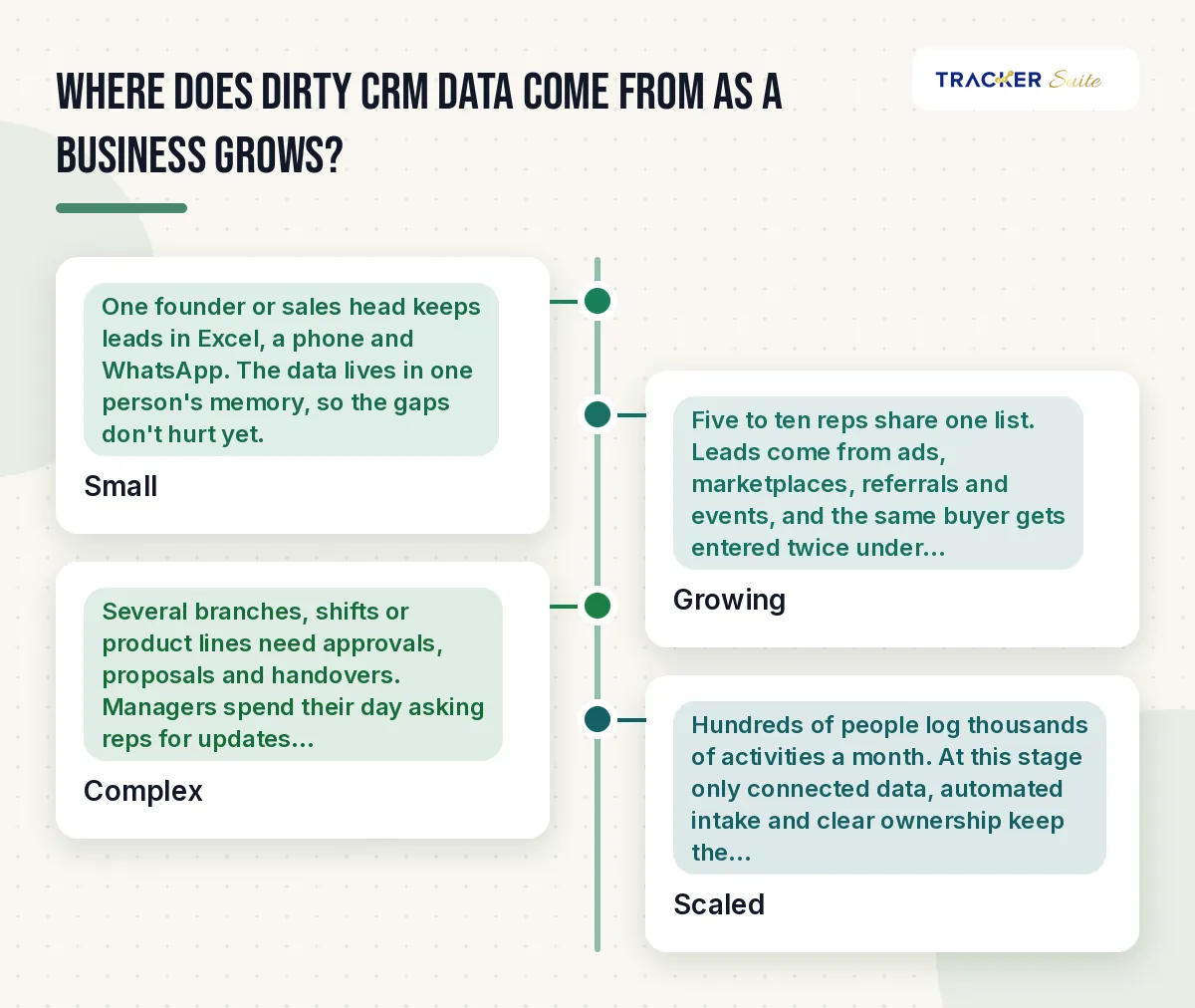 1. Small: One founder or sales head keeps leads in Excel, a phone and WhatsApp. The data lives in one person’s memory, so the gaps don’t hurt yet.
2. Growing: Five to ten reps share one list. Leads come from ads, marketplaces, referrals and events, and the same buyer gets entered twice under different spellings.
3. Complex: Several branches, shifts or product lines need approvals, proposals and handovers. Managers spend their day asking reps for updates because the CRM can’t answer the question.
4. Scaled: Hundreds of people log thousands of activities a month. At this stage only connected data, automated intake and clear ownership keep the records usable.
These workflows create most of the bad data in a typical small or mid-sized sales operation:
- Lead capture from ads and marketplaces: The same buyer enquires through a Facebook ad and a marketplace listing, which creates two records.
- Bulk uploads: Trade show lists and old spreadsheets arrive with mixed formats and missing owners.
- Field sales visits: Reps type notes hours later or leave them in a WhatsApp chat with the manager.
- Follow-up status: "Call back next week" never changes, so the record looks active for a year.
- Rep handovers: When someone leaves, their accounts sit without an owner.
- Proposals and quotes: Quotes go out by email or WhatsApp but never get logged against the deal.
- Accounting sync: The customer name in billing differs from the CRM, so the two systems never match.
- Buyers at fabrication and construction firms: The same buyer may be logged once under the site contact’s name and once under the parent company. That splits quotes and order history across two records.
 ## What do common CRM data problems look like?
Common CRM data problems include duplicate companies with slightly different names, phone numbers in mixed formats, contacts without an owner, deals stuck in old stages and free-text fields that make filtering impossible. Spotting these patterns first tells you which fixes give the biggest return.
Here are real-world examples you will probably recognise:
- Near duplicates: "Sharma Traders", "Sharma Traders Pvt Ltd" and "Sharma Trading Co." are all the same buyer.
- Mixed phone formats: +91 98XXX XXXXX, 098XXXXXXXX and 98XXXXXXXX are one number written three ways.
- Free-text categories: "Mumbai", "Bombay" and "mum" in the city field break every regional report.
- Stale stages: Deals marked "Negotiation" with no activity for nine months.
- Orphan records: Contacts owned by reps who left the company.
- Departed contacts: The buyer moved jobs, but their old email still sits on an open deal.
- Missing critical fields: No source, no industry and no next follow-up date.
How do you run a CRM data cleanup in one week?
To run a CRM data cleanup in one week, limit the scope to records that matter, take a full backup and give the project one owner. Then work through formats, duplicates, gaps and ownership in that order. Finish by locking new rules in place so the same errors stop entering the system.
The scope rule: A record is in scope if it has an open deal, a paid invoice, or any logged activity in the last 18 months. Everything else goes into an archive category, not the bin. This one rule often shrinks the job from "the whole database" to a list a small team can finish.
The time budgets below are a planning suggestion for a team of 5 to 15 reps with a few thousand active records. Adjust them to your size.
- Day 1: Back up and agree on the rules (data owner, about 4 hours; sales lead, 1 hour). Export every record. Write down the scope rule, the required fields and what "done" means. Share it with the team.
- Day 2: Standardise formats (data owner, about 6 hours). Fix phone formats and country codes, company suffixes and city names. Convert free-text fields such as industry and source into fixed dropdown lists.
- Day 3: Find and merge duplicates (data owner, about 6 hours). Sort by phone, then email, then company name plus city. Apply the merge rules in the next section and log every merge.
- Day 4: Fill gaps on live pipeline (each rep, 1 to 2 hours). Reps confirm contact details, the stage and the next follow-up date on their own open deals. They know these accounts best.
- Day 5: Assign owners and archive (sales lead, about 3 hours). Give every active record an owner, reassign orphan accounts and move out-of-scope records into the archive.
The last step matters most. On Day 5, the sales lead and data owner spend about 1 more hour locking the rules in place: make key fields required, turn on assignment rules and book the first monthly review. Without those steps, the clean data starts slipping again within weeks.
What merge rules should you agree before merging duplicates?
Merge rules decide which record survives, which values win when two records disagree and what happens to notes and history. Agree on them in writing before anyone clicks merge. Merges are hard to undo, and different people otherwise make different choices on the same type of duplicate.
A practical starting set:
- Match order: Match on the standardised phone number first, then email, then company name plus city.
- Surviving record: Keep the record with an open deal. If neither has one, keep the record with the most recent activity.
- History moves: Notes, remarks, call logs and proposals move to the surviving record. Nothing is lost.
- Ownership: The rep with the open deal keeps the account. Otherwise, the rep with the most recent activity keeps it.
- Conflicting values: The newest verified value wins. If nobody can tell which is right, flag the record for its owner instead of guessing.
- Billing link check: Never merge customers linked to invoices until someone confirms the accounting record.
- Merge log: Record the date, both record names and who approved each merge.
How do you keep CRM data clean after the cleanup?
You keep CRM data clean by controlling how data enters the system. That means automated lead capture, assignment rules, dropdown fields and required follow-up dates. A short monthly review of exceptions catches what slips through. Prevention takes far less effort than another big cleanup next year.
What changes in practice:
- Before: A coordinator copies ad enquiries into a spreadsheet each morning. After: Leads flow into the CRM automatically and get an owner on arrival.
- Before: A rep remembers follow-ups from WhatsApp chats. After: Every deal has a next follow-up date, and the rep gets a reminder when it is due or overdue.
- Before: A manager asks five people for updates before a review meeting. After: A dashboard shows deals with no owner, no activity or overdue follow-ups.
- Before: Anyone can edit any contact. After: Permissions control who can view and edit which records.
Put a 30-minute monthly review on the calendar. The data owner checks new duplicates, records without owners and deals stuck in one stage, then sends each rep a short fix list.
Where does AI help with CRM data cleaning, and where do people stay in charge?
AI can use your existing CRM data and the rules you set to flag likely duplicates, suggest standard formats, spot stale deals and highlight which follow-ups need attention. People should still approve merges, deletions and changes to customer or billing data. Those decisions affect relationships and revenue.
AI works only as well as the data and workflows it connects to. Salesforce’s 2026 report found that 51% of sales leaders using AI say disconnected systems are slowing their AI initiatives (Salesforce, 2026). A cleanup is often the first step that makes AI useful.
74% of sales professionals are prioritising data cleansing, meaning removing duplicates, correcting errors and standardising formats, according to Salesforce’s 2026 State of Sales report (Salesforce, 2026).
A sensible split of work:
- AI and automation: Flag possible duplicates, highlight records missing key fields, send follow-up reminders and surface deals with no recent activity.
- People: Set the rules, approve merges, decide what to archive and handle any record linked to invoices or contracts.
Should you clean CRM data in-house or hire a specialist?
Most small and mid-sized teams can clean their CRM data in-house if they keep the scope tight and give one person ownership. Outside CRM data cleansing services make sense when the database is very large, spread across systems or about to move into a new platform.
At a glance
- In-house cleanup: Lowest cost and the reps know the accounts best. It works if someone owns the project for a full week.
- Freelance CRM data cleaning specialist: Good for a one-off backlog or a messy import. You still need internal approval on merges.
- CRM data cleansing services: Suited to large volumes, multiple sources or a migration. Check how they handle backups and customer data privacy.
- Rules built into your sales platform: Lead capture, assignment and required fields stop new errors. This is the long-term fix whichever option you choose.
When a simple tool is enough: If you have one or two reps and a few hundred contacts, a well-structured spreadsheet with fixed columns and a weekly check may be all you need. A connected platform becomes worth it once several people, channels or locations feed the same customer list.
How does TrackerSuite fit into CRM data cleanup?
TrackerSuite’s Sales Tracker focuses on the intake and follow-up workflows where bad data usually starts. Leads get assigned by rule and tracked against reminders, which reduces the manual entry that creates duplicates and orphan records.
Capabilities listed on TrackerSuite’s paid plans that relate to keeping CRM data clean:
- Effective lead management with unlimited leads in one database, so leads sit in one place instead of scattered spreadsheets.
- Prospect assignment and distribution rules, so every new lead has an owner on arrival.
- Bulk contact and lead upload for bringing cleaned spreadsheets back in.
- Data categorisation and custom pipeline stages, so records follow consistent categories.
- Prospect history and remarks with real-time notifications, which keep visit notes and updates on the record instead of in chat threads.
- Follow-up reminders for prospects that are due today, overdue or due in 30 minutes.
- Restricted contact visibility to control who sees which records.
- Two-way Tally integration between sales and accounting.
TrackerSuite also includes TAVI, its AI layer, for work validation. Feature availability varies by plan; see the pricing page for details. If you want to map your own lead sources and handovers, you can talk to the TrackerSuite team.
What this means for you
If your managers spend the day chasing updates, the issue is rarely the reps. The workflow around the data is the problem. Use this checklist to decide whether a one-week cleanup and better intake rules should be your next project:
- Leads arrive from three or more channels.
- More than one rep has called the same buyer in the past month.
- Reports need manual fixing before every review.
- Departed reps still own active accounts.
- Follow-ups live in WhatsApp or personal notes.
- Sales and accounting show different customer names.
If three or more apply, schedule the cleanup week, write your merge rules and fix the intake channel that creates the most duplicates first.
FAQs
How often should you clean CRM data?
Do one focused cleanup, then a short monthly review of exceptions such as duplicates, missing owners and overdue follow-ups. A deeper quarterly check suits teams with high lead volume. Regular small reviews cost far less time than a yearly rescue project.
Should you delete old CRM records?
Archive old records rather than deleting them, at least during the first cleanup. Archived contacts can be restored if a past buyer returns or a record turns out to be linked to an invoice. Delete only when you have a clear legal or business reason.
What is the difference between CRM data cleaning and data enrichment?
CRM data cleaning fixes what is already in your database: duplicates, wrong formats and outdated details. Data enrichment adds new information, such as company size or industry, from outside sources. Clean first, because enriching duplicate records just doubles the mess.
What does a CRM data cleaning specialist do?
A CRM data cleaning specialist audits the database, standardises formats, merges duplicates and sets up validation rules. Many teams hire one for a one-off backlog or before a system migration. Your own team should still approve merges and own the records afterwards.
Conclusion
A CRM data cleanup works best as a short, scoped project followed by better habits, not as a yearly rescue. Back up, clean the records that matter, agree on merge rules and give every account an owner. Then fix the intake workflows so new leads arrive clean, assigned and on a follow-up schedule.
When your team, lead sources and locations keep growing, a connected sales workflow keeps the data usable without the same growth in admin work. Compare TrackerSuite plans to see which lead capture, assignment and follow-up features fit your team.
Leave a Reply