A pest control firm with 40 commercial contracts can run on paper job cards and phone calls. At 400 contracts across several cities, the same system starts losing visits, treatment records and renewals. This blog explains what task management software for pest control companies (and commercial cleaning contractors) needs to do, and why the change matters before a client audit forces it.
Key takeaways
- Recurring contracts make the service schedule the business. A missed visit is a missed payment and a risk to renewal.
- Paper job cards work for one crew. They fail when managers need to see visits, treatments and exceptions across branches on the same day.
- Commercial clients, especially food businesses, expect proof of each visit: time, location, photos and treatment details.
- Recurring tasks, live location, due alerts and daily reports remove most of the manual chasing. AI can help check submitted work, but supervisors still make the final call.
- A small team with a few clients may only need a shared calendar. Connected systems pay off when locations, shifts and contracts multiply.
At a glance
- Who this is for: Pest control and commercial cleaning firms that run recurring service contracts
- Core problem: Paper job cards and calls cannot prove visits or track due treatments at scale
- Workflows covered: Scheduling, routes, treatment records, proof of visit, follow-up treatments, attendance, renewals
- What to look for: Recurring tasks, live location and distance reports, photo proof, due alerts, daily summaries
- When to wait: A single crew with a handful of clients can manage with simpler tools
What is task management software for pest control companies?
Task management software for pest control companies turns each service contract into scheduled, trackable visits. Each visit has an assigned technician, a due date, a checklist and a record of what was done. Managers see completed, pending and overdue work in one place instead of calling every technician for updates.
The difference from a basic to-do app is the recurring, field-based nature of the work. A pest control contract might require monthly visits to a restaurant, quarterly visits to a warehouse and a follow-up treatment two weeks after a cockroach flush-out. A cleaning contract might require daily cleaning at five office sites with night and day shifts. The software has to generate those visits automatically, send them to the right person and capture evidence when the work is done.
How big is the recurring service business in pest control and cleaning?
Both industries are large, fragmented and built on repeat work. Most pest control firms are small, commercial demand is growing, and cleaning employs millions of workers with high turnover. That combination means many firms hit their first scaling problems when they open a second or third branch.
U.S. structural pest control generated $13.416 billion in service revenue in 2025, up 6% from $12.654 billion in 2024, according to the 26th edition of Specialty Consultants’ strategic analysis of the U.S. structural pest control industry, as reported by the National Pest Management Association (NPMA, 2026). Commercial service revenue grew by nearly 7%. The same study counted 16,565 firms, of which 81.4% had one or two locations, and an estimated 109,384 service technicians. Recurring revenue made up 85.4% of residential service revenue.
Why this matters: most pest control firms are still small, and their revenue depends on visits that repeat for months or years. The step from two locations to five is where informal systems usually start to crack.
Cleaning shows a similar pattern on the workforce side. The U.S. Bureau of Labor Statistics reports 2,432,600 janitor and building cleaner jobs in 2025, with about 321,800 openings projected each year from 2025 to 2035, mostly to replace workers who leave (BLS, 2025). Constant replacement means new staff join all the time. They need clear site instructions and checklists, not knowledge that lives in a supervisor’s head.
These figures are U.S. data. Firms in India, the Gulf or Europe will have different numbers, but the operational pattern of recurring visits, field crews and commercial audits is the same. That is also why task management software for cleaning companies tends to look very similar to what pest control firms need.
 ## Which workflows do pest control and cleaning teams run every week?
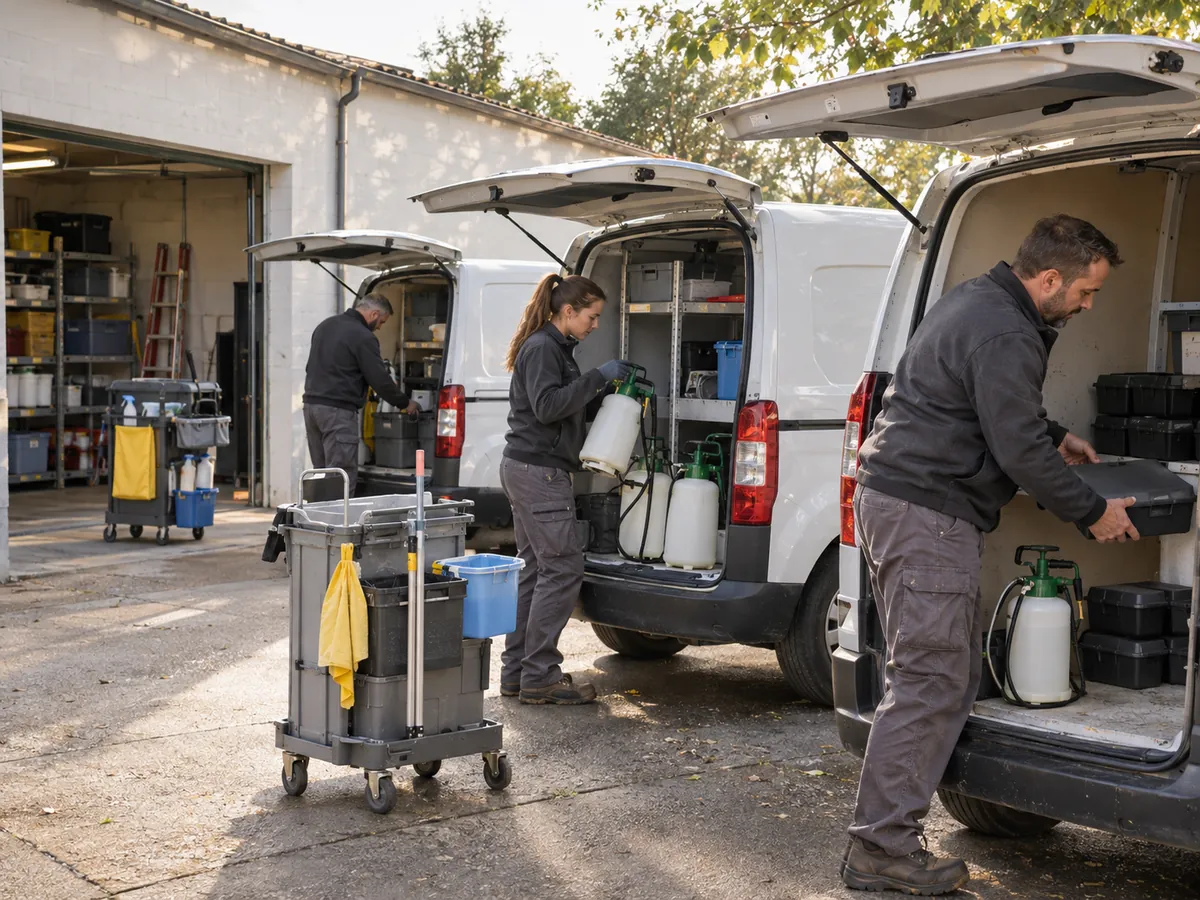
A typical firm runs several connected workflows, such as the nine below. Each one creates data, such as dates, locations, chemicals, photos and sign-offs, that someone later needs for billing, audits or renewals. Problems start when that data sits in different places.
- Contract scheduling: Each contract sets a visit frequency per site (daily, weekly, monthly or quarterly) and a service scope.
- Route planning and dispatch: Supervisors group visits by area and assign technicians or crews each morning.
- Treatment and cleaning records: Pest technicians record areas treated, products used and bait station checks. Cleaners complete area-by-area checklists.
- Proof of visit: Arrival time, location, before and after photos and client sign-off.
- Follow-up treatments: Many infestations need a return visit. Bed bugs, cockroaches and termites often require more than one treatment.
- Complaint callbacks: A client reports activity between visits, and someone must respond quickly and log the outcome.
- Attendance across sites and shifts: Cleaning crews especially work at client sites, often on night shifts, far from the office.
- Client reporting: Commercial clients want monthly service summaries for their own audits.
- Renewals and upsell: Contracts expire, and someone has to start the renewal conversation in time.
Why do paper job cards and phone calls fail as contracts grow?
Paper and calls fail because they depend on people remembering and reporting. With 30 visits a week, a supervisor can hold the schedule in their head. With thousands of visits a month across branches and shifts, nobody can, and gaps only appear when a client complains.
The scaling journey usually looks like this:
- Small operation: The owner books visits, technicians carry paper job cards, updates come by WhatsApp and calls. This works well at this size.
- Growing: A second branch opens. Each branch keeps its own Excel sheet. Supervisors spend mornings calling technicians to confirm visits.
- Complex: Commercial clients ask for audit-ready records. Follow-up treatments are tracked in notebooks. Renewals depend on someone remembering the expiry date.
- Scaled: Contracts, visits, evidence and attendance live in one connected system, and managers review exceptions instead of chasing updates.
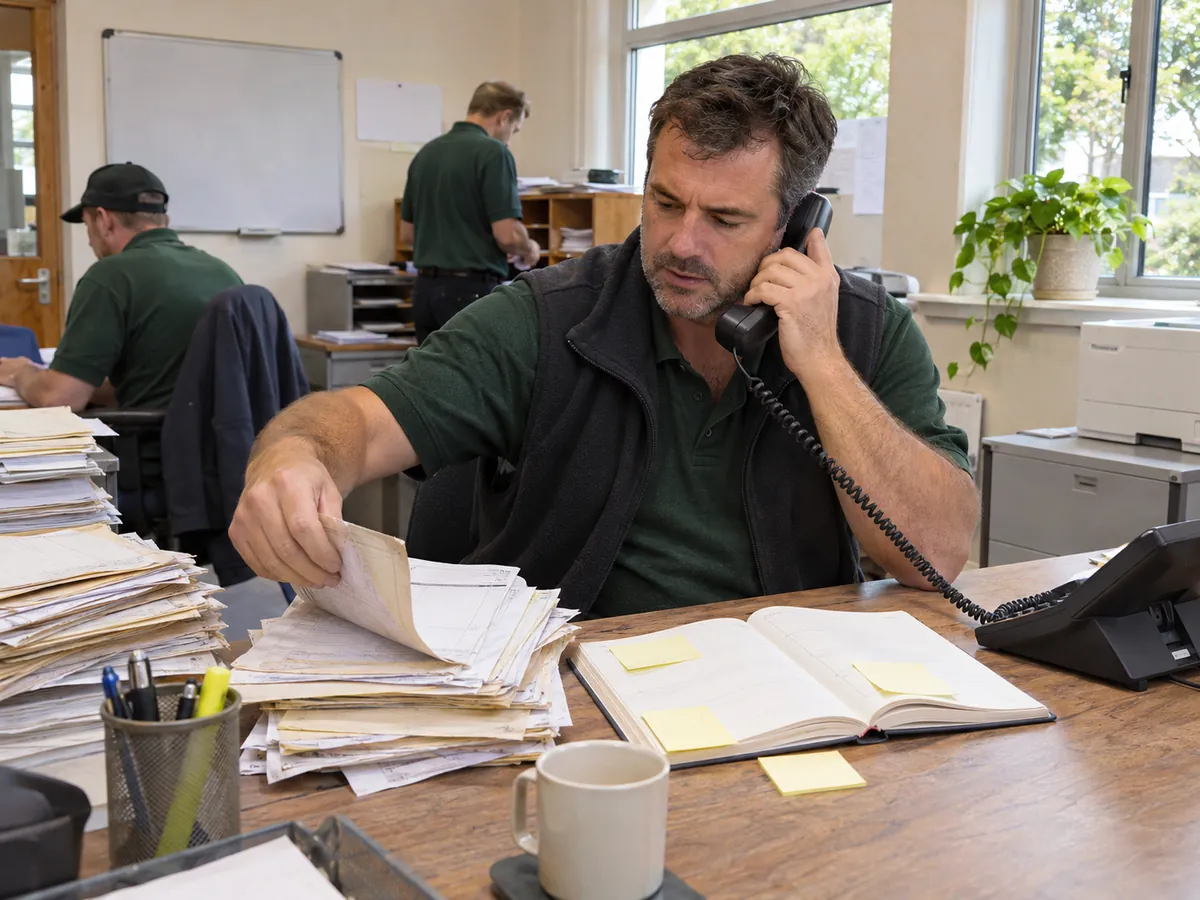
At the complex stage, several things break at once. Paper job cards get lost or arrive at the office days later. Treatment details are hard to read or incomplete. Nobody can confirm whether a technician actually reached a site at 10 a.m. or simply filled in the card later. Follow-up visits slip because the reminder was a note in a diary. Managers end up asking five people for one answer.
Now picture 200 technicians, 20 branches and multiple shifts. Even a small miss rate becomes dozens of missed visits each month, and each one can cost a renewal.
 ## What counts as proof of service visit for commercial clients?
A proof of service visit is a record that shows a named technician was at a specific site at a specific time and did specific work. Good proof combines a time-stamped check-in at the site location, photos, treatment or checklist details and any exceptions noted during the visit.
Food businesses are the clearest example. In India, Schedule 4 of the Food Safety and Standards (Licensing and Registration of Food Businesses) Regulations, 2011 sets hygiene rules for food businesses. These include pest control and keeping records of the pesticides and insecticides used (FSSAI compendium). The U.S. food safety rule for food plants is one example of how strict the standard can be:
"Pests must not be allowed in any area of a food plant." (21 CFR 117.35(c), Cornell Legal Information Institute)
A food processor that must meet that standard needs evidence that its pest control contractor is visiting and acting. Restaurants, hospitals, hotels and warehouses face similar pressure from inspectors and their own customers. For cleaning contractors, facility managers want proof that each area on the checklist was cleaned on each shift.
A practical proof record usually includes:
- Technician or crew name
- Check-in and check-out time, captured at the site location
- Before and after photos
- Products used, areas treated or checklist items completed
- Observations, such as pest activity, proofing gaps or hygiene issues
- Any follow-up action, with a due date
How do recurring tasks, live location and due alerts replace manual follow-up?
Automation replaces the repetitive steps that supervisors do by hand: creating visits, reminding technicians, confirming arrival and compiling the day’s results. People still set the rules, such as visit frequency and who covers which area. The system then repeats those rules without someone typing them in each week.
Here is how each step changes:
- Recurring tasks: A monthly contract generates its visits automatically. No one rebuilds the schedule each month.
- Due alerts: Technicians and supervisors get reminders before a visit or follow-up treatment is due, so return visits stop slipping.
- Live location and distance reports: Managers can see where field staff are during working hours and how far they travelled. This helps with route review and travel claims.
- Photo proof in the task: Evidence is attached to the visit record, not sent separately on WhatsApp where it gets buried.
- Daily WhatsApp reports: Managers receive a summary of completed, pending and overdue work without asking anyone.
Location tracking needs clear rules. Tell staff what is tracked, when and why, and limit it to working hours. Trust drops quickly when people feel watched without explanation.
Where does AI work validation help, and where do people stay in charge?
AI is useful when it works on real visit data and configured rules. In this context, it can help check submitted work before a supervisor reviews it, flag tasks that look incomplete and highlight what needs attention first. Supervisors still decide on re-treatments, client disputes and anything involving safety.
Consider a supervisor reviewing 150 visit records each evening. Most are fine. AI validation can help sort the ones that need a closer look, for example a task closed without the required photo or details. The supervisor then spends time on the exceptions, not on the routine.
AI should not choose chemicals, approve a treatment plan or tell a client their site is pest free. Those decisions need trained people and, in many regions, licensed operators. The right model is simple: people define the rules, the platform organises the data, automation handles repetitive steps and AI helps prioritise.
Before and after: what changes when the workflow is connected
The changes below describe how the work shifts, not guaranteed results. Outcomes depend on how well the workflow is set up and adopted.
At a glance
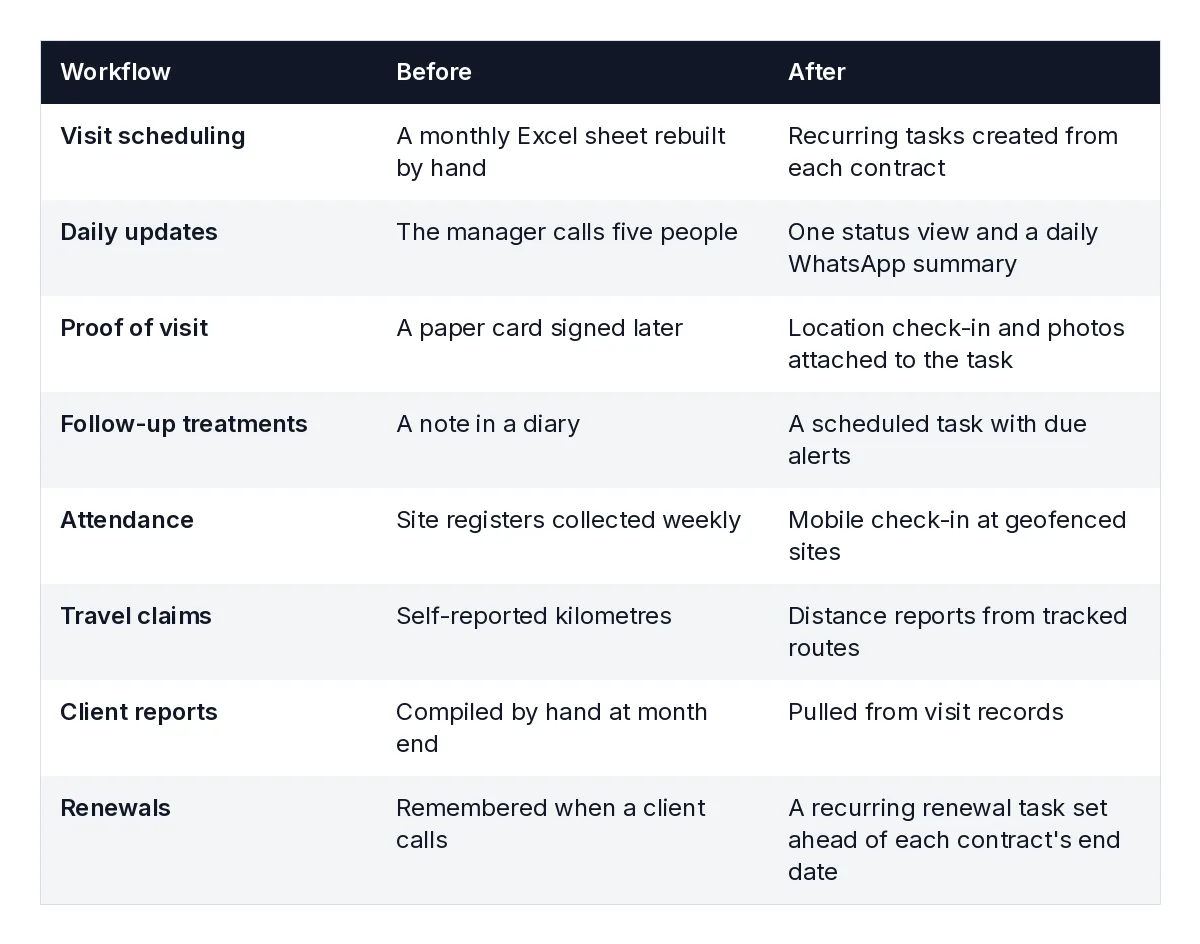
Before and after: recurring service workflows
 At a glance
-
Visit scheduling: Before: A monthly Excel sheet rebuilt by hand; After: Recurring tasks created from each contract
-
Daily updates: Before: The manager calls five people; After: One status view and a daily WhatsApp summary
-
Proof of visit: Before: A paper card signed later; After: Location check-in and photos attached to the task
-
Follow-up treatments: Before: A note in a diary; After: A scheduled task with due alerts
-
Attendance: Before: Site registers collected weekly; After: Mobile check-in at geofenced sites
-
Travel claims: Before: Self-reported kilometres; After: Distance reports from tracked routes
-
Client reports: Before: Compiled by hand at month end; After: Pulled from visit records
-
Renewals: Before: Remembered when a client calls; After: A recurring renewal task set ahead of each contract’s end date
-
Daily updates: Before, the manager calls five people. After, one status view and a daily WhatsApp summary.
-
Proof of visit: Before, a paper card signed later. After, location check-in and photos attached to the task.
-
Follow-up treatments: Before, a note in a diary. After, a scheduled task with due alerts.
-
Attendance: Before, site registers collected weekly. After, mobile check-in at geofenced sites.
-
Travel claims: Before, self-reported kilometres. After, distance reports from tracked routes.
-
Client reports: Before, compiled by hand at month end. After, pulled from visit records.
Do you need multi location attendance management software?
You need it when crews work at several client sites or branches and you can no longer confirm who arrived where, and when. For a single office team, a simple attendance register is often enough. For cleaning crews spread across 20 sites and three shifts, it usually is not.
A firm running multiple shifts at many client sites benefits from multi location attendance management software that ties check-in to the site location. Geofencing, which means drawing a virtual boundary around a site, lets the system accept check-ins only at that site. Attendance then connects with the visit record, so payroll and client proof come from the same data.
Use this checklist to decide whether a connected system is worth it now:
- More than one branch or service area
- Field crews working at client sites, especially night shifts
- Recurring contracts with follow-up treatments
- Commercial clients asking for audit records
- Supervisors spending hours chasing updates
- Month-end reports built by hand
- Renewals missed or started late
If only one or two apply, a shared calendar and a group chat may be enough for now. That is a fair choice for a small team.
How does TrackerSuite fit pest control and cleaning operations?
TrackerSuite is an AI-powered operations platform that connects tasks, field activity, attendance and follow-ups. For recurring service firms, its role is to turn contracts into scheduled visits, capture proof and give managers one view across branches.
The relevant capabilities listed on the TrackerSuite pricing page map to the workflows above:
- Recurring tasks in Task Tracker for contract visits and follow-up treatments
- Proof of work in tasks and file attachments for photos and treatment details
- AI task validation, powered by TAVI, to help review submitted work
- Live location tracking and reports, plus distance calculation for field executives
- Email notifications 48 and 24 hours before a task is due, and WhatsApp reminders
- Daily automated reports on WhatsApp for managers
- Attendance rules, check-in and check-out, geofence sites and a multi-shift attendance module
- Industry task templates and bulk task upload for loading existing contracts
- Sales Tracker follow-up reminders for due and overdue prospects, which can support renewal conversations
Feature availability differs by plan, and some items (such as unlimited geofence sites and multi-shift attendance) sit in higher tiers. Recurring tasks, live location, distance reports and WhatsApp reports start at the Growth plan, and AI task validation is in the Scale plan. Check the current plan details before you commit. As task management software for pest control companies, TrackerSuite fits best where contracts, crews and branches are growing faster than the office can follow up.
How can you roll out a new system without disrupting service?
Start small, with one branch or one large client, and run the new process alongside paper for a few weeks. Expand only once technicians are comfortable and the visit data is reliable.
- List every active contract with site, frequency, scope and expiry date. Clean data first, because automation repeats whatever you load.
- Define the proof standard for each service type: which photos, which fields and which sign-off.
- Build templates for common visits, such as a monthly general pest service, a rodent check or a nightly office clean.
- Pilot with one branch and a supervisor who wants the change.
- Set alert and reporting rules, such as reminders before due visits and one daily summary for managers.
- Agree on location and attendance policies with staff before switching them on.
- Review exceptions weekly, then add AI validation once the basic workflow is stable.
- Roll out branch by branch and retire paper only when records match.
What this means for you
If you run a pest control or commercial cleaning firm, your growth depends on two things: completing every recurring visit and proving it. Paper and calls can handle the first few dozen contracts. Beyond that, the cost shows up as late follow-ups, missing evidence during audits and renewals that quietly lapse.
The practical next step is not a big software project. Map your contracts, decide what proof each client needs and test a connected workflow in one branch. You will quickly see whether your supervisors spend less time chasing and more time on quality.
FAQs
What should pest control job management software record for each visit?
It should record the technician, time and location of the visit, areas treated, products used and photos. It should also note observations and any follow-up action with a due date. This gives commercial clients the evidence they need for audits.
Can the same software work for commercial cleaning companies?
Yes, the core needs are similar: recurring visits, site checklists, proof of work and attendance at client sites. Cleaning firms usually lean more on shift attendance, while pest control firms lean more on treatment records. A good platform supports both through templates.
Is live location tracking legal for field technicians?
Rules vary by country and state, so check local employment and privacy law. In general, be transparent, limit tracking to working hours and explain the business purpose to staff. Written policies help avoid disputes.
When is a simple task app enough?
A small team with one location, a few clients and no audit requirements can manage with a shared calendar or basic task list. A connected system becomes useful when branches, shifts and recurring contracts grow. Review the decision checklist above to judge your stage.
Conclusion
Recurring contracts reward firms that show up on time, every time, and can prove it. As contracts spread across branches and shifts, paper job cards and phone calls stop giving managers the visibility they need. Connected recurring tasks, proof of visit, location and attendance data and daily reports let teams scale without the same increase in admin, while people stay in charge of treatment decisions and client relationships.
If your supervisors spend their mornings chasing updates, it may be time to test a connected workflow. Compare TrackerSuite plans and start with one branch, or talk to the TrackerSuite team about mapping your contracts.
Leave a Reply