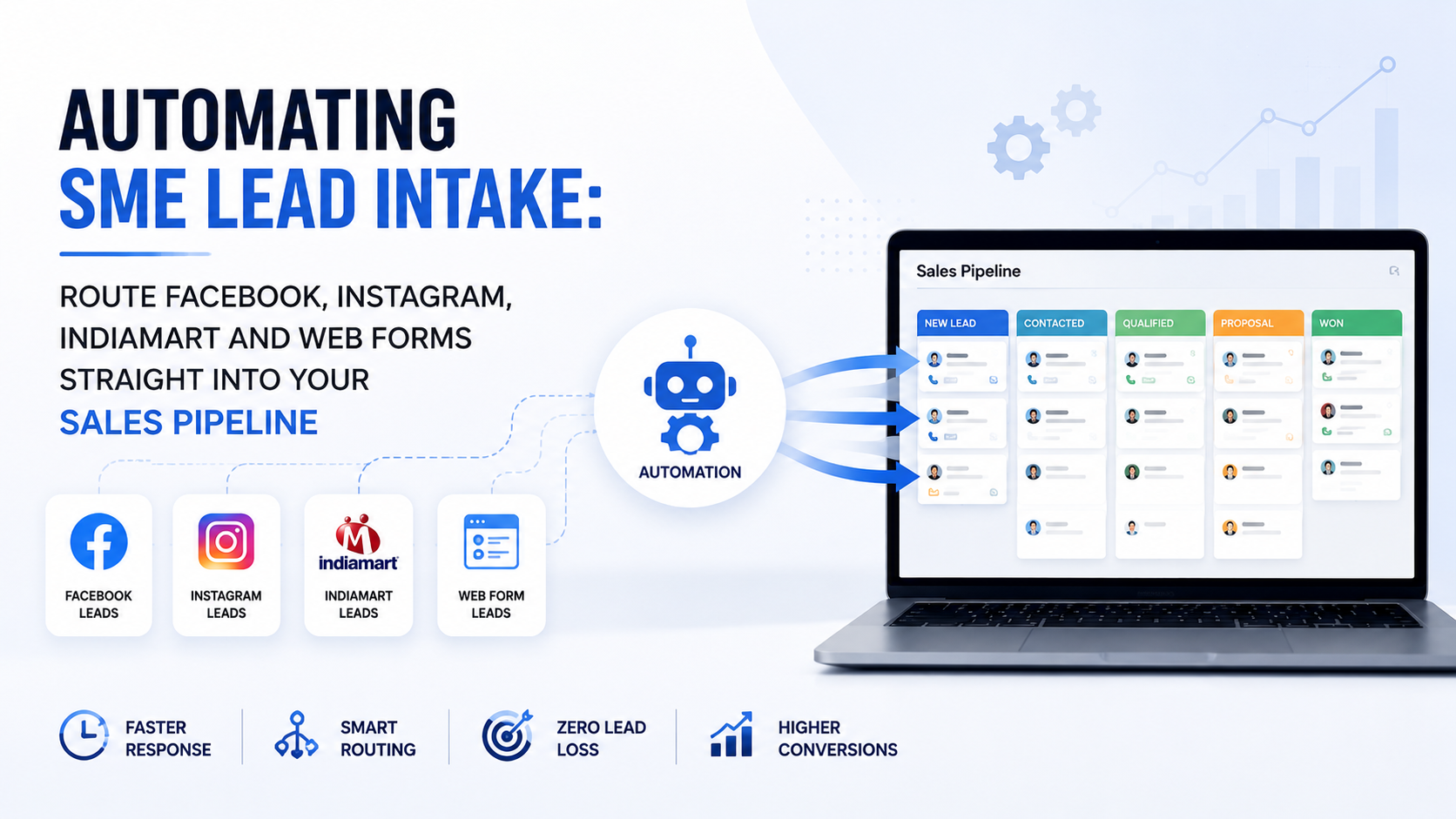
Your business is probably losing leads it already paid for. A prospect submits your Facebook lead ad at 9:15 PM, your sales rep notices the email the next morning, and by then that prospect has spoken to two competitors. This guide is for SME owners who are close to a buying decision: it explains exactly how automated lead routing from Facebook, Instagram, IndiaMART and web forms works, what it costs, what to check before choosing a platform, and how to set it up within a week.
Key takeaways
- Leads contacted within minutes convert far more often than leads contacted the next day, and manual intake is the main reason SMEs respond slowly.
- An automated lead intake system captures inquiries from Meta ads, IndiaMART and web forms, assigns them by rules, and creates a trackable follow-up task instantly.
- The real benefit of task tracking tools is accountability: every lead has an owner, a due time and a visible status.
- TrackerSuite supports automatic lead capture and assignment from Facebook, Instagram, IndiaMART and web forms, with WhatsApp and email alerts for assigned leads. A free Starter plan covers up to 5 users.
- If you run paid ads or an IndiaMART subscription and still export leads by CSV once a day, automation will likely pay for itself in recovered leads alone.
Why do leads from Facebook, Instagram, IndiaMART and web forms go cold?
Leads go cold because manual intake creates a delay between the moment a prospect raises their hand and the moment someone calls back. Alerts sit in inboxes, CSV exports wait until end of day, and nobody owns the follow-up. Speed, not lead quality, is usually the deciding factor.
The evidence on response time is old but consistent. Research published in the Harvard Business Review audited 2,241 US companies and found a sharp drop-off in qualification rates as response time grew.
“Firms that tried to contact potential customers within an hour of receiving a query were nearly seven times as likely to qualify the lead as those that tried to contact the customer even an hour later.” (Harvard Business Review, 2011)
Earlier research from InsideSales.com and Kellogg School of Management (2007) found the odds of even reaching a web lead drop by roughly 100 times when the first call happens at 30 minutes instead of 5 minutes. Both studies predate WhatsApp and Instagram lead ads, where buyer patience is even shorter.
The volume problem compounds the speed problem. IndiaMART, India’s largest B2B marketplace, reported around 8 million supplier storefronts on its platform (IndiaMART Annual Report, FY2024). Buyers routinely send the same inquiry to five or six suppliers. The first supplier to respond professionally usually frames the deal.
Excel and email are not the villain here. A spreadsheet works fine when you get five inquiries a week. It breaks when you get fifteen a day across four channels, three sales reps and two locations, because nobody can see what was followed up and what was forgotten.
What does an automated lead intake system actually do?
An automated lead intake system connects each lead source to a central pipeline through an API (application programming interface, a direct software-to-software connection) or a webhook (an automatic message sent by the source platform the moment a form is submitted). It then assigns the lead, creates a follow-up task and tracks completion.
The workflow has five stages:
- Capture: The platform receives the inquiry the instant a prospect submits a Meta lead ad, IndiaMART RFQ (request for quotation) or website form.
- Normalize and deduplicate: Field names are standardized (for example, phone_number and contact_no become one field) and repeat inquiries are merged so your database stays clean.
- Route by rules: Leads are assigned through round-robin distribution (each rep gets the next lead in turn), by territory, by product line or by deal size.
- Notify and task: The assigned rep receives a WhatsApp, email or mobile push alert with full lead context, and a follow-up task with a due time is created automatically.
- Enforce and report: Reminders fire before the task goes overdue, and managers see response times and conversion by source on a dashboard. This tracking layer is your SLA (service level agreement, the maximum time a lead may wait before first contact).
Notice what automation does not do: it does not talk to the prospect or close the deal. Your sales team still sells. The system removes the administrative gap between inquiry and first call.
How do you connect Facebook and Instagram lead ads to your sales pipeline?
You connect Meta lead ads either through a native integration in your pipeline software or through a webhook from Meta Business Suite. Once connected, every form submission becomes an assigned lead card within seconds, and the responsible rep gets an instant alert on their phone.
Without this connection, the typical SME process is painful. Someone logs into Meta Business Suite, downloads a CSV of leads, copies rows into a spreadsheet and messages reps on WhatsApp. If that person is travelling or busy, leads wait a day or more.
A concrete example. A Pune-based modular furniture SME runs Instagram lead ads for kitchen quotes, generating about 60 leads a week. Before automation, the owner exported leads every evening and forwarded them manually; first contact usually happened the next day. After connecting Meta lead capture to an automated pipeline, each submission became an assigned task with a two-hour due time, and the rep received the prospect’s name, phone number and ad source in one WhatsApp alert. Nothing about the ads changed. Only the response gap closed.
How do you automate IndiaMART and website form inquiries?
IndiaMART inquiries can be pulled into a pipeline through the platform’s lead push integration, so buyer name, product requirement, quantity and location arrive as a structured lead instead of an email. Website forms connect through a webhook that posts each submission directly into the same pipeline.
This matters most for industrial and B2B SMEs, where IndiaMART is often the single largest inquiry source. A typical IndiaMART email alert is unstructured text. When your system parses it into fields, you can route by rules: pump inquiries to the industrial sales rep, panel inquiries to the electrical rep, export inquiries to the senior closer.
Website forms deserve the same treatment. A demo request or catalog download trapped in a shared inbox is functionally invisible. Routed as a task, it has an owner and a deadline. Some platforms also convert incoming emails into tasks through browser extensions, which covers the long tail of inquiries that arrive by plain email.
What are the real benefits of task tracking tools once a lead is assigned?
The core benefits of task tracking tools are ownership, visibility and follow-through. Every lead or activity has one named owner, one due time and one visible status, so managers stop chasing updates and reps stop relying on memory. That accountability is what turns a contact list into a pipeline.
For owners, the deeper value is task tracking tools for decision making. When every lead carries its source, response time and outcome, the dashboard answers questions spreadsheets cannot: Which channel converts best per rupee spent? Which rep responds fastest? Where do deals stall? Salesforce’s Small and Medium Business Trends report found that a majority of growing SMBs are turning to technology specifically to improve productivity, and lead-to-task visibility is one of the most direct routes to that goal (Salesforce, 2023).
Practical benefits compound over time:
- Fewer follow-up failures: automated reminders replace sticky notes and memory.
- Faster handovers: when a rep leaves or shifts change, the lead history stays in the system.
- Fairer workloads: round-robin assignment prevents one rep drowning while another idles.
- Cleaner reporting: daily automated summaries replace end-of-week compilation.
Which roles benefit most from task tracking tools?
Almost every role benefits, but the workflows differ. Sales teams gain response speed, engineers gain site and project accountability, analysts gain cleaner request queues, and executive assistants gain control over recurring coordination work. The common thread is replacing memory with a system of record.
- Task tracking tools for civil engineers and site engineers: Site work generates inspections, drawing approvals, material requests and snag lists. A task system with mobile access and location awareness lets a site engineer close a checklist item with photo proof instead of a phone call. Engineers on multi-site projects get a single queue instead of five WhatsApp groups.
- Task tracking tools for engineers in manufacturing or services: Maintenance schedules, calibration reminders and quality checks are recurring by nature. Recurring task templates mean the system creates next month’s inspection automatically.
- Task tracking tools for a data analyst: Analysts drown in ad hoc requests arriving by chat, email and hallway conversations. Routing every request through a task queue creates prioritization, realistic deadlines and a searchable record of what was delivered and when.
- Task tracking tools for executive assistants: Meeting preparation, travel bookings, follow-up reminders and approval chasing are high-volume recurring work. A task system with templates and reminders turns an assistant’s memory into a shared, auditable workflow.
The pattern to notice: the busier and more distributed the role, the higher the payoff. A solo freelancer with three clients needs a to-do list, not a platform.
What should you check before choosing a lead routing and task platform?
Check five things: whether the platform connects natively to your actual lead sources, whether assignment rules match how you sell, whether alerts reach reps on the channels they use, whether reporting shows response time and conversion by source, and whether pricing scales with users rather than forcing an enterprise contract.
A practical decision checklist:
- Do you receive leads from more than two channels (for example, Meta ads plus IndiaMART plus your website)?
- Do more than three people touch leads or follow-ups?
- Have leads ever been forgotten, double-contacted or claimed by two reps?
- Do you spend on ads or marketplace subscriptions without knowing the conversion rate per source?
- Do managers spend time asking people for status updates?
Three or more yes answers usually justify a connected platform. If you are a two-person team with one lead source, a shared spreadsheet and discipline may still be enough, and that is a legitimate choice. Also check data governance: role-based permissions, prospect history logging and controlled contact visibility matter once customer data grows. AI features, where offered, should assist with prioritization and validation based on your data and configured rules, while people keep responsibility for pricing, promises and closing decisions.
How does TrackerSuite handle automated lead intake end to end?
TrackerSuite’s Sales Tracker connects directly to Facebook and Instagram lead ads, IndiaMART and web forms for automatic lead capture and assignment. Each inquiry enters a customizable sales pipeline, assignment rules distribute it, and the assigned rep receives WhatsApp and email notifications with the lead details attached.
From the retrieved product documentation, the relevant capabilities include custom sales pipeline stages, prospect assignment and distribution rules, prospect history, remarks with real-time notifications, bulk lead upload, custom proposal creation with sharing over email and WhatsApp, and performance score reporting. On the task side, Task Tracker provides recurring tasks, 24-hour and 48-hour pre-due email reminders, WhatsApp reminders, mobile push notifications and daily automated reports. Work validation assisted by TAVI, the platform’s AI layer, helps managers review completed work against configured rules.
At a glance
- Starter plan: USD 0, free forever, up to 5 users, unlimited tasks, buckets and storage.
- Pro plan: ₹225 per user per month, with a 3-day free trial.
- Growth plan: USD 6.81 per user per month; adds sales and inventory modules, WhatsApp notifications and the TAVI AI assistant.
- Scale plan: USD 10.89 per user per month; adds advanced workflows, geofenced attendance and multi-shift management.
- Enterprise: custom pricing with advanced security controls and integration support.
Plan details reflect the TrackerSuite pricing page at the time of writing; confirm current inclusions before purchase. You can compare plans and pricing directly, or request a walkthrough with the team to see lead capture configured for your channels.
What this means for you
If you pay for Meta ads or an IndiaMART subscription and still move leads by CSV export and WhatsApp forwarding, you are paying twice: once for the lead and again in the deals lost to slow follow-up. The fix is not more ad spend; it is closing the gap between inquiry and first call.
Start with an honest audit. Count how many leads arrived last week, how long first contact took on average, and how many were never contacted at all. If the response time is measured in hours or the untouch count is above zero, automated routing is likely the cheapest growth lever available to you this quarter. If your volume is genuinely small and one person owns all follow-up, a simpler tool may be enough for now.
How do you get set up within one week?
Setup is a configuration exercise, not an IT project. Most SMEs can go live in five working days by connecting one channel first, proving the workflow, then adding the rest. Start with your highest-volume or highest-value source.
- Day 1: Map your sources. List every place leads arrive: Meta lead ads, Instagram DMs, IndiaMART, website forms, plain email. Note weekly volume for each.
- Day 2: Define assignment rules. Decide who owns what: round-robin for general inquiries, product-based routing for technical lines, senior reps for high-value RFQs.
- Day 3: Connect one channel. Link your highest-volume source to the pipeline and run test submissions until fields map correctly.
- Day 4: Set tasks and alerts. Configure follow-up task due times, WhatsApp and email notifications, and 24-hour and 48-hour reminders.
- Day 5: Go live and review. Connect remaining channels, brief the team, and review the first week of response-time data in the dashboard before adjusting rules.
Frequently asked questions
Can I automate lead capture from Facebook and Instagram without coding?
Yes. Pipeline platforms with a native Meta integration connect through your ad account login rather than custom code. You authorize the connection, map the form fields, and submissions start arriving as assigned leads. Webhook setups for custom websites may need one hour of developer help.
Does automated lead routing work for IndiaMART inquiries?
Yes, for B2B SMEs it is often the highest-value integration. IndiaMART inquiries arrive as structured leads with product, quantity and location, which allows rule-based assignment to the right rep. TrackerSuite lists IndiaMART automatic lead capture and assignment among its supported integrations.
What is the difference between a CRM and a task tracking tool for lead follow-up?
A CRM (customer relationship management system) stores contact and deal records, while a task tracking tool manages who does what and by when. For lead follow-up you need both functions connected: the lead record plus an enforced follow-up task. Platforms that combine them prevent leads from existing without an owner.
How much does lead intake automation cost for a small team?
Entry costs are low. TrackerSuite’s Starter plan is free for up to 5 users, Pro is listed at ₹225 per user per month, and the Growth plan with sales modules is USD 6.81 per user per month at the time of writing. Compare that against the value of one recovered deal before judging the expense.
Conclusion: buy back your response time
The businesses winning your shared leads are not necessarily better at sales; they are faster at the first call. Automated lead intake from Facebook, Instagram, IndiaMART and web forms removes the manual gap that slows SMEs down, and task-level accountability keeps every follow-up owned and visible.
If the audit above showed delays or lost inquiries, the next step is simple. Review TrackerSuite’s plans and start with the free Starter tier, or book a walkthrough to see your own lead sources connected and assigned live.
Leave a Reply