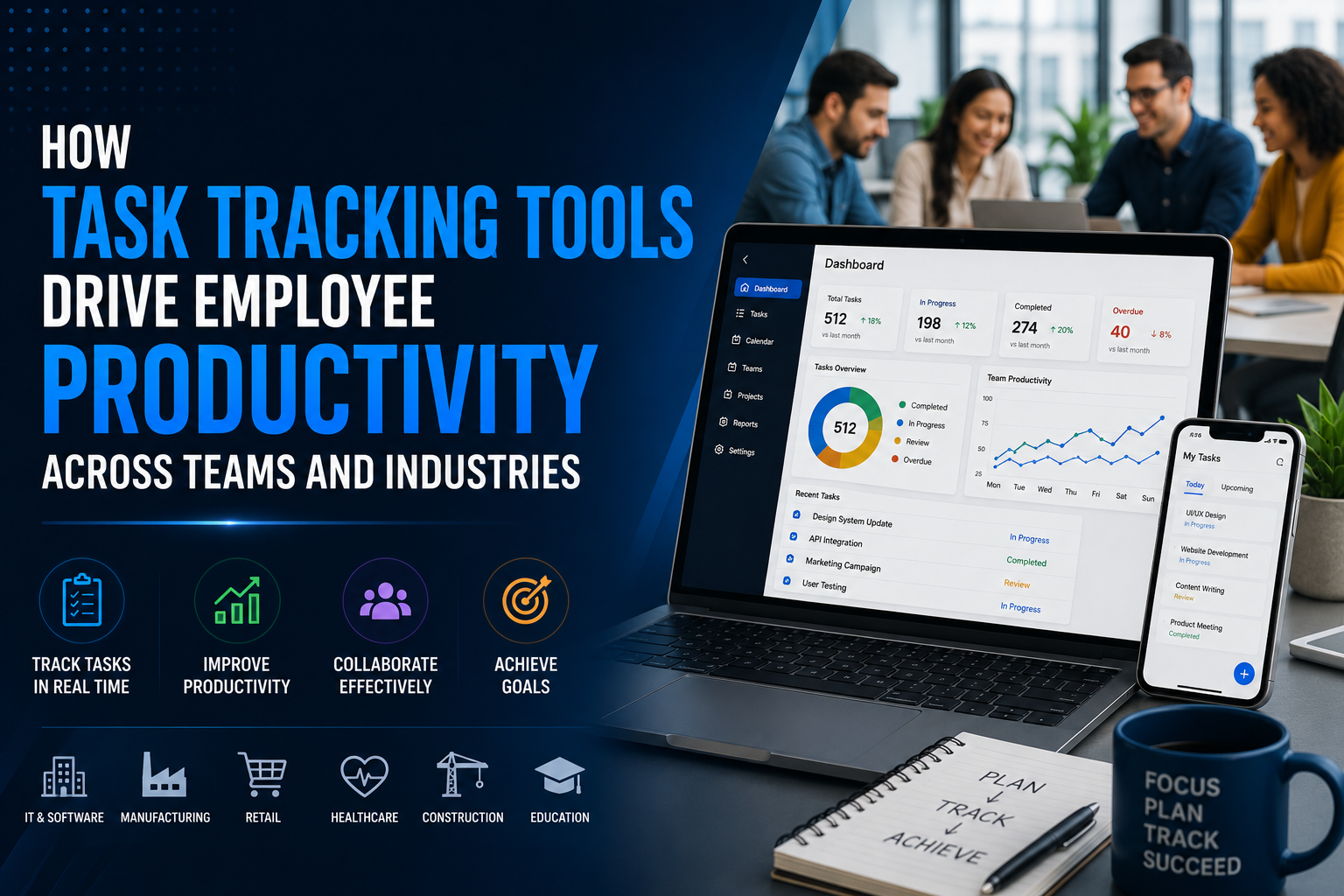
Discover how structured task tracking tools eliminate operational bottlenecks, streamline multi-team collaboration, and elevate employee productivity across modern industries.
Key Takeaways
- Friction Reduces Output: Disconnected communication channels like unorganized email threads, instant messaging chats, and static spreadsheets create hidden administrative friction that consumes up to 58% of an employee’s working hours.
- Cross-Role Adaptability: Purpose-built task tracking tools provide tailored visibility for specialized roles—ranging from civil engineers managing job-site submittals to executive assistants coordinating multi-executive itineraries.
- Connected Data Powers Decision-Making: Unifying work assignments, progress updates, and resource allocation inside a single operational workspace turns fragmented activity into real-time operational intelligence.
- Human-in-the-Loop AI: Practical automation and AI assist teams by organizing workflows, flagging schedule risks, and reducing status chasing, while keeping core business decisions in human hands.

When organizations aim to boost employee output, leadership teams frequently look at skills training, revised KPIs, or meeting schedules. Yet the primary drag on operational velocity is rarely employee capability—it is operational fragmentation.
As businesses expand, daily work scatters across instant messages, disconnected spreadsheets, shared drives, and ad-hoc email chains. Team members spend substantial energy simply figuring out what needs attention, locating context, and reporting statuses upwards. Implementing modern task tracking tools reverses this dynamic by centralizing workflow handoffs, standardizing operating procedures, and establishing complete visibility across distributed teams.
Workplace Productivity in Context: The True Cost of Operational Drag
Operational inefficiencies compound quietly across growing teams. According to the Asana Anatomy of Work Global Index (2023), knowledge workers spend roughly 58% of their working day on “work about work”—activities like searching for files, switching between apps, managing shifting priorities, and chasing project updates. Only 42% of their time is directed toward skilled, strategic output.
Furthermore, Gartner’s 2024 Digital Workplace Survey highlighted that 47% of digital workers struggle to locate the information necessary to perform their primary job functions. When employees lack a single source of truth, productivity drops not from a lack of effort, but from structural administrative drag.
Operational ChallengeTraditional ApproachScalable ApproachTask AllocationWhatsApp messages, calls, ad-hoc emailsCentralized task boards with explicit owners and milestonesHandoffs & ApprovalsManual follow-ups, forward chains, verbal nudgesAutomated workflow stages with triggered review alertsProgress TrackingLengthy daily status meetings, manual Excel updatesReal-time dashboards reflecting live task statesField & Remote OversightEnd-of-day phone check-ins, text photosGeolocation-tagged task completion and photo verificationsOperational VisibilityGuesswork based on incomplete weekly roundupsConnected metrics feeding executive-level reporting
The Core Operational Challenges Businesses Face as They Scale
Every growing enterprise encounters a predictable scaling journey:
- The Seed Stage: A small team operates informally through messaging apps, shared spreadsheets, and direct verbal alignment. Fast informal communication works because everyone sits in the same room or shares one focus.
- The Growth Stage: As headcount rises and specialized departments emerge, communication fractures. Customer orders, site inspections, design deliverables, and executive requests get buried in private chat threads.
- The Complexity Stage: Multiple sites, external contractors, and overlapping workflows introduce severe bottlenecks. Managers become full-time status chasers, and task ownership blurs.
- The Scaled Enterprise: Without centralized task systems, accountability evaporates, deadlines slip, and leadership makes strategic decisions using lagging, inaccurate operational data.
When tasks lack structural tracking, teams experience duplicate effort, missed client milestones, and widespread context switching. Recovering that lost productivity requires moving from ad-hoc communications to structured, connected workflows.
Key Benefits of Implementing Modern Task Tracking Tools
Deploying comprehensive task tracking systems delivers measurable operational improvements across several dimensions, illustrating core task tracking tools benefits:
- Clear Accountability: Every activity is assigned a single owner, an unambiguous deadline, and precise acceptance criteria. This removes ambiguity over who owns the next deliverable.
- Reduced Status Reporting Overhead: Because updates occur directly on the work item, managers monitor live status boards rather than disrupting individual contributors with update requests.
- Accelerated Cycle Times: Automated notifications alert downstream team members the moment a preceding task finishes, eliminating lag between interdependent project phases.
- Historical Data Retention: Document attachments, revisions, and approval notes remain tethered to the task record, creating an auditable operational history for compliance and training.
- Informed Decision-Making: Aggregated operational metrics reveal which departments face resource crunches, enabling data-backed capacity planning.
Role-Specific Workflows: How Task Tracking Tools Adapt Across Disciplines
Different disciplines manage vastly different operational rhythms. A one-size-fits-all checklist cannot support technical field inspections, fast-paced retail fulfillment, or executive prioritization. Here is how modern task tracking platforms adapt to specialized roles.

1. Engineers and Technical Specialists
Technical teams manage complex dependencies where code reviews, staging deployments, and quality assurance gates must proceed in strict order. Utilizing specialized task tracking tools for engineers ensures that sprint deliverables are linked directly to specification documents, preventing costly scope creep and mid-cycle miscommunications.
2. Civil Engineers and Field Construction Teams
Infrastructure projects operate on tight sequences across dynamic job sites. Implementing robust task tracking tools for civil engineers bridges the gap between field trailers, structural contractors, and municipal inspectors. Similarly, dedicated task tracking tools for construction capture real-time submittal approvals, site diary entries, and safety audit sign-offs with geotagged timestamps, preventing site delays that erode contract margins.
3. Data Analysts and BI Teams
Analytics departments regularly manage ad-hoc query requests alongside recurring ETL pipeline monitoring, data cleansing runs, and dashboard migrations. Applying dedicated task tracking tools for data analyst workflows allows business intelligence managers to queue data transformation tickets, define clear acceptance metrics for datasets, and track data lineage across stakeholder requests without scope confusion.
4. Executive Assistants and Operations Coordinators
Managing multi-executive calendars, board pack distribution, and cross-departmental action items demands zero-defect execution. Structured task tracking tools for executive assistants provide centralized visibility over confidential action items, board governance schedules, and travel logistics without relying on messy email forwarding chains.
5. Fast-Moving Entrepreneurs and Growing MSMEs
Founders juggling product development, client onboarding, and payroll need lightweight oversight without bureaucratic drag. Adopting practical task tracking tools for entrepreneurs helps small leadership teams standardise essential operating procedures, ensuring critical deliverables advance even when the founder is not directly supervising the task.
6. Creative Teams and Content Creators
Publishing schedules, asset staging, and client revisions require rigorous stage-gate workflows. Utilizing dedicated task tracking tools for creatives and task tracking tools for content creators centralizes video editing drafts, copy approvals, and brand asset distribution, ensuring publishing deadlines remain steady across distributed marketing channels.
7. Ecommerce and Retail Operations
Managing multichannel product launches, seasonal promotions, returns processing, and vendor restocks requires close alignment between marketing and warehouse teams. Employing purpose-built task tracking tools for ecommerce enables rapid handoffs between merchandise planning, digital catalog staging, and inventory logistics.
8. Event Planners and Production Teams
Producing corporate conferences or trade exhibitions involves hundreds of synchronized deadlines across venues, caterers, speaker coordinators, and audiovisual technicians. Utilizing dedicated task tracking tools for event planning ensures venue contracts, vendor milestones, and day-of-event run sheets remain transparent to the entire production staff.
9. Education and Academic Institutions
Curriculum development, accreditation filings, and student admissions cycles require cross-faculty coordination. Implementing task tracking tools for education organizes department reviews, administrative compliance steps, and inter-departmental research initiatives under clear timelines.
10. Freelancers and Independent Consultants
Independent professionals juggling multiple concurrent client retainers require streamlined administrative workflows. Leveraging focused task tracking tools for freelancers allows independent consultants to separate billable client milestones from business development activities, keeping client deliverables on schedule.
11. Large-Scale Enterprises and Cross-Functional Units
At enterprise scale, isolated department tools create institutional blind spots. Adopting a unified task tracking tool for enterprises connects regional offices, supply chain hubs, and corporate functions into a coherent workflow ecosystem with enterprise-grade access governance.
Operational Visibility and Better Decision-Making
Tracking tasks is not merely about checking off items—it generates vital operational telemetry. By systematically deploying task tracking tools for decision making, leadership transitions from subjective hunches to evidence-based governance.
- Bottleneck Identification: Tracking cycle times across process stages reveals systemic hold-ups—such as vendor approvals lagging in legal review or technical QA backlogs—allowing targeted process improvements.
- Workload Balancing: Live capacity heatmaps reveal team members who are overextended versus those with available bandwidth, preventing burnout before it impacts delivery.
- Resource Forecasting: Historical task velocity metrics provide empirical data on how many hours specific deliverable types actually require, refining future budget estimates and project timelines.
Practical Automation and AI: Elevating Human Capability
Modern workflow platforms use automation and artificial intelligence not to replace human decision-makers, but to eliminate repetitive administrative overhead.
- Rules-Based Routing: When a team member marks a draft complete, the platform automatically generates a review subtask for the project lead and reassigns file ownership.
- Contextual Prioritization: Configured algorithms analyze task dependencies, approaching deadlines, and resource availability to recommend dynamic daily focus queues for team members.
- Smart Operational Insights: By analyzing historical completion rates, AI-assisted platforms identify projects trending behind schedule before deadlines are breached, alerting project leads to adjust allocations.
In this balanced Human + AI model, human managers establish priorities, define quality standards, and make nuanced strategic decisions, while the platform handles data synchronization, status tracking, and automated reminders.
Before and After: The Operational Transformation
To understand how structured task tracking alters daily operations, consider these realistic operational shifts:
- Before: A marketing director sends five separate direct messages to check on the status of a launch graphic, waiting hours for replies while team members pause their design work to respond.
- After: The director views the central board, sees the graphic is currently in “Secondary Revision” with the annotated comments attached, and tracks progress without interrupting the designer.
- Before: An engineering firm completes field surveys, but notes remain inside individual inspector notebooks until end-of-week reporting, delaying structural design calculations.
- After: Field teams log geotagged observations and photo logs directly into the task record on mobile, enabling the structural analysis team at headquarters to begin engineering calculations immediately.
Decision Checklist: Does Your Business Need an Operations Platform?
Not every business requires an enterprise-tier task management platform. A solo operator managing three recurring clients may function effectively using simple checklists. However, organizations exhibiting several of the following signals typically experience substantial productivity gains upon formalizing their task operations:
- [ ] Work is distributed across multiple physical offices, job sites, or remote regions.
- [ ] Managers spend more than 90 minutes each day asking team members for progress updates.
- [ ] Task handoffs between departments frequently stall due to unclear ownership.
- [ ] Key project documentation and asset versions are scattered across personal email inboxes and chat logs.
- [ ] Workload distribution is uneven, with some staff overwhelmed while others experience downtime.
- [ ] Client-facing deadlines are missed due to unnoticed internal dependencies.
- [ ] Operational reports take days of manual data collation in spreadsheets before executive review.
How TrackerSuite Supports Connected Operations
When organizations outgrow simple to-do lists and disconnected chat channels, they require a cohesive workspace that ties task management directly to business operations. TrackerSuite’s mission and operations platform focuses on simplifying daily team coordination through purpose-built tools:
- Task Tracker: Centralizes daily task assignment, project boards, milestone tracking, and cross-team dependencies in an intuitive interface that teams adopt rapidly.
- Field Visibility & Mobile Coordination: Mobile-enabled updates with location tracking give managers instant verification of site visits, client check-ins, and field inspections without manual phone tag.
- Connected Operations Ecosystem: Integrates task tracking directly alongside sales pipeline management and Stack Tracker for inventory and warehouse management, ensuring cross-departmental operations stay synchronized.
- TAVI AI Assistance: Provides contextual workflow intelligence that helps teams prioritize critical activities, spot operational bottlenecks, and reduce manual reporting.
Step-by-Step Implementation Framework
Rolling out a task management system succeeds when teams approach adoption systematically rather than attempting an overnight overhaul:
- Map Core Workflows: Document your primary cross-functional processes on paper. Identify standard stages (e.g., Backlog → Scoping → In Progress → Review → Done).
- Establish Ownership Rules: Define clear protocols: every task must have exactly one primary owner, an explicit due date, and attached reference materials.
- Pilot with a High-Impact Unit: Implement the platform within one operational department (such as project engineering or client onboarding) for 3–4 weeks to refine board structures and taxonomy.
- Automate Routine Handoffs: Configure basic automation rules for recurring task assignments, review notifications, and milestone reminders.
- Deprecate Status Meetings: Shift daily operational stand-ups toward board reviews. Train managers to reference live system dashboards rather than requesting manual email summaries.
- Review and Iterate: Conduct monthly operational reviews to analyze cycle times, capacity constraints, and process bottlenecks, refining workflow structures over time.
Frequently Asked Questions (FAQs)
How do task tracking tools differ from traditional project management software?
Traditional project management software often focuses on heavyweight Gantt charting and complex governance models suited for multi-year capital projects. Modern task tracking platforms emphasize agility, real-time collaboration, mobile accessibility, and daily operational execution across all team members.
Will implementing task tracking create administrative overhead for employees?
When configured properly, task tracking actually reduces administrative overhead. By recording updates directly within the context of the work, employees spend significantly less time compiling status reports, answering follow-up emails, and attending alignment meetings.
How does task tracking software improve field and site-based operations?
Mobile-enabled task tracking tools allow field personnel to check in, review checklists, upload geotagged photos, and log completions directly from mobile devices. This provides headquarters with real-time site visibility without requiring end-of-day paperwork.
Can task tracking tools scale from small businesses to mid-market companies?
Yes. Lightweight platforms allow small businesses to start with simple task boards and scale up to multi-tier workflows, approval automations, and cross-departmental analytics as operational complexity grows.
Building a High-Velocity, Accountable Workplace
Sustainable employee productivity is not about demanding longer working hours or imposing rigid micromanagement. It is about removing the friction, confusion, and manual overhead that prevent professionals from performing their best work.
By unifying daily assignments, communication context, and workflow automations inside a cohesive operational system, businesses gain clear accountability, faster project turnaround, and actionable operational insights.
Ready to eliminate status chasing and empower your workforce? Explore TrackerSuite’s flexible pricing plans to find the right configuration for your team, or start streamlining your operations today.
Leave a Reply