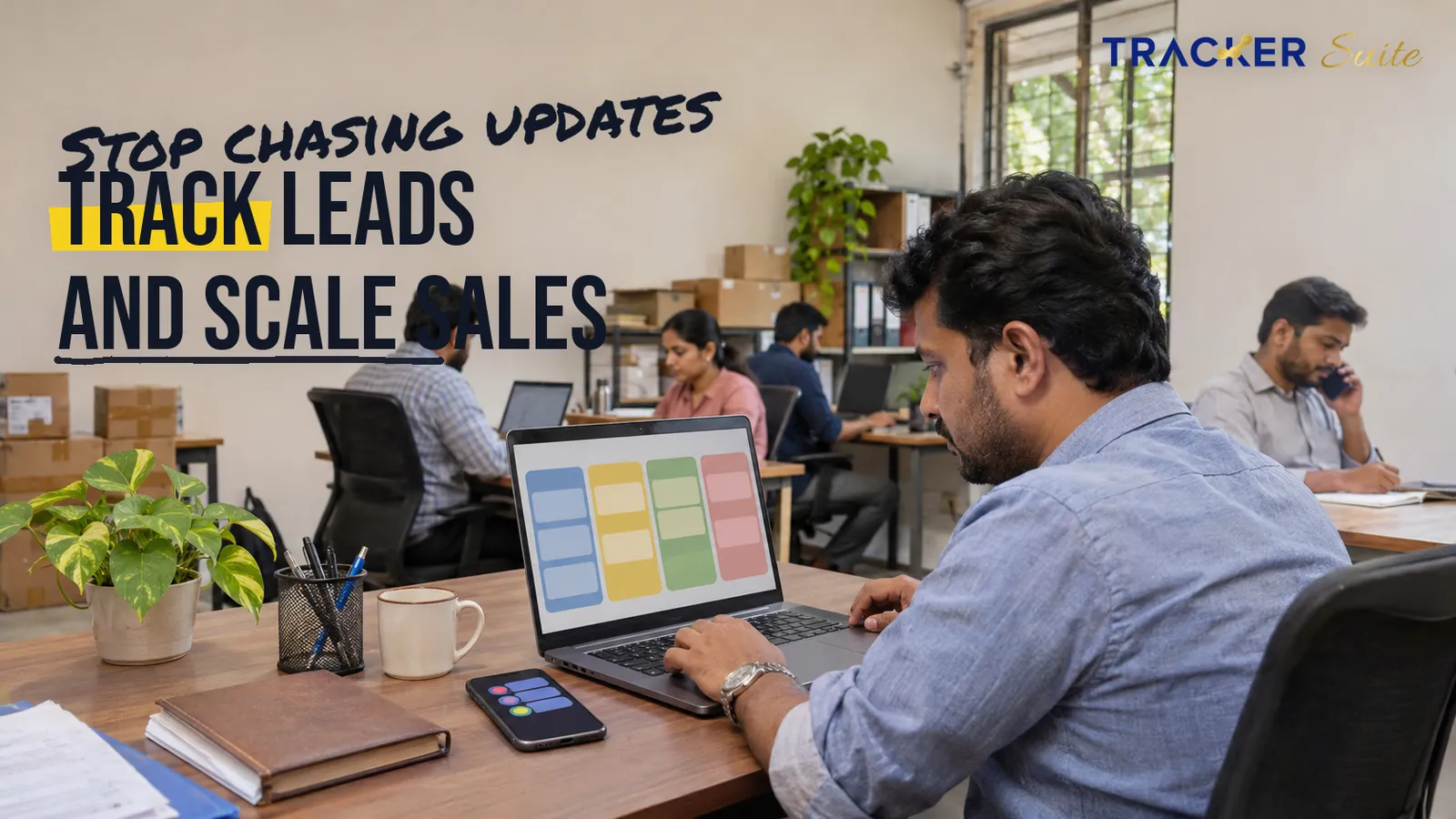
Many small and medium businesses lose winnable deals not because the product is weak, but because a follow-up slipped, a quotation sat unanswered in a rep’s WhatsApp chat, or a manager could not see which enquiries had stalled. A sales tracker for small and medium businesses closes that operational gap by consolidating leads, follow-ups, quotations and field visits into one shared record that scales with the team.
Key takeaways
- Administrative work, rather than a shortage of leads, frequently limits SME sales capacity, so the earliest gains usually come from removing manual follow-up and status reporting.
- Informal tools tend to break at a recognisable point: several lead sources, reps working in different cities, and a sales head who spends the day requesting updates.
- Accountability matters more than feature count. Each lead needs a named owner, a defined stage and a dated next action before automation or AI can add meaningful value.
What is a sales tracker for small and medium businesses?
A sales tracker for small and medium businesses is software that follows each lead from first enquiry to payment, records the stage of every deal and prompts reps about the next action. Unlike a static contact list, a sales tracker connects people, follow-ups, quotations and reports, giving managers a current pipeline view built from shared data rather than verbal updates.
A sales tracker sits between a spreadsheet and a full enterprise CRM. CRM, or customer relationship management, software stores every customer interaction and often bundles extensive marketing and service modules. A sales tracker concentrates on the daily work most SME sales teams actually perform: capturing enquiries, assigning them, calling back, quoting, visiting customers and collecting payment.
At a glance
- What it is: Software that records every lead, deal stage, follow-up and outcome in one shared system, with a named owner for each step.
- Who needs it: SMEs with several reps, more than one lead source, field sales or long quotation cycles.
- What to automate first: Lead capture, lead assignment, follow-up reminders and daily activity summaries.
- Where AI helps, in general: In general, AI can help rank leads, flag stalled deals and summarise activity, provided it draws on consistent data and configured rules.
- When a shared sheet is enough: One or two sellers, a single lead source and a short, simple sales cycle.
- Typical rollout: One team and one pipeline first, then field sales, accounting links and management reporting.
Why do SME sales teams outgrow spreadsheets and WhatsApp?
SME sales teams outgrow spreadsheets and WhatsApp when leads, reps and locations multiply faster than a manager can track them informally. Information fragments across personal phones, inboxes and private files, follow-ups begin to depend on individual memory, and the weekly sales review becomes a sequence of phone calls instead of a review of shared data.
Excel and WhatsApp remain genuinely useful for simple tracking and quick conversation. Neither, however, was designed to assign ownership, enforce follow-up discipline or consolidate activity across a distributed team. Most SMEs pass through four recognisable stages:
- Founder-led: One or two people sell, and leads live in a notebook, an Excel file and WhatsApp chats. The arrangement works because everyone knows every customer personally.
- Growing: A larger team handles enquiries from IndiaMART, the website, Meta ads and referrals. Each rep maintains a different sheet, and duplicate leads and missed callbacks appear.
- Complex: Reps operate in several cities, with field visits, quotation approvals and monthly targets. The sales head spends much of the day collecting status updates.
- Scaled: Lead data is connected, reminders trigger automatically and dashboards refresh without manual compilation.
Industry research shows the cost of this tool sprawl. Salesforce’s 2026 State of Sales report, based on a survey of more than 4,000 sales professionals, found that sellers use an average of eight tools to close deals and that 42% of reps feel overwhelmed by too many tools (Salesforce, 2026).
Sales reps spend 60% of their time on non-selling tasks, according to Salesforce’s 2026 State of Sales research (Salesforce, 2026).
For an SME, those tools might include Excel, WhatsApp, Gmail, a calendar, the IndiaMART seller panel and an accounting package. Each holds a fragment of the customer story, and someone must reconcile them by hand, which is exactly the administrative burden that keeps experienced reps away from customers.

Which sales workflows should an SME sales tracker automate first?
An SME sales tracker should first automate the repetitive, rules-based steps that consume time without requiring judgement: capturing leads, assigning them, reminding reps about follow-ups and compiling daily summaries. These workflows generate consistent data, carry low risk when automated and remove the coordination work that otherwise lands on the sales head every morning.
Seven workflows usually deliver the clearest early improvement:
- Lead capture: Enquiries from web forms, Facebook, Instagram and IndiaMART flow into one list automatically. For distributors and manufacturers, IndiaMART lead management alone can absorb hours of manual copying.
- Lead assignment: Rules route each lead by territory, product line or workload, and the assigned rep is notified immediately.
- Follow-up scheduling: Every lead carries a dated next action, and leads due today or already overdue surface automatically.
- Quotations and proforma invoices: A proforma invoice is a preliminary bill sent before an order is confirmed, often so the buyer can arrange payment or internal approval. Logging these requests against the deal keeps them out of scattered chat threads.
- Field visits: Field sales tracking records locations, distances and visit outcomes, so managers can review territory coverage objectively.
- Billing handover: Won deals pass to accounts with customer and order details attached, which reduces re-keying between teams.
- Reporting: Activity, conversion and pipeline value compile automatically rather than through end-of-day calls.
The emphasis shifts by industry. A specialty contractor, such as an HVAC or fire-protection installer, typically needs a structured quotation approval step, because estimates depend on site surveys and margin sign-off. A facilities maintenance firm depends more on scheduled site visits and renewal follow-ups for annual maintenance contracts, so visit logging and recurring reminders matter more than raw lead volume.
Consider an illustrative industrial pumps distributor with reps in three cities. Before adopting a tracker, the sales head opens each day by messaging every rep, and IndiaMART enquiries are forwarded by hand. Afterwards, enquiries arrive pre-assigned and the morning review starts from one shared pipeline view. The example describes a workflow change, not a guaranteed result.
How does lead follow-up automation work in practice?
Lead follow-up automation works by attaching a dated next action to every lead and letting configured rules trigger reminders, notifications and escalations as that date approaches or passes. The rep still makes the call or visit; the system ensures the task surfaces at the right moment and that overdue items become visible to the manager.
A practical setup usually follows a simple sequence:
- When a lead is assigned, the rep receives a WhatsApp or email notification with the enquiry details.
- After each conversation, the rep records a remark and sets the next follow-up date.
- Sales follow-up reminders fire on the due date and again shortly before the scheduled time.
- Leads that pass their due date are flagged as overdue and appear in the manager’s daily view.
- Calendar integration places scheduled meetings alongside other commitments.
Automation handles timing and visibility, while people retain responsibility for the conversation, the price and the relationship. Reminders are reliable precisely because they follow fixed rules, whereas negotiation depends on context that no rule can capture.

Where does AI help a sales pipeline tracker for SMEs?
AI helps a sales pipeline tracker for SMEs when it operates on clean, connected data and clearly configured rules. In general, AI can help identify which leads deserve attention first, flag deals that have stalled, check recorded work against expectations and summarise activity for managers. Pricing, discounts and key-account decisions remain with people.
Data quality is the binding constraint. Salesforce’s 2026 research found that 74% of sales teams using AI are prioritising data hygiene to support it, and that 51% of sales leaders with AI say technology silos delay or limit their AI initiatives (Salesforce, 2026). If leads live in five places and stages are recorded inconsistently, AI has little reliable material to work with.
The sensible sequence is therefore to standardise pipeline stages, centralise lead data and establish consistent follow-up recording before relying on AI-assisted prioritisation. Managers should then review AI suggestions rather than delegate judgement to them.
What should you look for in sales tracking software for small business?
Sales tracking software for small business should match how your team already sells: where leads originate, whether reps work in the field, which accounting system you use and how managers review performance. Prioritise automatic lead capture, configurable stages, follow-up reminders, mobile access and reporting over long feature lists the team will never adopt.
A practical decision checklist:
- Lead sources: Native capture from the channels you actually use, such as web forms, Meta and IndiaMART.
- Custom pipeline stages: Stages that mirror your process, including quotation, approval and payment.
- Follow-up controls: Due and overdue reminders delivered on channels reps already check.
- Field capability: Location records and visit reports if reps travel to customers.
- Accounting integration: A link to your billing system, so won deals are not re-entered by hand.
- Permissions and accountability: Role-based visibility, named lead owners and a complete prospect history for handovers.
A simpler tool is enough when one or two people sell from a single lead source on short cycles. In that situation, a shared spreadsheet with a disciplined follow-up column may serve perfectly well; a connected platform becomes worthwhile as reps, channels and locations multiply.
How does TrackerSuite fit?
TrackerSuite fits SMEs whose sales problem is coordination: leads arriving from several channels, reps spread across territories and managers who need visibility without assembling reports manually. Its Sales Tracker connects lead capture, follow-up and field activity within a wider AI-powered operations platform that also covers task management and inventory.
Mapped to the workflows above, TrackerSuite’s paid plans list these sales capabilities:
- Capture and assignment: Automatic lead capture and assignment from web forms, Facebook and Instagram, and IndiaMART, plus bulk lead upload.
- Pipeline and history: Custom sales pipeline stages, prospect history and remarks with real-time notifications.
- Follow-up: Reminders for follow-ups and for prospects that are due today, overdue or due within the next half hour, with WhatsApp and email notifications for assigned leads.
- Field sales: Live location tracking and reports, and distance calculation for field executives.
- Billing and calendars: Proforma invoice requests, two-way integration with Tally (accounting software widely used by Indian SMEs), and Google Calendar, Outlook Calendar and Zoom connections.
- Reporting and AI: Reports and analysis, plus work validation through Tavi AI.
These sales features sit on paid plans rather than the free Starter plan, which focuses on task management; current plan details are on the TrackerSuite pricing page. For distributors and manufacturers that quote against available stock, Stack Tracker adds inventory, order and warehouse visibility across locations. TrackerSuite’s website lists HTTPS encryption, SSL certification and password encryption among its security measures.
How should an SME roll out a sales tracker in stages?
An SME should roll out a sales tracker in stages, starting with one team, one pipeline and the lead sources that generate the most volume. Expanding only after that first group records follow-ups consistently protects data quality, builds adoption and gives managers a reliable baseline before field sales, accounting links and AI-assisted features arrive.
- Map the current process. List lead sources, stages, approval points and handovers as they actually operate today.
- Define stages and ownership rules. Agree what each stage means and who owns a lead at each point.
- Connect the highest-volume lead sources. Start with the channels that create the most manual copying.
- Pilot with one team. Track whether follow-up dates are recorded and met over several weeks.
- Add field sales and billing links. Extend location records and accounting integration once the core habit holds.
- Introduce dashboards and AI-assisted review. Use consistent data in weekly pipeline reviews, with managers validating any suggestions.
What this means for you
If your sales head spends mornings collecting updates, if marketplace or website enquiries wait for someone to forward them, or if nobody can quickly state how many quotations are outstanding, the constraint is probably process rather than demand. Start by auditing where leads arrive and how follow-up dates are recorded today. That audit usually reveals which workflow to connect first, and whether a connected platform is warranted yet.
Frequently asked questions
What is the difference between a sales tracker and a CRM?
A sales tracker focuses on daily pipeline activity: capturing leads, scheduling follow-ups, logging visits and reporting outcomes. A CRM usually covers the full customer relationship, often including marketing and service modules. Many SMEs need the sales tracking core first and add broader CRM functions later.
Can a small business track sales in Excel?
Yes. Excel works well for one or two sellers with a single lead source and short sales cycles, but it becomes harder to manage once several reps, channels and locations need shared ownership, reminders and consolidated reporting.
How does lead follow-up automation reduce missed deals?
Lead follow-up automation attaches a dated next action to every lead and triggers reminders and overdue alerts automatically. Slipped follow-ups become visible to managers early, although reps still make the calls and record outcomes.
Do SMEs need AI in a sales tracker?
Not at the outset. AI adds value once lead data is centralised and stages are recorded consistently; at that point it can help prioritise leads and flag stalled deals while managers keep decision-making authority.
Conclusion
Many growing SMEs don’t need more leads first; they need a dependable way to act on the enquiries they already receive. A sales tracker for small and medium businesses provides that foundation by giving each enquiry an owner, a stage and a next step, then letting automation, and later AI, lighten the coordination load on managers. If your team has reached that point, request a demo to see the full sales workflow.
Leave a Reply