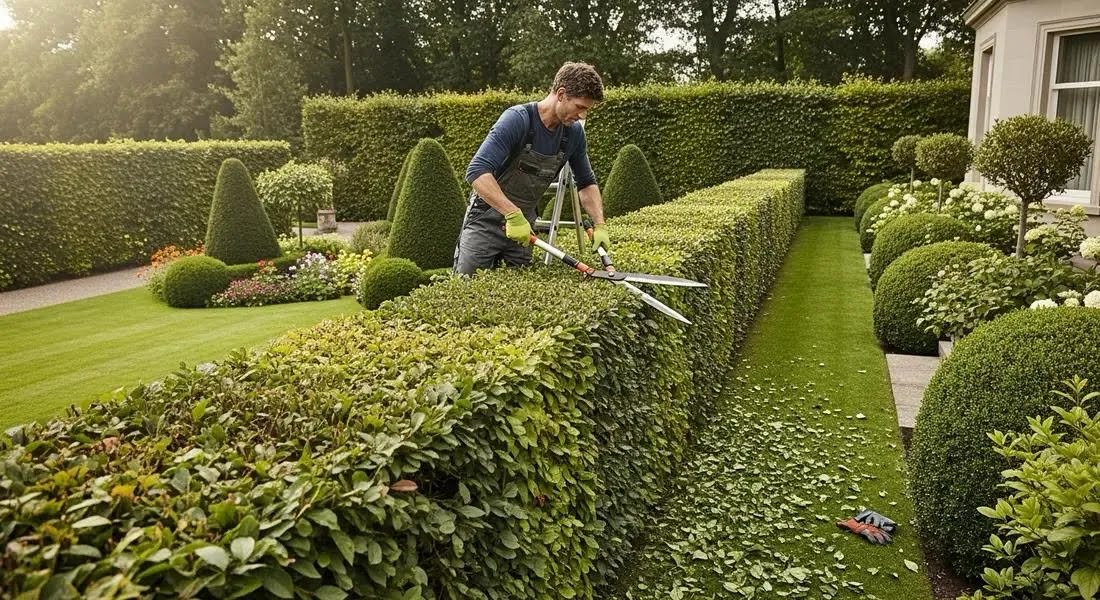

Landscaping companies face growing pressure to manage labour costs, coordinate field crews, and keep projects on schedule. According to the National Association of Landscape Professionals (NALP), labour costs are expected to rise by around 20% by the end of 2029. A 2025 landscape industry report by Aspire also found that 51% of landscaping businesses saw staffing as a major risk to meeting their yearly goals.
When teams manage jobs through spreadsheets, phone calls, and scattered messages, it becomes harder to keep work on schedule. Landscape business management software helps companies plan jobs, assign crews, and track daily work in one place. Task management software also helps managers update schedules and share changes with field teams, so everyone knows what to do and where to go.
Task management software for landscape companies helps businesses assign work, set deadlines, track progress, and coordinate field teams from one place. It gives managers better visibility into completed tasks, pending activities, and work that needs attention.
What Is Task Management Software for Landscape Companies?
Task management software for landscape companies helps businesses plan, assign, track, and complete landscaping activities.
Instead of managing work through separate registers, spreadsheets, and chat messages, managers can create tasks in a central system. Each task can include an assigned employee, deadline, priority, work instructions, checklist, and completion status.
For example, a landscaping company may maintain gardens at several apartment complexes. The manager can schedule lawn mowing, assign a crew to each property, and set deadlines for completion. Team members can update their task status, while the supervisor can review which locations are complete and which still need attention.
The same system can support:
- Lawn mowing and garden maintenance
- Tree pruning and hedge trimming
- Planting and landscape installation
- Irrigation system inspections and repairs
- Fertilising and seasonal garden care
- Equipment inspections and maintenance
- Site cleanliness and safety checks
- Client requests and follow-ups
- Landscaping project milestones
- Work verification and supervisor approvals
Task management software focuses on coordinating activities and tracking completion. It can complement specialist tools for route optimisation, job costing, estimating, invoicing, and landscape design.
Why Do Landscape Companies Need Task Management Software?
Landscaping work happens across different sites, often with multiple crews working at the same time. Without a structured system, it becomes harder to keep every activity on schedule.
1. Tasks Get Lost in WhatsApp Messages
A client may request additional pruning, a supervisor may report a damaged sprinkler, and another employee may need instructions for a new planting job.
When these requests are spread across calls and messages, some tasks can be missed or assigned without a clear deadline.
Task management software helps record each request, assign responsibility, and track progress until the work is complete.
2. Managers Struggle to Track Field Crews
Landscape managers may oversee several crews working at different properties. They need to know which jobs are complete, which are delayed, and where additional support is required.
Without a central system, they may need to contact each supervisor individually for updates.
A task tracking dashboard helps managers review work status and follow up on exceptions instead of chasing every employee.
3. Recurring Maintenance Gets Missed
Many landscaping contracts require regular visits for mowing, pruning, watering checks, fertilising, and general garden upkeep.
If these activities depend on manual reminders, a scheduled visit can be overlooked, especially during busy periods.
Recurring task schedules help managers plan regular work and remind employees when activities are due.
4. Work Quality Varies Across Sites
Different employees may follow different methods for trimming hedges, maintaining garden beds, checking irrigation systems, or cleaning outdoor spaces.
Digital standard operating procedures (SOPs) and checklists help teams follow consistent steps across locations.
Supervisors can review task completion and request corrections when work does not meet the required standard.
5. Client Requests Take Too Long to Resolve
Clients may report damaged plants, irrigation problems, untidy garden beds, or other issues that need attention.
If requests are not recorded and assigned properly, managers may struggle to provide timely updates.
A task management system gives each request a clear owner and deadline. Managers can track progress and confirm when the issue has been resolved.
6. Managers Have Limited Visibility Across Locations
A landscape company may maintain dozens of residential gardens, commercial properties, or public spaces.
Managing each location separately makes it difficult to understand the overall workload.
A central system helps managers review pending tasks, completed visits, overdue activities, and team assignments across properties.
How Can Task Management Software Improve Landscaping Operations?
The right system helps landscape companies coordinate daily activities, reduce manual work, and maintain consistent service standards.
1. Manage Daily Landscaping Jobs
A landscaping job often involves several activities that need to happen in the correct order.
For example, a new garden installation may require site preparation, soil work, planting, irrigation installation, cleanup, and a final inspection.
Managers can break the project into individual tasks and assign each activity to the relevant employee or crew.
Each task can have its own deadline, instructions, and completion status. This helps managers identify delays before they affect the next stage of work.
2. Schedule Recurring Garden Maintenance
Regular maintenance is essential for keeping lawns, gardens, and landscaped properties in good condition.
Task management software can help organise recurring activities such as:
- Lawn mowing
- Hedge trimming
- Garden bed maintenance
- Irrigation checks
- Weed removal
- Seasonal planting
- Fertilising
- Site cleanup
Managers can schedule activities based on the property’s maintenance plan and assign the work to the appropriate crew.
Employees can update task status after each visit, while supervisors can identify missed or overdue activities.
For businesses that need automatic route optimisation or detailed appointment scheduling, a specialised field service management system may also be required.
3. Track Irrigation Repairs and Equipment Checks
Irrigation systems, lawn mowers, trimmers, blowers, and other equipment need regular attention.
A task tracking tool can help schedule equipment checks and assign repairs to the responsible employee or service provider.
For example, if a crew reports a broken sprinkler at a commercial property, the manager can create a repair task, assign a technician, and set a deadline.
The technician can record the work completed and submit photos where required.
Managers can also schedule routine checks to help identify issues before they interrupt planned landscaping work.
4. Coordinate Multiple Crews and Properties
Landscape companies often operate across several sites, with each crew handling a different set of assignments.
Task management software helps managers assign work by property, team, or employee and monitor progress from one place.
For example, a supervisor responsible for three residential communities can review the maintenance tasks assigned to each crew and identify which activities remain pending.
This makes it easier to balance workloads and coordinate support when one team has more work than another.
5. Standardise Fieldwork With Digital SOPs
Standard operating procedures help employees complete recurring activities consistently.
Landscape companies can create checklists for lawn maintenance, planting, pruning, irrigation inspections, equipment checks, and site handovers.
For example, a garden maintenance checklist might require employees to:
- Inspect plant health.
- Remove weeds.
- Check irrigation.
- Clean walkways.
- Report damaged equipment.
Employees can follow the checklist and update task status after completing each activity.
Supervisors can then review the submitted information and follow up on any missed steps.
6. Verify Work With Photos and Completion Updates
A task marked as complete does not always mean the client or supervisor will be satisfied with the result.
A garden may still need cleanup, an irrigation repair may require further attention, or a planting task may be incomplete.
Task management software can support completion notes, photos, and other evidence where the platform allows it.
For example, a crew can submit photos after completing a garden maintenance visit. The supervisor can review the evidence and request further work if necessary.
This creates a clearer record of work completed at each property.
7. Track Client Requests and Follow-Ups
Landscaping clients may request additional planting, seasonal maintenance, repairs, or changes to an existing landscape.
Managers can record each request as a task, assign it to the relevant team, and set a deadline for the next action.
For example, if a client reports damaged plants after heavy rain, the manager can assign a site inspection and track the recommended corrective work.
A structured process helps prevent requests from being forgotten and makes follow-ups easier to manage.
8. Monitor Team Performance and Pending Work
Landscape managers need to understand whether teams are completing assigned activities on time and where work is getting delayed.
Dashboards and reports can help them review:
- Completed and pending tasks
- Overdue maintenance visits
- Tasks grouped by property or crew
- Work awaiting supervisor approval
- Repeat maintenance issues
- Employee task status
- Activities that need immediate attention
These insights help managers identify bottlenecks and improve work allocation.
Task completion reports are useful for operational visibility, but they do not automatically measure profitability or route efficiency unless the software includes the necessary data and features.
Essential Features to Look for in Task Management Software for Landscape Companies
Before choosing a solution, consider the activities your business needs to manage every day.
| Feature | Why It Matters |
|---|---|
| Task assignment | Gives each activity a clear owner. |
| Deadlines and priorities | Helps crews manage urgent and scheduled work. |
| Recurring tasks | Supports regular garden maintenance. |
| Automated reminders | Reduces manual follow-ups. |
| Digital SOPs and checklists | Standardises fieldwork across properties. |
| Photo and document uploads | Records completed work and site issues. |
| Mobile access | Helps field employees update tasks on-site. |
| Approval workflows | Allows supervisors to review selected activities. |
| Dashboards and reports | Shows pending work and overdue tasks. |
| Multi-location tracking | Provides visibility across properties and crews. |
| Role-based access | Controls who can assign, view, and approve tasks. |
If your business also needs estimates, customer contracts, route planning, invoicing, or job costing, check whether the platform supports those requirements or integrates with your existing systems.
How AI and Automation Can Help Landscape Companies
Task tracking helps organise work. Automation can reduce repetitive coordination, while AI can help teams analyse information and improve selected workflows.
Automate Recurring Tasks and Reminders
Managers can set up recurring assignments for lawn care, irrigation checks, pruning, and other scheduled activities.
The system can notify employees when tasks are due and alert supervisors when selected activities become overdue.
This helps maintain regular service schedules without relying entirely on manual reminders.
Improve Task Reporting
Landscape managers may need to review work across multiple properties before deciding where to send crews or which issues need attention.
AI-assisted reporting can help summarise task updates, identify overdue activities, and highlight recurring problems, depending on the platform’s capabilities and the quality of its data.
Support Work Validation
Where AI Work Validation is available, submitted photos, videos, or documents can be checked against defined criteria.
For example, a supervisor may require photo evidence after a garden cleanup. A validation workflow may flag missing evidence or a submission that needs further review.
The supervisor can then decide whether the task meets the required standard.
Reduce Repetitive Coordination
Workflow automation can notify the next responsible person when a task is completed, remind a supervisor about pending approval, or escalate overdue work.
This reduces repetitive follow-ups and helps employees understand what needs to happen next.
AI and automation do not replace the horticultural knowledge and professional judgement needed to assess plant health, landscape design, or environmental conditions.
What Does Industry Research Say About Technology in Landscaping?
Technology adoption is becoming increasingly important as landscape companies manage more customers, recurring service schedules, field crews, and operating costs.
The National Association of Landscape Professionals reported findings from Aspire’s 2025 industry research showing that 93% of surveyed landscaping businesses already used technology, with many relying on seven to nine different software tools. Only 25% reported using inventory management software, while 19% used time-tracking tools. The research also identified labour costs, recruiting, and retaining employees among the key business challenges.
More recent research reinforces the importance of connecting business processes.
Landscape Management’s coverage of Aspire’s 2026 Technology Trends Report found that 62% of surveyed commercial landscape contractors used seven or more software solutions to manage their businesses. The report also highlighted interest in end-to-end business management, process automation, and employee notifications.
These findings point to a practical challenge: using several tools does not necessarily mean work is well coordinated. Landscape companies also need clear responsibilities, standard workflows, and reliable task updates.
A task management tool can help connect everyday activities and reduce the effort required to track work manually.
How TrackerSuite.ai Helps Landscape Companies Manage Daily Work
TrackerSuite.ai brings task tracking, workflow automation, digital SOPs, workforce management, and operational visibility together in one platform.
Landscape companies can use its task and workflow capabilities to organise field activities, coordinate crews, and monitor work across locations.
Organise Tasks in One Place
Create assignments for garden maintenance, planting, irrigation repairs, equipment checks, and client requests. Assign responsibilities, set deadlines, and track progress.
Standardise Fieldwork With Digital SOPs
Define the steps employees should follow for recurring maintenance activities. Use checklists to help teams follow consistent processes across properties.
Reduce Manual Follow-Ups
Use reminders and workflow automation for suitable activities. Managers can focus on overdue tasks, client issues, and work that requires attention.
Improve Visibility Into Field Activities
Employees can update assigned tasks and submit supporting evidence where supported by the workflow. Managers gain a clearer view of completed and pending work without depending entirely on calls and messages.
Review Work Through Reports
Use available dashboards and reports to review task status, overdue activities, and operational trends. This helps managers identify areas where workflows or task allocation need improvement.
TrackerSuite.ai is designed for broader business operations as well as task management. Depending on the company’s requirements, the platform can also help organise inventory-related workflows, sales activities, and other departmental processes.
If your business needs advanced route optimisation, estimating, invoicing, or landscape design capabilities, assess those requirements separately before selecting a solution.
How to Implement Task Management Software in Your Landscape Company
You do not need to digitise every landscaping activity at once. Start with the tasks that create the most follow-ups or delays.
Step 1: Identify Recurring Work
List lawn maintenance, pruning, irrigation checks, equipment inspections, and client follow-ups.
Step 2: Define Task Ownership
Decide who assigns work, who completes it, and who reviews the result.
Step 3: Set Deadlines and Priorities
Establish schedules for routine maintenance and clear priorities for urgent site issues.
Step 4: Create Digital Checklists
Document the steps crews must follow and the evidence required for selected tasks.
Step 5: Automate Routine Reminders
Start with recurring assignments, upcoming deadlines, and overdue-task alerts.
Step 6: Train Crews and Supervisors
Keep task updates simple and make them part of the normal work process.
Step 7: Review Results
Monitor overdue tasks, completion rates, repeated issues, and time spent on manual follow-ups.
Start with one crew or a small group of properties. Once the workflow works well, expand it across the business.
Frequently Asked Questions
1. What Is the Best Task Management Software for Landscape Companies?
The best solution depends on your team size, number of properties, and service requirements. Look for task assignment, recurring schedules, reminders, digital checklists, mobile access, completion evidence, and reporting. If you also need workflows across departments, consider a broader platform such as TrackerSuite.ai.
2. Can Task Management Software Manage Recurring Lawn Care?
Yes. Software that supports recurring tasks can schedule lawn mowing, pruning, irrigation checks, fertilising, and other routine maintenance activities. Managers can assign crews, track completion, and follow up on missed tasks.
3. Can Landscape Companies Track Multiple Crews and Properties?
Yes, if the system supports multi-location task organisation. Managers can assign work by property or crew and review pending and completed tasks across locations.
4. Can Task Tracking Software Help Improve Landscaping Quality?
It can support consistent processes through digital SOPs, checklists, completion notes, and photo evidence. These features help managers review whether assigned activities were completed as required.
5. Does Task Management Software Replace Landscaping Business Software?
Not always. Task management focuses on assignments and workflow coordination. Landscaping business software may also include quoting, routing, contracts, invoicing, job costing, and customer management. Choose a solution based on the functions your business needs.
6. Can AI Help Landscaping Teams?
AI can support task summaries, reporting, workflow automation, and selected forms of work validation. Its usefulness depends on the software, available data, and the processes being automated.
Conclusion
Landscape companies need to coordinate crews, maintain properties, respond to client requests, and complete recurring work on time. When these activities are managed through scattered messages and spreadsheets, managers can lose visibility and spend too much time chasing updates.
Task management software provides a structured way to assign work, schedule recurring maintenance, track field activities, and review completed tasks across properties.
Start with one crew or one recurring workflow, involve the employees who will use the system, and measure the results. With the right task management approach, landscape companies can improve coordination, maintain more consistent service, and keep daily operations on track.
Leave a Reply