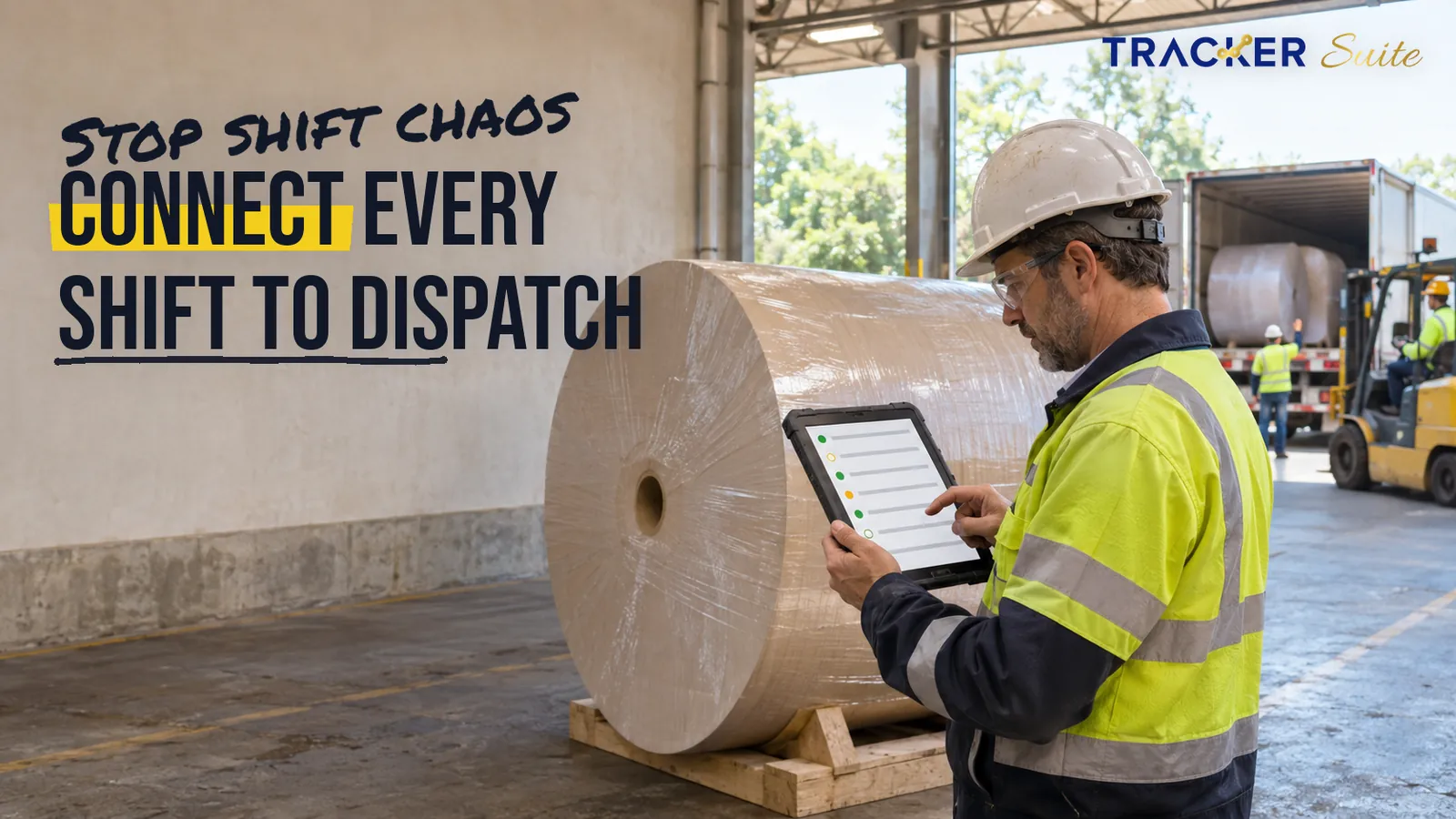
At 3 a.m., the night crew on paper machine 2 places reel 14 on quality hold for high moisture and records it in the logbook. By 9 a.m., the morning crew has wound, packed and loaded that reel for a customer, because the note never reached stores or dispatch. Task management software for paper manufacturers exists to close gaps like this one.
Most software guides in this category are written for office-based businesses, such as task management software for lending companies, rather than for plants that never stop running. This guide traces a typical mill workflow from order to dispatch. It then shows where paper forms, WhatsApp and Excel stop scaling, and how connected tasks, automation and AI can help while supervisors retain authority over quality and safety decisions.
Key takeaways
- Most coordination failures in a mill occur at handovers: night shift to morning shift, production to maintenance, QC to stores and stores to dispatch.
- Paper forms, WhatsApp and Excel suit one machine and a small crew. They struggle once a mill has around 200 staff, three shifts and several departments handling the same reels.
- Begin automation with recurring, rule-based work such as handover checklists, planned maintenance, QC hold alerts and dispatch confirmations.
- AI is useful only when it operates on structured task data and rules the mill has configured. Reel release, shutdown and customer decisions remain with accountable people.
- A small mill with few recurring jobs may need nothing more than a shared checklist.
Why is coordination so difficult in paper manufacturing?
Coordination is difficult in paper manufacturing because a mill usually operates continuously while production, maintenance, quality control and stores each own part of the same reel. A paper machine does not pause for a shift change, so every sheet break, grade change and quality hold must pass between crews and departments without losing detail.
Volumes add pressure. The FAO reports that global wood pulp production rose 3 percent to 189 million tonnes in 2024, while paper and paperboard output grew by between 4 and 5 percent (FAO, 2025). For an individual mill, higher demand typically translates into more grade changes, more reels and more trucks, coordinated by roughly the same group of supervisors.
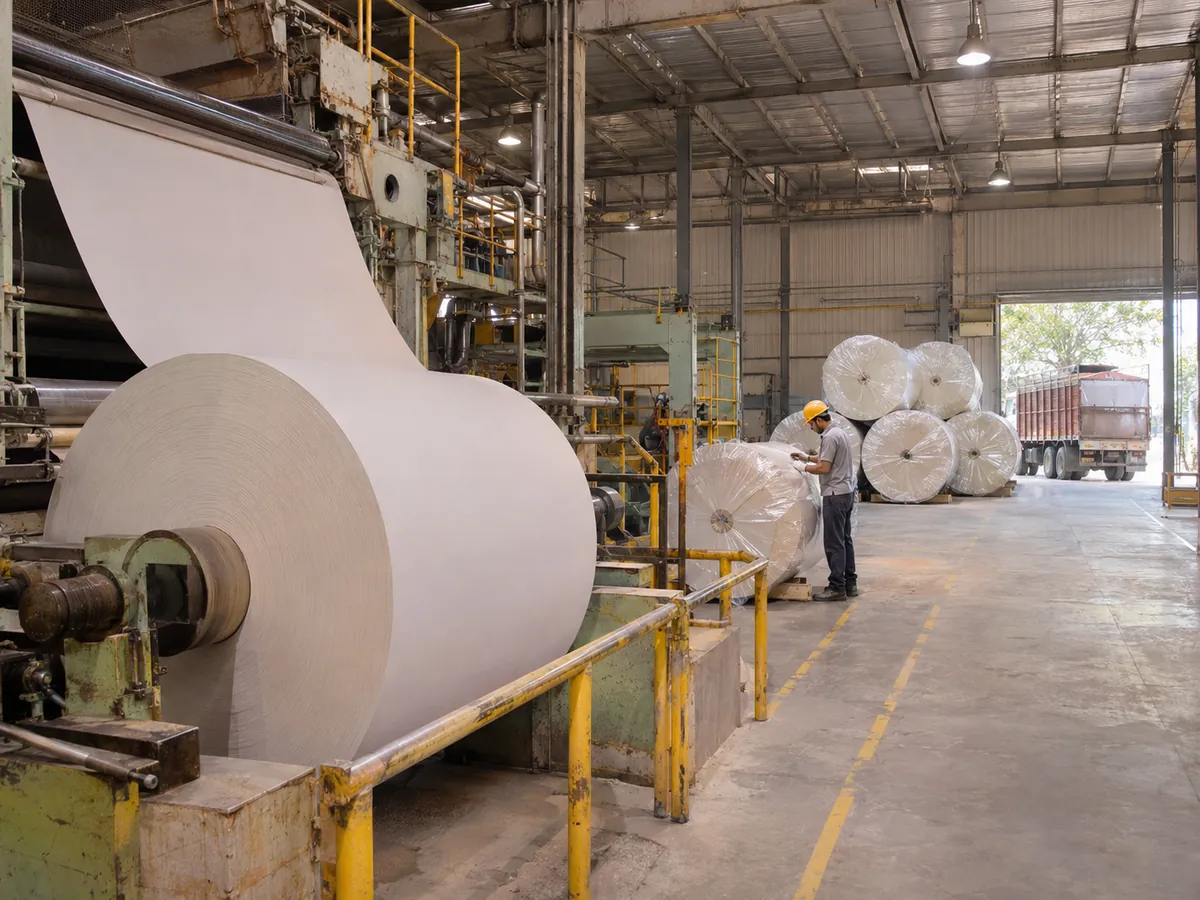
The work is also physically dispersed. The pulper, machine floor, QC laboratory, maintenance workshop, reel store and loading bay occupy different locations, and each area maintains its own records. That separation is precisely where operational information begins to slip.
What does a paper mill workflow look like from order to dispatch?
A typical paper mill workflow moves from customer order through production planning, stock preparation, the machine run, reel quality checks, winding or converting, warehousing and dispatch. Maintenance and stores support every stage. Each step generates operational data, such as grade, GSM, reel numbers, test results, downtime and loading details, that the next team depends on.
- Order intake and planning. Sales confirms grade, GSM (grams per square metre, the paper’s basis weight), width and delivery date. Planning sequences grade changes to limit waste.
- Stock preparation. Virgin pulp, recycled fibre or both are pulped, cleaned, refined and blended with chemicals. Operators log consistency, additives and pulper problems.
- Machine run. The paper machine forms, presses and dries the sheet into a large parent reel, often called a jumbo reel. Crews log sheet breaks, speed changes and downtime.
- Reel quality checks. QC tests each reel for GSM, moisture, caliper (thickness), brightness and strength, then releases it or places it on hold.
- Winding and converting. Rewinders slit parent reels into customer widths, and converting lines cut sheets or reams. Off-specification material returns to the pulper as broke.
- Warehousing. Stores labels, records and locates finished reels and pallets.
- Dispatch. Logistics matches reels to orders, books trucks, supervises loading and issues documents.
- Maintenance, in parallel. Engineers handle breakdowns and planned work on felts, wires, dryers, pumps and drives, and request spares from stores.
A single reel can therefore pass through six teams across three shifts before it leaves the gate.
Why do paper forms, WhatsApp and Excel stop working as a mill grows?
Paper forms, WhatsApp and Excel stop working when the number of people, shifts and handovers outgrows what supervisors can track from memory. The tools still record information. What becomes harder is seeing who owns each open issue, which reels are on hold and what the previous shift left unfinished.
With one machine and 40 people, the owner walks the floor, a logbook covers handovers, one WhatsApp group handles breakdowns and an Excel sheet tracks dispatch. Everyone knows everyone, so a phone call fills any gap. At this stage, these familiar tools genuinely work well.
Then a second machine or a converting line arrives. Maintenance, QC and stores become separate teams, three shifts run daily and messages spread across several groups. A fault reported at 2 a.m. scrolls out of sight by breakfast, and nobody can confirm who accepted it.
Picture a mill of around 200 staff, with two machines, three shifts and thousands of reel movements each month. The strain now appears in specific places:
- Follow-up: supervisors spend hours chasing updates by phone and chat.
- Accountability: a task without a named owner and a due time quietly expires at shift change.
- Visibility: the plant manager cannot see open breakdowns, held reels and pending loads in one place.
- Reporting: someone compiles the daily production and downtime report by hand, often late.
- Inventory movement: spares and reels move between stores and sections without a shared record.
The change a connected task tracker brings is easiest to see as before and after. Before, the plant manager asks five people for a status update. After, one view shows open tasks, owners and overdue items, and the morning meeting starts from facts rather than recollection.
Which paper mill workflows can be automated first?
The strongest first candidates are recurring, rule-based workflows where a missed step is costly and the trigger is clear. In a paper mill, that usually means shift handovers, planned maintenance, QC holds, dispatch confirmation and safety rounds. Automation schedules, assigns, reminds and escalates these tasks, while people still perform and approve the work.
- Shift handover checklist. A recurring checklist at each shift change lists open faults, held reels, grade changes and safety notes. The incoming supervisor acknowledges it before taking charge.
- Breakdown reporting. An operator raises a task with the machine section and a photo. Maintenance is assigned automatically, and the task escalates if nobody acknowledges it within the agreed time.
- Planned maintenance. Recurring tasks cover felt and wire inspections, dryer and bearing lubrication and pump checks, with reminders before each due date.
- Reel QC hold and release. When QC places a reel on hold, linked tasks alert stores and dispatch. Release requires QC sign-off.
- Spares requisition. Maintenance requests a spare, stores issues it and the stock record updates.
- Dispatch confirmation. A loading checklist matches reel numbers to the order and captures a photo of the loaded truck.
- Safety and housekeeping rounds. Daily walks include photo evidence and lockout/tagout (LOTO, isolating energy before maintenance) verification.
- Customer complaint follow-up. A complaint about curl or moisture triggers an investigation task linked to the reel number.
- Daily production and downtime report. The report compiles itself from closed and overdue tasks instead of from handwritten logs.

Where can AI help a paper mill, and where should people decide?
AI can help a paper mill by analysing structured task data against configured rules to highlight what needs attention. Typical examples include overdue maintenance, repeat faults on one machine section, tasks likely to slip or reels waiting too long for release. People still decide on reel release, shutdowns, safety exceptions and customer commitments.
Large manufacturers remain early in this journey. McKinsey’s 2025 survey of more than 100 COOs at manufacturers with at least $1 billion in revenue found that 46 percent reported limitations in their data or IT/OT systems (McKinsey, 2025). IT/OT refers to information technology and operational technology, meaning office systems and plant-floor control systems.
In McKinsey’s 2025 survey of manufacturing COOs, "a mere 2 percent say that AI is now fully embedded across all operations" (McKinsey, 2025).
The lesson for a mid-sized mill is practical. AI is useful only when connected to business data and workflows, so the first priority is recording tasks, owners and timestamps consistently. Once that foundation exists, AI can assist in several configured ways:
- Prioritisation: ranking open tasks by due time and the machine criticality the mill defines.
- Pattern spotting: flagging repeat breakdowns on the same dryer section across several weeks.
- Report drafting: summarising the previous 24 hours of closed and overdue tasks for the morning meeting.
- Work validation: checking submitted evidence, such as photos and checklist completion, before a task closes, with a supervisor reviewing exceptions.
How does connected data improve visibility across production, QC and dispatch?
Connected data improves visibility because every team records work in one shared system, with owners, timestamps and status. The plant manager can then see open breakdowns, held reels, overdue maintenance and pending loads in one view. That replaces the daily effort of assembling the picture from logbooks, chat groups and spreadsheets.
Data quality determines how far this visibility goes. In PwC’s 2026 Digital Trends in Operations Survey of 767 US operations and supply chain executives, 87 percent said poor data quality had affected their organisation’s ability to achieve value from digital initiatives (PwC, 2026). For a mill, dashboards and automation are only as reliable as the reel numbers, timestamps and owner names entered on the floor.
Permissions and accountability matter as well. Operators should raise and close their own tasks, supervisors should reassign and approve, and only QC should release a held reel. A clear audit trail shows who did what and when, which supports internal reviews and customer quality queries.
Mills that adopt a task platform usually run it alongside existing ERP (enterprise resource planning, the system that runs orders, costing and accounts) or accounting software. The ERP remains the system of record for orders and invoices. The task platform manages daily execution: who does what, by when and with what evidence.
What should a paper mill look for in task management software?
A paper mill should look for mobile task capture, recurring schedules, shift awareness, escalation rules, photo evidence, role-based permissions, inventory links and automated reports. The software must work for operators on the floor and in the loading bay, not only for managers at desks, and it should integrate with existing accounting or ERP systems.
A connected operational system is likely worth evaluating if several of these conditions apply:
- Two or more machines, converting lines or sites
- Three shifts or rotating crews
- Recurring maintenance and inspection schedules
- Frequent QC holds or customer complaints
- Spares and reels tracked in separate spreadsheets
- Managers chasing updates through calls and chat groups
- Daily reports compiled by hand
- Rising audit or customer documentation demands
A simple tool is sometimes enough. A single-machine mill with a stable crew, one shift and few recurring jobs may be well served by a shared checklist or a basic task list. Adding AI or multi-step workflows at that size creates administration without much return.
How does TrackerSuite fit a paper mill’s operations?
TrackerSuite is an AI-powered operations platform that connects tasks, people, attendance and inventory. For a paper mill, Task Tracker can organise recurring handovers, maintenance and QC tasks, while Stack Tracker records inventory across stores and locations. On paid plans, TAVI AI features assist with predictive tasking and work validation.
The relevant capabilities map onto the mill workflows described above:
- Shift handovers and planned maintenance: recurring tasks in Task Tracker, with email reminders 48 and 24 hours before a task is due, push notifications and WhatsApp reminders on paid plans.
- Crews and shifts: attendance rules with check-in and check-out, plus a Shift Management add-on for multiple shifts.
- Multi-step jobs: a Workflow add-on that breaks large tasks, such as a planned shutdown sequence, into smaller steps.
- Spares and finished reels: Stack Tracker for inventory, orders and warehouses across locations and teams.
- Reporting: performance scores, timesheets and reports, and daily automated reports on WhatsApp.
- Integrations: two-way Tally integration and Gmail email-to-task extensions for Chrome and Safari.
A task platform does not replace a machine’s control systems or laboratory instruments. Its role is to make sure the people around those systems know what to do next and who owns it.
At a glance
- Cost: The Starter plan is free forever for up to 5 users, with unlimited tasks, buckets and storage (TrackerSuite pricing). Shift Management and Workflow add-ons require the Growth plan, and features such as WhatsApp reminders and TAVI AI are on paid plans.
- Shift Management add-on: USD 1.36 per user per month, available with the Growth plan.
- Workflow add-on: USD 4.08 per user per month, available with the Growth plan.
- AI: TAVI powers predictive tasking and work validation on paid plans.
- Inventory: Stack Tracker covers inventory, orders and warehouses across locations.
- Best fit: mills with multiple shifts, recurring maintenance and dispatch coordination.
How should a mill implement task management software step by step?
A mill should implement task management software gradually, starting with one painful handover, standardising it and then expanding. A sensible approach is to pilot on one machine and one shift pattern, clean the data, and only then extend to QC, stores, dispatch and AI features.
- Map one workflow end to end. Breakdown reporting on one machine is a good start. Note who reports, who accepts, who closes and where delays occur.
- Define owners, due times and escalation rules. Agree what counts as urgent and who is notified when a task goes overdue.
- Build templates. Create standard handover checklists, planned maintenance tasks and QC hold steps.
- Pilot with one crew for four to six weeks. Collect operator feedback and remove unnecessary fields.
- Standardise master data. Keep reel numbers, machine section names and spare codes consistent.
- Extend across departments. Bring in QC, stores and dispatch, and link inventory records.
- Add automated reports, then AI. Introduce AI assistance once task data is consistent enough to trust.
- Review monthly. Check overdue tasks, repeat faults and report accuracy, then adjust rules.
What this means for you
If your supervisors spend the first hour of every shift reconstructing what happened overnight, begin with the handover. A recurring checklist with named owners will expose the open faults and held reels that currently live in people’s heads.
If maintenance and production dispute who knew about a breakdown and when, introduce timestamped breakdown tasks with escalation. If dispatch occasionally loads held reels, link QC holds to dispatch confirmation before anything else. In each case, measure improvement through fewer chased updates, fewer surprises at shift change and faster daily reporting, rather than expecting a headline figure.
Is task management software for lending companies built differently from a mill system?
The underlying pattern is the same across industries: work passes between roles, each handover needs an owner and a deadline, and managers need one view of what is stuck. What differs is the trigger and the evidence. A mill tracks reels and machines, whereas a lender tracks loan files and verification documents.
In lending, an application moves from document verification to underwriting, credit approval and disbursement, and each stage carries its own checklist. The coordination risk resembles a mill’s QC hold: one unresolved query can quietly stall the whole file.
Buyers evaluating task management software for payment companies usually need structured queues for merchant onboarding checks, dispute and chargeback deadlines, and daily reconciliation. Missed deadlines in those queues carry direct financial consequences, so escalation rules matter as much as they do on a paper machine.
Task management software for recruitment companies tracks candidates through sourcing, screening, interviews and offers, where a missed follow-up can lose a placement. The follow-up discipline is similar to chasing a spares request through stores.
Task management software for staffing agencies adds shift filling, timesheets and compliance documents for workers placed at client sites. That combination of attendance, shifts and recurring checks resembles a mill’s crew roster more than an office project board.
Task management software for PR firms centres on client approvals, media follow-ups and campaign deadlines. Branding agencies run comparable approval loops across design rounds and brand guideline reviews. The lesson for a mill is straightforward: tools designed only for desk-based teams often lack the mobile, shift-aware and evidence-based tasks that plant work requires.
FAQs
What is the best task management software for paper manufacturers?
The best option is the one that handles recurring shift handovers, maintenance schedules, QC holds and dispatch checks on mobile devices. Look for escalation rules, photo evidence, role-based permissions and automated reports. A single-shift mill may only need a shared checklist.
Can task management software replace a paper mill’s ERP?
No. The ERP remains the system of record for orders, costing and invoices, while task management software organises daily execution and accountability. Mills that use both usually connect them where integrations exist.
How do you manage shift handovers in a paper mill?
Use a recurring handover checklist that lists open faults, held reels, grade changes and safety notes, with a named owner for each item. The incoming supervisor should acknowledge the checklist before taking charge, and unacknowledged items should escalate automatically.
Is task management software for lending companies suitable for a manufacturing plant?
Usually not without significant changes. Lending tools are built around loan files and compliance documents, whereas a mill needs shift-aware recurring tasks, machine and reel references, and photo evidence from the floor. A general operations platform configured for the mill is typically a better fit.
How much does task management software cost for a small mill?
Costs vary by vendor, user count and features. TrackerSuite’s Starter plan is free for up to 5 users, while shift management, workflow add-ons and AI features sit on paid plans. Check current pricing pages before budgeting.
Conclusion
Paper mills rarely lose control because people stop working hard. They lose control at handovers, where information sits in logbooks, chat groups and spreadsheets that nobody else can see. Task management software for paper manufacturers addresses that gap by giving every handover an owner, a deadline and a record.
Start with one recurring workflow, clean the data, then add automation and AI where they genuinely reduce follow-up. Supervisors, QC and plant managers keep the decisions that matter, while the system keeps track of everything else.
If your mill is outgrowing logbooks and WhatsApp groups, book a conversation with the TrackerSuite team to map your first handover workflow.
Related resources
- Stack Tracker for inventory and warehouses
- TrackerSuite pricing and plans
- Contact the TrackerSuite team

Leave a Reply