Key Takeaways
- Hospitality chains need to coordinate employees, departments, and daily tasks across multiple properties.
- A task tracker helps manage housekeeping, maintenance, guest requests, and routine checks through centralized assignments and reminders.
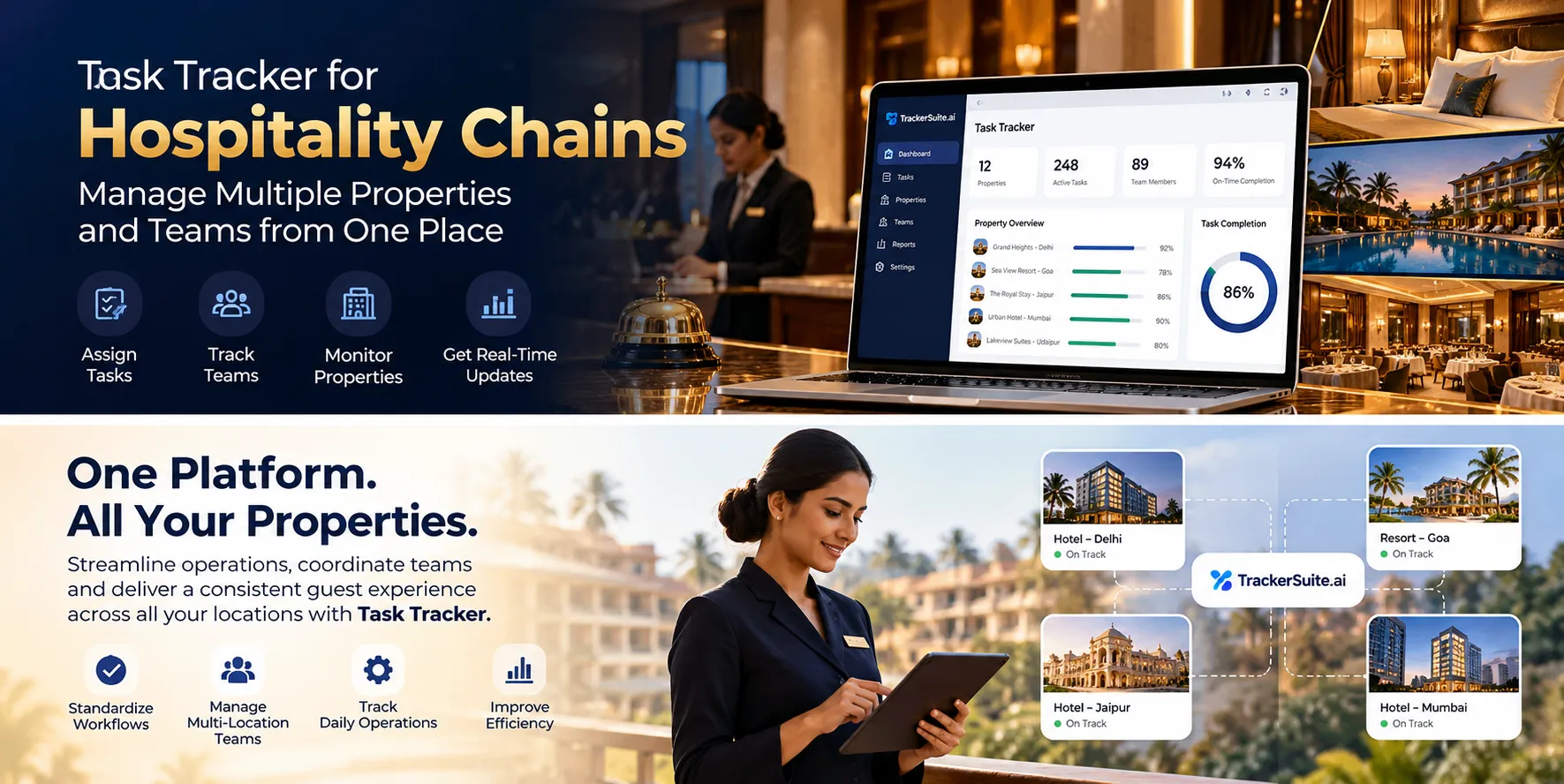
- TrackerSuite.ai Task Tracker offers attendance tracking, proof of work, and task reports to help managers monitor progress, identify delays, and maintain consistent operations across locations.
Introduction
Running multiple hotels, resorts, or restaurants requires coordination across housekeeping, maintenance, front desk, and other departments. Managing work through calls, WhatsApp, and spreadsheets can lead to missed tasks and delays.
A task tracker for hospitality chains helps managers assign responsibilities, set deadlines, monitor progress, and track task completion across properties, keeping daily operations organized and consistent.
Why Do Hospitality Chains Need a Task Tracker?
A hospitality chain needs consistent service across locations, even when each property has different teams, schedules, and operational requirements.
Here are some common challenges that make task tracking useful.
1. Managing Daily Work Across Multiple Properties
A hotel chain may operate properties in several cities, each with its own employees, supervisors, and daily responsibilities.
The central operations team needs to understand whether important tasks are being completed at each property. But visiting every location or calling every manager for updates is not always practical.
A task tracker helps central teams assign responsibilities and review task status across the work they manage.
For example, the operations team can assign daily readiness checks to property managers and review whether the required activities have been reported as complete. This creates a more structured way to follow up on work across the chain.
2. Keeping Housekeeping Activities on Schedule
Housekeeping plays an important role in maintaining a property’s cleanliness and readiness.
Teams may need to complete room cleaning, refresh common areas, check supplies, and prepare spaces according to the property’s operating procedures.
When these responsibilities are communicated informally, employees may miss an activity or assume another team member will handle it.
A task tracker helps managers assign responsibilities, set deadlines, and review progress. Recurring tasks and reminders can support routine activities where the selected software provides those features.
For room-level cleaning status, inspection scores, and coordination with guest check-in and check-out, confirm whether your property management system or a specialized housekeeping tool already handles these requirements.
3. Following Up on Maintenance Issues
A maintenance issue can affect both operations and the guest experience. A faulty air conditioner, plumbing issue, or malfunctioning piece of kitchen equipment may require action from a technician or an external service provider.
If an issue is reported in a message but not assigned clearly, it can remain unresolved longer than expected.
A task tracker helps record a follow-up, assign responsibility, set a deadline, and review its status.
For example, a property manager can assign a maintenance follow-up to the engineering team and review whether the issue has been addressed.
For complex asset management, preventive maintenance schedules, equipment histories, or technical work orders, a dedicated maintenance system may still be necessary.
4. Reducing Manual Follow-Ups Between Departments
Hospitality operations depend on coordination between departments.
Housekeeping may need to report an issue to maintenance. The front desk may need an update from another team. A restaurant manager may need staff to complete a preparation or closing task.
When each update requires a phone call or message, managers can spend a large part of the day checking on work instead of resolving problems.
A task tracker gives teams a shared record of assignments and progress. Managers can review available updates and focus their attention on pending or overdue activities.
This helps reduce routine follow-ups and makes responsibilities easier to track.
5. Maintaining Consistent Standards Across Locations
Guests expect a consistent experience from a hospitality brand, even when they visit different properties.
However, teams may follow different routines if instructions are unclear or each location maintains its own informal process.
A task tracker can help managers distribute standard tasks and reminders across teams. For example, properties can use assigned tasks for opening checks, common-area inspections, equipment follow-ups, or end-of-day reporting.
The exact process should still reflect each property’s needs. A resort, business hotel, and restaurant may require different responsibilities and schedules.
6. Improving Visibility Into Staff Attendance and Work
Hospitality businesses often operate across multiple shifts, departments, and locations. Managers need to coordinate staffing while ensuring that assigned work is progressing.
Attendance records and task updates provide different types of information.
Attendance shows when an employee’s presence was recorded, while task tracking shows the status of assigned work.
A task management system with attendance and timesheet features can help managers review both types of information and plan responsibilities more effectively.
What Is a Task Tracker for Hospitality Chains?
A task tracker is a digital tool that helps businesses create tasks, assign responsibility, set deadlines, monitor progress, and record work updates.
For hospitality chains, tasks may include housekeeping follow-ups, property inspections, maintenance requests, employee training, supply checks, restaurant opening routines, or administrative approvals.
For example, if a property manager identifies an issue during a routine inspection, they can create a follow-up task and assign it to the relevant team.
The task record helps answer five important questions:
- What needs to be done? The task description explains the required activity.
- Who is responsible? An employee or team owns the assignment.
- When is it due? A deadline clarifies the expected completion time.
- What is the current status? Managers can review available progress updates.
- What needs attention? Pending and overdue tasks help highlight work that requires follow-up.
A task tracker focuses on work execution and accountability. It does not necessarily replace a property management system (PMS), point-of-sale system, reservation platform, or guest relationship management tool.
How a Task Tracker Helps Hospitality Chains Manage Daily Operations
1. Assign Tasks to the Right Employees
Every activity needs a clear owner. When responsibilities are unclear, employees may duplicate work or assume someone else will complete it.
A task tracker allows managers to assign work to specific employees or teams, set deadlines, and define priorities.
For example, a hotel manager can assign opening checks to the relevant supervisor, a maintenance follow-up to the engineering team, and a scheduled stock review to the stores team.
Employees know what they need to do, and managers have a clearer way to review progress.
2. Schedule Recurring Tasks
Hospitality businesses have many repeated responsibilities. These may include cleaning common areas, checking equipment, preparing restaurant areas, reviewing supplies, and completing administrative reports.
Creating every assignment manually can add unnecessary work. Recurring task features, where available, allow managers to schedule repeated activities. Reminders can help employees stay aware of upcoming deadlines.
This is especially useful when a chain wants to standardize routine work across properties without requiring managers to recreate every assignment.
3. Track Work Across Departments and Locations
When a hospitality chain operates several properties, managers need a practical way to review tasks without depending entirely on separate reports from each department.
A task tracker can help organize responsibilities by team, employee, deadline, or work category. Managers can then review the tasks they oversee and identify where follow-up is needed.
For example, a regional operations manager can review outstanding internal tasks across properties and contact the responsible manager where work is delayed.
Available cross-property views and reporting depend on the software’s configuration and access controls, so confirm that the chosen plan supports your organizational structure.
4. Keep Proof of Work With Each Task
A task marked as complete may not provide enough information when a manager needs to review what happened.
TrackerSuite.ai Task Tracker supports proof of work through photos, notes, and timestamps attached to tasks. This can help managers review submitted evidence and refer to the task record when a question arises.
For example, a team member can attach a photo after completing an assigned maintenance or common-area inspection activity, where taking a photo is appropriate.
A photo or completion update does not automatically prove that a room meets every required standard. Formal room inspections, food-safety records, and other regulated checks should follow the relevant procedures and systems.
5. Use Reminders to Reduce Missed Deadlines
Hospitality teams often handle several activities at once. An employee may be completing one assignment when another task becomes due.
Reminders help bring upcoming or overdue work to the team’s attention.
Managers can use task deadlines and supported notifications for activities such as scheduled inspections, staff training follow-ups, internal approvals, or routine reporting.
This creates a more consistent follow-up process without requiring supervisors to send a separate message for every task.
6. Review Attendance and Workforce Activity
A hospitality chain may have employees working across front office, housekeeping, food and beverage, maintenance, and other departments.
Attendance tracking and timesheets can help managers review recorded attendance and reported working hours. Task records provide a separate view of assigned work and progress.
This information can help managers identify staffing gaps and decide whether tasks need to be reassigned.
For example, if a team member is absent, the supervisor can review outstanding assignments and allocate work to available employees.
Attendance records should not be treated as a complete measure of employee performance. Workload, task complexity, guest demand, and other operational factors also matter.
7. Follow Up on Guest-Service Issues
Guest requests and complaints often require coordination between departments.
A guest may report a maintenance issue, request additional supplies, or raise a concern that needs follow-up from the property team.
A task tracker can help managers assign internal follow-up responsibilities, set deadlines, and record progress.
For example, after a guest reports a room-related issue, the responsible team can receive a task to investigate it and update the status.
However, guest-facing ticketing, real-time service requests, room status updates, and automated guest communication may require integration with or support from a hotel-specific system. A task tracker should not be assumed to provide these functions automatically.
8. Review Operational Performance
As the chain expands, managers need to understand where work is getting delayed and which responsibilities require additional attention.
Task reports and dashboards can help review overdue assignments, workload, attendance, and reported completion, depending on the available features.
Managers can use this information to identify recurring problems. For example, repeated delays in maintenance follow-ups may point to unclear ownership, staffing constraints, or a process that needs improvement.
The goal is to use task information to solve operational problems, not simply to collect more reports.
Task Tracker vs. WhatsApp and Spreadsheets for Hospitality Chains
WhatsApp groups and spreadsheets can be useful for small teams. However, coordinating tasks across several properties and departments can become difficult when information is spread across different channels.
| Operational Need | WhatsApp and Spreadsheets | Task Tracker |
|---|---|---|
| Assign responsibilities | Instructions may be scattered across messages. | Tasks can have clear owners and deadlines. |
| Review pending work | Managers may need to collect updates manually. | Available task lists can show outstanding work. |
| Schedule routine activities | Repeated tasks may need manual entry. | Supported recurring tasks can simplify scheduling. |
| Coordinate departments | Follow-ups may depend on individual messages. | Task records provide a shared reference. |
| Review completion | Updates may be difficult to find later. | Notes, photos, and timestamps can be attached to tasks. |
| Manage attendance | Separate records or systems may be needed. | Attendance features may be available in the same platform. |
| Review task performance | Reports may require manual consolidation. | Available dashboards and reports help review activity. |
The main benefit is a more structured way to manage responsibilities. WhatsApp remains useful for communication, while spreadsheets may still suit certain records. A task tracker helps ensure that assigned work, deadlines, and follow-ups have a consistent process.
What Features Should You Look for in Hospitality Task Management Software?
Before selecting a task tracker, consider how your chain operates and which teams need to use it.
Task Assignment and Priorities
Look for task creation, clear ownership, deadlines, priorities, and status updates.
Recurring Tasks and Reminders
These features help teams manage routine activities and follow up on upcoming or overdue responsibilities.
Mobile Access
Employees often work away from a desk. Mobile access makes it easier to check assignments and submit task updates while working.
Attendance and Timesheets
These features can help managers review attendance and working hours across departments and locations.
Proof of Work
Photos, notes, timestamps, and task histories can support reviews of reported completion. Check whether the available options fit your internal processes.
Reports and Dashboards
Choose reports that help managers review pending work, deadlines, and workload across the teams they oversee.
Role-Based Access
Different employees need access to different information. Check whether the system supports the permissions required by your property and corporate structure.
Integration With Existing Hospitality Systems
If you already use a PMS, POS, housekeeping platform, or maintenance system, check how the task tracker will fit into your current workflow.
For example, room availability, reservation details, guest billing, and food orders should continue to be managed through systems designed for those functions unless a verified integration supports the required workflow.
How TrackerSuite.ai Helps Hospitality Chains Track Daily Work
TrackerSuite.ai Task Tracker helps businesses organize tasks, coordinate employees, and improve visibility into day-to-day responsibilities.
Hospitality chains can consider using it to manage internal work across properties, departments, and support teams.
Centralize Task Assignments
Managers can create tasks, assign responsible employees, set deadlines, and review available status updates.
For example, the central operations team can assign recurring administrative tasks or property-level follow-ups and review whether the work has been reported as complete.
Use Reminders and Notifications
TrackerSuite.ai supports task reminders and notifications, including WhatsApp alerts on supported configurations. These help employees keep assigned work and deadlines in view.
Review Attendance and Timesheets
Task Tracker includes attendance with geo-location and timesheet-related capabilities. These can help managers review recorded attendance and working-hour information, depending on the selected plan and configuration.
Keep Proof of Work With Tasks
Employees can attach photos, notes, and timestamps to tasks. Managers can review the submitted information and refer to the task record when further follow-up is required.
Identify Pending Work
Task lists, filters, calendar views, approvals, and reports can help managers organize assignments and identify work that needs attention. Available features depend on the selected plan.
Use AI to Support Task Planning
TrackerSuite.ai includes TAVI AI-powered tasking capabilities that can suggest tasks based on past work, roles, and team information. The usefulness of these suggestions depends on the available data and configured workflow.
For hospitality chains, a practical starting point is to identify internal tasks that frequently require follow-ups, such as property checks, staff-related activities, maintenance coordination, and administrative approvals.
Important: TrackerSuite.ai Task Tracker is a task and workforce management solution. If your business needs reservations, guest profiles, room inventory, automated check-in, room-cleaning status linked to reservations, POS billing, or specialized maintenance management, verify those requirements separately and retain the appropriate hospitality systems where needed.
Explore TrackerSuite.ai Task Tracker to review the available features.
How to Implement a Task Tracker Across Your Hospitality Chain
You do not need to digitize every process at once. Start with recurring activities that require frequent follow-ups.
Step 1: Identify the Tasks That Need Better Tracking
List activities that often get delayed or require managers to chase updates. These could include property checks, maintenance follow-ups, training reminders, or daily reporting.
Step 2: Define Responsibilities by Role
Decide which tasks belong to property managers, housekeeping supervisors, maintenance teams, restaurant managers, and the central operations team.
Step 3: Standardize Recurring Activities
Create a consistent process for tasks that apply across locations. Keep separate instructions for properties with different operating requirements.
Step 4: Set Deadlines and Update Rules
Explain when employees should update task status, attach supporting information, or report an issue that requires further action.
Step 5: Start With a Few Teams or Properties
Test the workflow at a small number of locations. Collect feedback from employees and managers before expanding it across the chain.
Step 6: Review Results and Improve the Process
Check whether managers spend less time collecting updates, whether ownership is clearer, and whether overdue work is easier to identify. Use the findings to improve task assignments and deadlines.
A successful rollout depends on clear responsibilities and consistent use. Software works best when it supports the way teams need to operate.
Frequently Asked Questions
1. What Is a Task Tracker for Hospitality Chains?
A task tracker is a digital tool that helps hospitality businesses assign work, set deadlines, monitor progress, and record follow-ups across properties and departments.
2. Can a Task Tracker Help Manage Multiple Hotels?
Yes. A task tracker can help organize responsibilities across teams and locations. Confirm that the selected system supports the access controls and reporting structure your chain needs.
3. Can a Task Tracker Help With Housekeeping?
It can help assign housekeeping-related tasks, set deadlines, send reminders, and review reported progress. For room status linked to reservations, inspection scores, and room-readiness workflows, check whether a specialized housekeeping system or PMS is required.
4. Can a Task Tracker Help Manage Hotel Maintenance?
It can help record maintenance follow-ups, assign responsibility, and review task progress. Hotels that need asset histories, detailed technical work orders, and preventive maintenance management may also need a dedicated maintenance system.
5. How Can Hospitality Chains Reduce Manual Follow-Ups?
Use clear task ownership, deadlines, reminders, and a shared process for updating progress. Managers can review pending work and focus on activities that need attention instead of contacting every employee for routine updates.
6. Can TrackerSuite.ai Help Manage Hospitality Staff Attendance?
TrackerSuite.ai Task Tracker includes attendance with geo-location and timesheet-related capabilities. Check the selected plan and configuration to confirm that the features meet your staffing requirements.
7. Can a Task Tracker Replace a Hotel Property Management System?
Not necessarily. A property management system typically handles reservations, room inventory, guest information, and other hotel-specific functions. A task tracker focuses on work assignments, task progress, and workforce coordination. Many businesses may need both.
Conclusion
Managing a hospitality chain requires coordination across properties, departments, and shifts. A task tracker helps centralize assignments, deadlines, reminders, attendance, and proof of work, making it easier to track progress and identify delays.
TrackerSuite.ai Task Tracker helps hospitality businesses organize daily operations and maintain consistent workflows across locations. Start by assigning clear responsibilities and deadlines to tasks that need frequent follow-ups.
Leave a Reply