![In fast-paced business environments, staying organized is no longer just about maintaining a personal checklist. As organizations scale, scattered spreadsheets, unread email threads, and disjointed messaging apps quickly turn into operational bottlenecks. Deadlines slip through the cracks, accountability blurs, and managers find themselves spending more time chasing status updates than driving strategic growth. This is where a modern task management system becomes essential. Far beyond simple to-do list apps, an integrated work management software platform serves as the single source of truth for your entire organization. It aligns individual contributors, team leaders, and executives around clear deliverables, streamlined workflows, and real-time execution. Whether you are evaluating your first task management tool or upgrading an enterprise project management stack, this guide explores everything you need to know about choosing, deploying, and mastering task and workflow solutions. Understanding the Core Differences: Tasks, Workflows, and Projects Before diving into specific features, it is crucial to understand the distinct operational layers that make up business execution. While these terms are often used interchangeably, they address different scopes of work: 1. Individual Tasks A task is a discrete unit of actionable work assigned to a specific person with a defined due date. Examples include drafting a client proposal, reviewing code, or preparing a monthly financial statement. A dedicated task tracking system helps individual employees prioritize their daily schedule and log their progress. 2. Structured Workflows A workflow is a repeatable sequence of tasks designed to move a business process from start to finish. For instance, onboarding a new hire involves HR documentation, IT equipment provisioning, compliance training, and manager check-ins. Specialized workflow management software automates these handoffs so that task B automatically triggers as soon as task A is approved. 3. Comprehensive Projects A project represents an overarching objective with defined milestones, budgets, dependencies, and stakeholders. Managing a software release or launching a marketing campaign requires robust project task management software that balances resource capacity, timelines, and cross-functional deliverables. LevelFocusPrimary GoalExample Tool RequirementTaskAction items & personal executionClarity & deadline complianceTo-do lists, daily timers, status tagsWorkflowStandard operating procedures & handoffsConsistency & automationTriggers, approvals, condition rulesProjectMilestones, resources & timelinesStrategic delivery & ROIGantt charts, workload views, portfolio tracking When these three layers work in harmony, organizations eliminate duplicate work and unlock unprecedented operational agility. Key Capabilities of Modern Task Management Software Investing in the right task management software is about giving your team the exact visibility they need without adding administrative overhead. Here are the core pillars of an effective platform: 1. Centralized Task Creation and Assignment Every task must have an unambiguous owner, clear priority ranking (e.g., Critical, High, Normal, Low), a deadline, and detailed context. High-performing tools allow users to attach relevant briefs, add subtasks, and define checklist items directly inside the task card. 2. Multi-View Adaptability Different roles consume information differently. An effective team task management software solution offers multiple project views: Kanban Boards: Ideal for agile sprints, marketing pipelines, and visual drag-and-drop status tracking. List Views: Perfect for quick daily scanning, batch editing, and structured execution. Gantt Charts & Timelines: Critical for visualizing task dependencies and schedule constraints in complex pm project management software setups. Calendar Views: Best for scheduling client deliverables, editorial calendars, and recurring operational milestones. 3. Employee Workload and Capacity Balancing Burnout occurs when managers lack visibility into who is doing what. Advanced employee task management software displays team capacity in real time, preventing resource overloading and identifying underutilized team members. 4. Automated Notifications and Status Updates Manual follow-up is one of the biggest drains on managerial productivity. With an automated task tracking software platform, stakeholders receive contextual notifications whenever a task changes status, is blocked, or nears its due date. How Workflow Management Software Eliminates Operational Waste While task tracking answers what needs to be done, workflow management governs how work moves across an organization. Without workflow standardization, teams experience disjointed handoffs, missed approvals, and inconsistent quality. The Impact of Automated Workflows [Task Initiated] ➔ [Auto-Routed to Approver] ➔ [Status: Approved] ➔ [Next Task Generated & Assigned] │ └── [Status: Changes Requested] ➔ [Notification to Creator] Standardized Quality: By enforcing required fields and standardized checklists before a task can transition to the next stage, workflow tools safeguard deliverables against avoidable errors. Reduced Cycle Times: Eliminating email chains for routine sign-offs drastically accelerates project turnaround. Auditability and Compliance: Every transition, timestamp, and modification is logged automatically, creating an effortless audit trail for regulatory or managerial review. As organizations refine their operational strategy, aligning workflows with their overarching workplace collaboration mission creates a transparent culture where every employee understands how their daily output contributes to larger company goals. Deep Dive: Managing Projects in Software Project Management Executing a technical project in software project management introduces unique complexities compared to traditional business operations. Agile methodologies, continuous integration, bug reporting, and feature prioritization demand a tailored approach within your management software project ecosystem. Bridging Engineering and Business Operations In software engineering, tasks frequently have technical dependencies, risk factors, and sprint allocations. Utilizing dedicated project management and software tracking tools enables engineering teams to: Link user stories to functional pull requests and code deployments. Manage bug backlogs alongside feature roadmaps. Track sprint velocity and burndown rates to forecast release dates accurately. Coordinate between product managers, UI/UX designers, developers, and QA testers seamlessly. When technical teams and business units operate within an interconnected management project software ecosystem, executive leaders gain complete visibility into product velocity, development bottlenecks, and client-facing release schedules without interrupting developers with constant sync meetings. Evaluating Task and Project Tracking Tools: A Step-by-Step Checklist Selecting the right platform requires balancing feature depth with ease of adoption. Follow this framework when evaluating options for your organization: Step 1: Assess Usability and Learning Curve A feature-dense tool that nobody uses is worse than a simple spreadsheet. Look for clean user interfaces, intuitive navigation, and minimal onboarding friction so your team can start collaborating on day one. Step 2: Ensure Deep Integration Capabilities Your work management platform should not exist in a silo. Check for native connections or API access to your communication tools (e.g., Slack, WhatsApp, Microsoft Teams), cloud storage, and CRM platforms. Step 3: Evaluate Mobile Accessibility Field teams, sales executives, and remote workers require robust mobile support. Ensure that the task tracking mobile app supports quick updates, push notifications, and offline access. Step 4: Examine Reporting and Business Intelligence Does the system offer actionable dashboards? Look for automated metric tracking such as on-time task completion percentage, overdue project ratios, individual efficiency metrics, and time tracking breakdown. Step 5: Total Cost of Ownership (TCO) Many legacy enterprise platforms impose high per-user fees and mandatory implementation consulting. Look for transparent, scalable pricing that delivers high ROI from small teams up to enterprise operations. Best Practices for Implementing Task Management Systems Rolling out a new platform across a team or entire company requires deliberate change management. To ensure widespread adoption and measurable productivity gains, implement these best practices: 1. Define Standard Operating Procedures (SOPs) Before inviting your team, establish basic guidelines: What qualifies as a task versus a subtask? How are task priorities assigned? When is a task marked "Done" versus "In Review"? How often should team members update task progress? 2. Designate Platform Champions Identify tech-savvy team leads across departments who can serve as internal points of contact. When team members have peer mentors during the rollout phase, resistance to new software drops significantly. 3. Replace Status Meetings with Asynchronous Updates Demonstrate the tangible value of the tool immediately by cutting down recurring sync meetings. Instruct team members to post daily standup notes and progress updates directly inside project boards. 4. Review Analytics and Iterate Monthly Utilize built-in reporting to review team bottlenecks. If certain workflows consistently suffer from delays at the approval stage, reconfigure the workflow rules to eliminate the friction. The Future of Task and Work Management: AI-Driven Automation The next generation of productivity tools is defined by artificial intelligence and predictive automation. Rather than requiring users to manually configure every trigger, intelligent work platforms now offer: Smart Task Summarization: Condensing long comment threads into executive bullet points. Predictive Bottleneck Detection: Flagging projects that are statistically likely to miss their launch dates based on historical velocity. Automated Resource Allocation: Recommending the ideal team member for a new assignment based on their current bandwidth and domain expertise. By embracing intelligent tools that handle administrative busywork, businesses free up their employees to focus on strategic, high-value problem solving. Transform Your Team's Productivity with TrackerSuite Eliminate disjointed communication and gain total operational visibility with an all-in-one productivity suite built for modern teams. Whether you need lightweight task tracking, robust workflow automation, or enterprise-ready project management, explore TrackerSuite's affordable plans to start streamlining your workflows today.](https://www.trackersuite.ai/blog/wp-content/uploads/2026/10/uploaded_727cf4f76f5643c1aa232d7402326a72_trackersuite15th.png)
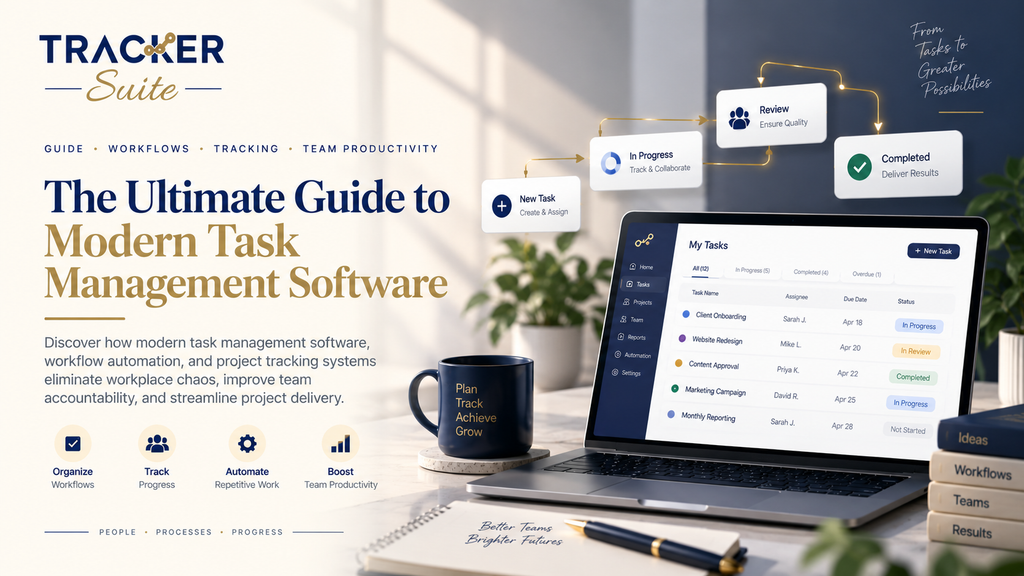
In fast-paced business environments, staying organized is no longer just about maintaining a personal checklist. As organizations scale, scattered spreadsheets, unread email threads, and disjointed messaging apps quickly turn into operational bottlenecks. Deadlines slip through the cracks, accountability blurs, and managers find themselves spending more time chasing status updates than driving strategic growth.
This is where a modern task management system becomes essential. Far beyond simple to-do list apps, an integrated work management software platform serves as the single source of truth for your entire organization. It aligns individual contributors, team leaders, and executives around clear deliverables, streamlined workflows, and real-time execution.
Whether you are evaluating your first task management tool or upgrading an enterprise project management stack, this guide explores everything you need to know about choosing, deploying, and mastering task and workflow solutions.
Understanding the Core Differences: Tasks, Workflows, and Projects
Before diving into specific features, it is crucial to understand the distinct operational layers that make up business execution. While these terms are often used interchangeably, they address different scopes of work:
1. Individual Tasks
A task is a discrete unit of actionable work assigned to a specific person with a defined due date. Examples include drafting a client proposal, reviewing code, or preparing a monthly financial statement. A dedicated task tracking system helps individual employees prioritize their daily schedule and log their progress.
2. Structured Workflows
A workflow is a repeatable sequence of tasks designed to move a business process from start to finish. For instance, onboarding a new hire involves HR documentation, IT equipment provisioning, compliance training, and manager check-ins. Specialized workflow management software automates these handoffs so that task B automatically triggers as soon as task A is approved.
3. Comprehensive Projects
A project represents an overarching objective with defined milestones, budgets, dependencies, and stakeholders. Managing a software release or launching a marketing campaign requires robust project task management software that balances resource capacity, timelines, and cross-functional deliverables.
LevelFocusPrimary GoalExample Tool RequirementTaskAction items & personal executionClarity & deadline complianceTo-do lists, daily timers, status tagsWorkflowStandard operating procedures & handoffsConsistency & automationTriggers, approvals, condition rulesProjectMilestones, resources & timelinesStrategic delivery & ROIGantt charts, workload views, portfolio tracking
When these three layers work in harmony, organizations eliminate duplicate work and unlock unprecedented operational agility.
Key Capabilities of Modern Task Management Software
Investing in the right task management software is about giving your team the exact visibility they need without adding administrative overhead. Here are the core pillars of an effective platform:
1. Centralized Task Creation and Assignment
Every task must have an unambiguous owner, clear priority ranking (e.g., Critical, High, Normal, Low), a deadline, and detailed context. High-performing tools allow users to attach relevant briefs, add subtasks, and define checklist items directly inside the task card.
2. Multi-View Adaptability
Different roles consume information differently. An effective team task management software solution offers multiple project views:
- Kanban Boards: Ideal for agile sprints, marketing pipelines, and visual drag-and-drop status tracking.
- List Views: Perfect for quick daily scanning, batch editing, and structured execution.
- Gantt Charts & Timelines: Critical for visualizing task dependencies and schedule constraints in complex pm project management software setups.
- Calendar Views: Best for scheduling client deliverables, editorial calendars, and recurring operational milestones.
3. Employee Workload and Capacity Balancing
Burnout occurs when managers lack visibility into who is doing what. Advanced employee task management software displays team capacity in real time, preventing resource overloading and identifying underutilized team members.
4. Automated Notifications and Status Updates
Manual follow-up is one of the biggest drains on managerial productivity. With an automated task tracking software platform, stakeholders receive contextual notifications whenever a task changes status, is blocked, or nears its due date.
How Workflow Management Software Eliminates Operational Waste
While task tracking answers what needs to be done, workflow management governs how work moves across an organization. Without workflow standardization, teams experience disjointed handoffs, missed approvals, and inconsistent quality.
The Impact of Automated Workflows
[Task Initiated] ➔ [Auto-Routed to Approver] ➔ [Status: Approved] ➔ [Next Task Generated & Assigned]
                                   │
└── [Status: Changes Requested] ➔ [Notification to Creator]- Standardized Quality: By enforcing required fields and standardized checklists before a task can transition to the next stage, workflow tools safeguard deliverables against avoidable errors.
- Reduced Cycle Times: Eliminating email chains for routine sign-offs drastically accelerates project turnaround.
- Auditability and Compliance: Every transition, timestamp, and modification is logged automatically, creating an effortless audit trail for regulatory or managerial review.
As organizations refine their operational strategy, aligning workflows with their overarching workplace collaboration mission creates a transparent culture where every employee understands how their daily output contributes to larger company goals.
Deep Dive: Managing Projects in Software Project Management
Executing a technical project in software project management introduces unique complexities compared to traditional business operations. Agile methodologies, continuous integration, bug reporting, and feature prioritization demand a tailored approach within your management software project ecosystem.
Bridging Engineering and Business Operations
In software engineering, tasks frequently have technical dependencies, risk factors, and sprint allocations. Utilizing dedicated project management and software tracking tools enables engineering teams to:
- Link user stories to functional pull requests and code deployments.
- Manage bug backlogs alongside feature roadmaps.
- Track sprint velocity and burndown rates to forecast release dates accurately.
- Coordinate between product managers, UI/UX designers, developers, and QA testers seamlessly.
When technical teams and business units operate within an interconnected management project software ecosystem, executive leaders gain complete visibility into product velocity, development bottlenecks, and client-facing release schedules without interrupting developers with constant sync meetings.
Evaluating Task and Project Tracking Tools: A Step-by-Step Checklist
Selecting the right platform requires balancing feature depth with ease of adoption. Follow this framework when evaluating options for your organization:
Step 1: Assess Usability and Learning Curve
A feature-dense tool that nobody uses is worse than a simple spreadsheet. Look for clean user interfaces, intuitive navigation, and minimal onboarding friction so your team can start collaborating on day one.
Step 2: Ensure Deep Integration Capabilities
Your work management platform should not exist in a silo. Check for native connections or API access to your communication tools (e.g., Slack, WhatsApp, Microsoft Teams), cloud storage, and CRM platforms.
Step 3: Evaluate Mobile Accessibility
Field teams, sales executives, and remote workers require robust mobile support. Ensure that the task tracking mobile app supports quick updates, push notifications, and offline access.
Step 4: Examine Reporting and Business Intelligence
Does the system offer actionable dashboards? Look for automated metric tracking such as on-time task completion percentage, overdue project ratios, individual efficiency metrics, and time tracking breakdown.
Step 5: Total Cost of Ownership (TCO)
Many legacy enterprise platforms impose high per-user fees and mandatory implementation consulting. Look for transparent, scalable pricing that delivers high ROI from small teams up to enterprise operations.
Best Practices for Implementing Task Management Systems
Rolling out a new platform across a team or entire company requires deliberate change management. To ensure widespread adoption and measurable productivity gains, implement these best practices:
1. Define Standard Operating Procedures (SOPs)
Before inviting your team, establish basic guidelines:
- What qualifies as a task versus a subtask?
- How are task priorities assigned?
- When is a task marked “Done” versus “In Review”?
- How often should team members update task progress?
2. Designate Platform Champions
Identify tech-savvy team leads across departments who can serve as internal points of contact. When team members have peer mentors during the rollout phase, resistance to new software drops significantly.
3. Replace Status Meetings with Asynchronous Updates
Demonstrate the tangible value of the tool immediately by cutting down recurring sync meetings. Instruct team members to post daily standup notes and progress updates directly inside project boards.
4. Review Analytics and Iterate Monthly
Utilize built-in reporting to review team bottlenecks. If certain workflows consistently suffer from delays at the approval stage, reconfigure the workflow rules to eliminate the friction.
The Future of Task and Work Management: AI-Driven Automation
The next generation of productivity tools is defined by artificial intelligence and predictive automation. Rather than requiring users to manually configure every trigger, intelligent work platforms now offer:
- Smart Task Summarization: Condensing long comment threads into executive bullet points.
- Predictive Bottleneck Detection: Flagging projects that are statistically likely to miss their launch dates based on historical velocity.
- Automated Resource Allocation: Recommending the ideal team member for a new assignment based on their current bandwidth and domain expertise.
By embracing intelligent tools that handle administrative busywork, businesses free up their employees to focus on strategic, high-value problem solving.
Transform Your Team’s Productivity with TrackerSuite
Eliminate disjointed communication and gain total operational visibility with an all-in-one productivity suite built for modern teams. Whether you need lightweight task tracking, robust workflow automation, or enterprise-ready project management, explore TrackerSuite’s affordable plans to start streamlining your workflows today.
Leave a Reply